An Admin Needs Secure VM Access? Create Azure Bastion
An administrator needs an SSH session to a CloudTrips VM. Giving the VM a public IP and allowing port 22 from the internet would create a direct public entry point that must be protected continuously.
Use Azure Bastion instead. The administrator opens an SSH session in the Azure portal, and Bastion reaches the VM through its private IP inside the VNet. The VM needs neither a public IP nor an inbound SSH rule from the internet.
This trip uses the VNet, application subnet, and subnet NSG created in Subnet Needs Traffic Filtering? Create an NSG.
The connection path is:
Administrator -> Azure portal -> Azure Bastion -> VM private IPFor this TEST exercise, use the free Developer SKU. It uses Microsoft-managed shared Bastion infrastructure, supports one VM connection at a time, and can connect only to VMs in the same VNet. Production environments that need a dedicated host, peered-VNet access, concurrency, or advanced features should use a higher Bastion SKU.
Create a Private Test VM
The previous NSG diagnostic trip deleted its temporary VM. Create a new small Linux VM for this connection test.
In the Azure portal, search for Virtual machines, select Create > Azure virtual machine, and configure Basics:
Subscription: CloudTrips TEST
Resource group: rg-cloudtrips-network-test-weu
Virtual machine name: vm-cloudtrips-bastion-test-weu
Region: West Europe
Availability options: Availability zone
Availability zone: Zone 3
Security type: Standard
Image: Ubuntu Server 24.04 LTS - x64 Gen2
Size: Standard_D2s_v3
Authentication type: Password
Username: azureuser
Password: Create a temporary strong password
Public inbound ports: None
Do not put the password in the trip or a screenshot. It is used only for this temporary lab VM.
On Disks, use a Standard SSD and enable deletion of the OS disk with the VM. On Networking, configure:
Virtual network: vnet-cloudtrips-test-weu
Subnet: snet-app
Public IP: None
NIC network security group: None
Public inbound ports: None
Delete NIC when VM is deleted: Enabled
snet-app already has nsg-cloudtrips-app-test-weu, so another NSG is not
needed on the NIC. Azure’s default AllowVNetInBound rule permits SSH from
inside the VNet, while DenyAllInBound continues to block unmatched inbound
internet traffic.
On Tags, add:
Application: CloudTrips
Environment: TEST
Purpose: BastionTest
Select Review + create, and then select Create. Wait until deployment finishes and the VM shows Running.
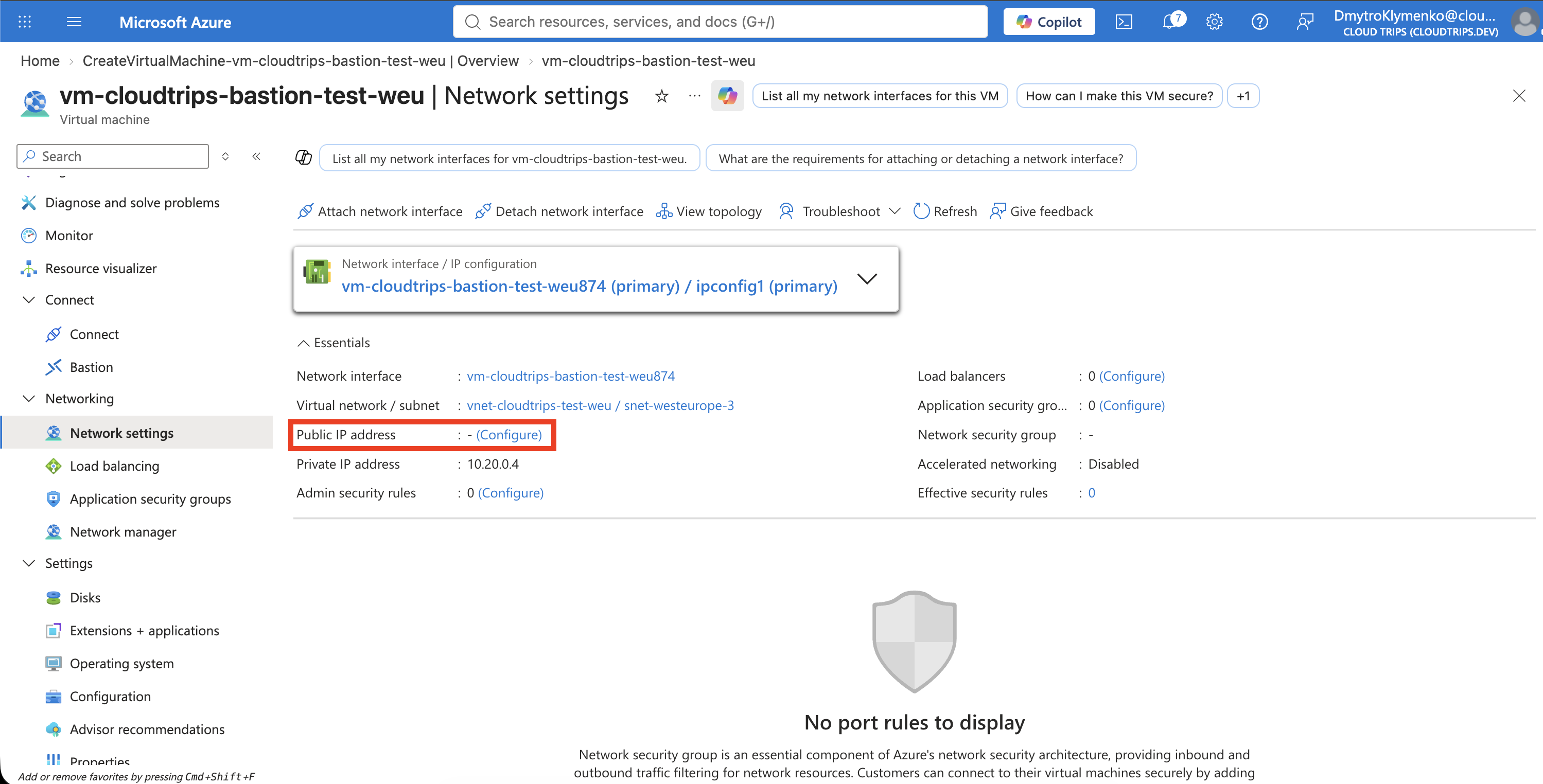
The VM is now reachable privately inside its VNet, but it has no direct internet address for an administrator to target.
Connect with Bastion Developer
Open vm-cloudtrips-bastion-test-weu and select Connect > Bastion.
West Europe supports Bastion Developer, so the connection page offers the free
shared deployment without requiring a dedicated Bastion subnet or public IP.
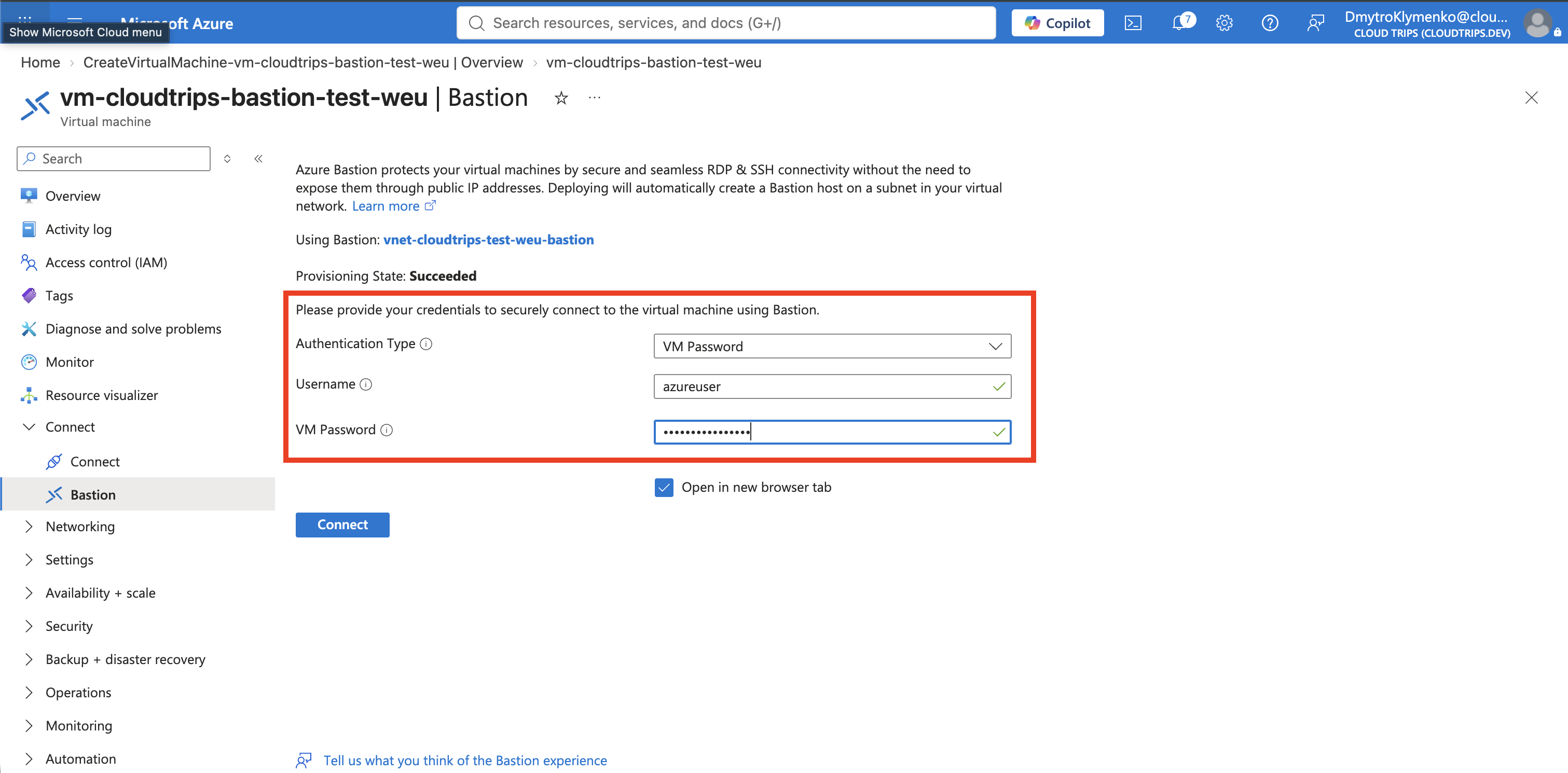
Select:
Authentication type: VM Password
Username: azureuser
Password: The temporary VM password
Select Connect. On the first connection, Azure automatically deploys
Bastion Developer to vnet-cloudtrips-test-weu; this normally completes much
faster than a dedicated Bastion deployment. Allow the browser to open the new
session tab if prompted.
Verify Private Administrative Access
In the browser terminal, run:
hostnameThe output should be:
vm-cloudtrips-bastion-test-weu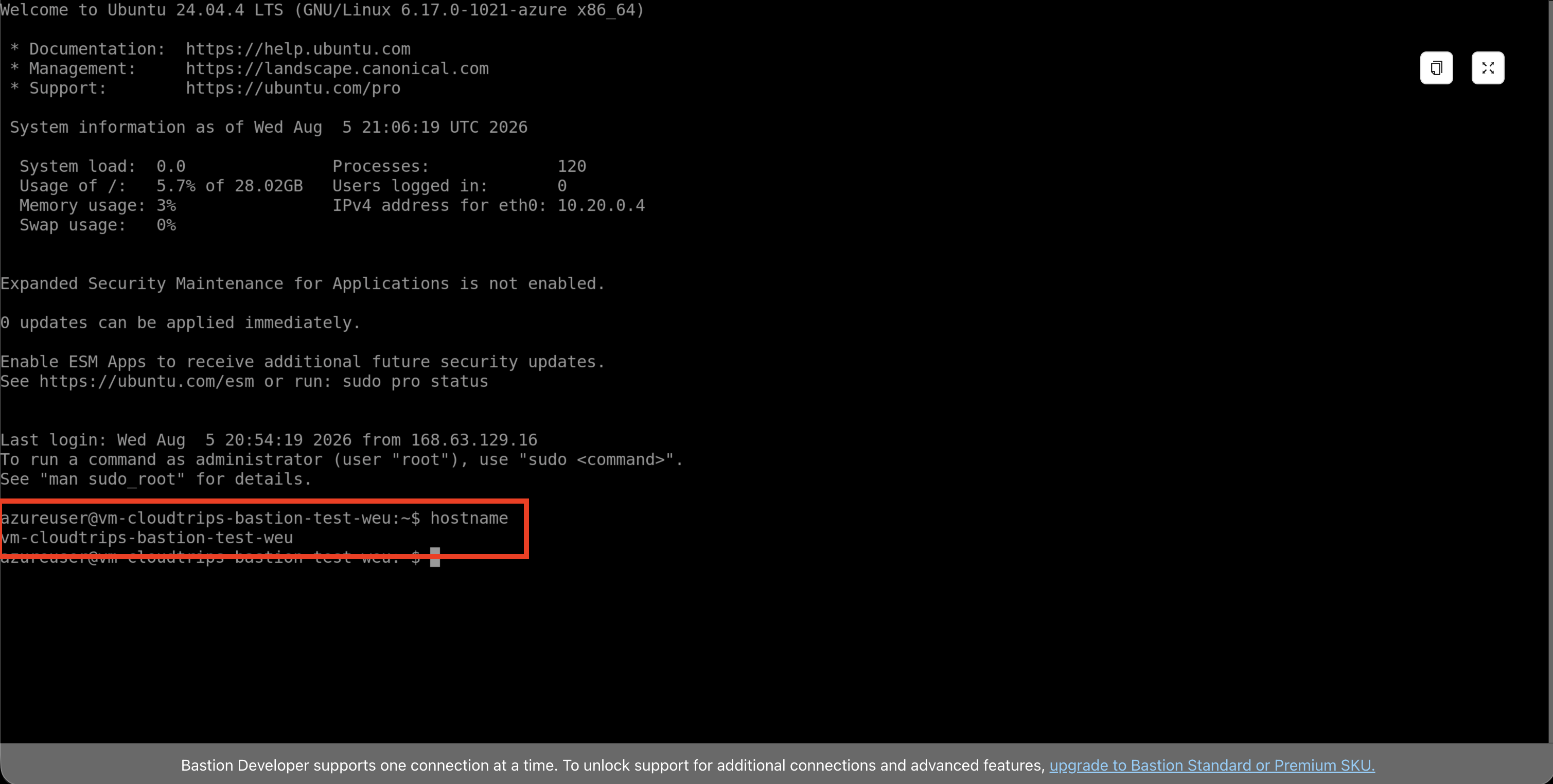
This proves that the administrator reached the VM over its private network interface. The browser connects to the Bastion service; Bastion then opens SSH to the VM’s private IP on port 22. No public IP or internet-facing SSH rule was added to the VM.
Remove the Temporary VM
If you are continuing immediately with Network Needs Firewall Inspection? Create Azure Firewall, deallocate the VM and keep it for that test. Otherwise, close the Bastion session and delete
vm-cloudtrips-bastion-test-weu immediately to stop compute charges. On the
deletion page, also select its OS disk and NIC if Azure does not already mark
them for deletion.
Bastion Developer has no hourly charge and can remain for later TEST access.
To remove it as well, search for Bastions, open the Developer Bastion
resource associated with vnet-cloudtrips-test-weu, and select Delete.
Keep vnet-cloudtrips-test-weu, snet-app, and its NSG for the following
Networking trips.