Subnet Needs Traffic Filtering? Create an NSG
The public IP associated with the CloudTrips NIC gives internet traffic an address to target, but it does not decide which connections are allowed. The application subnet needs rules that permit the required traffic and reject unsolicited connections.
Create a network security group (NSG). An NSG is a collection of inbound
and outbound rules that allow or deny network traffic. Associating it with
snet-app applies those rules to every network interface in that subnet,
including nic-cloudtrips-vm-test-weu.
This trip builds on: VM Needs a Network Adapter? Create a Network Interface.
Plan the Traffic Rule
For this exercise, the future application accepts HTTPS traffic from the internet on TCP port 443. Other unsolicited inbound internet traffic remains blocked.
Use:
NSG name: nsg-cloudtrips-app-test-weu
Subnet: vnet-cloudtrips-test-weu/snet-app
Rule name: Allow-HTTPS-Internet
Direction: Inbound
Source: Internet
Destination: 10.20.1.0/24
Protocol: TCP
Destination port: 443
Action: Allow
Priority: 100
An NSG evaluates rules from the lowest priority number to the highest and stops
at the first match. Priority 100 therefore evaluates before Azure’s default
rules. NSGs are stateful: when an allowed inbound connection is established,
its response traffic is automatically permitted.
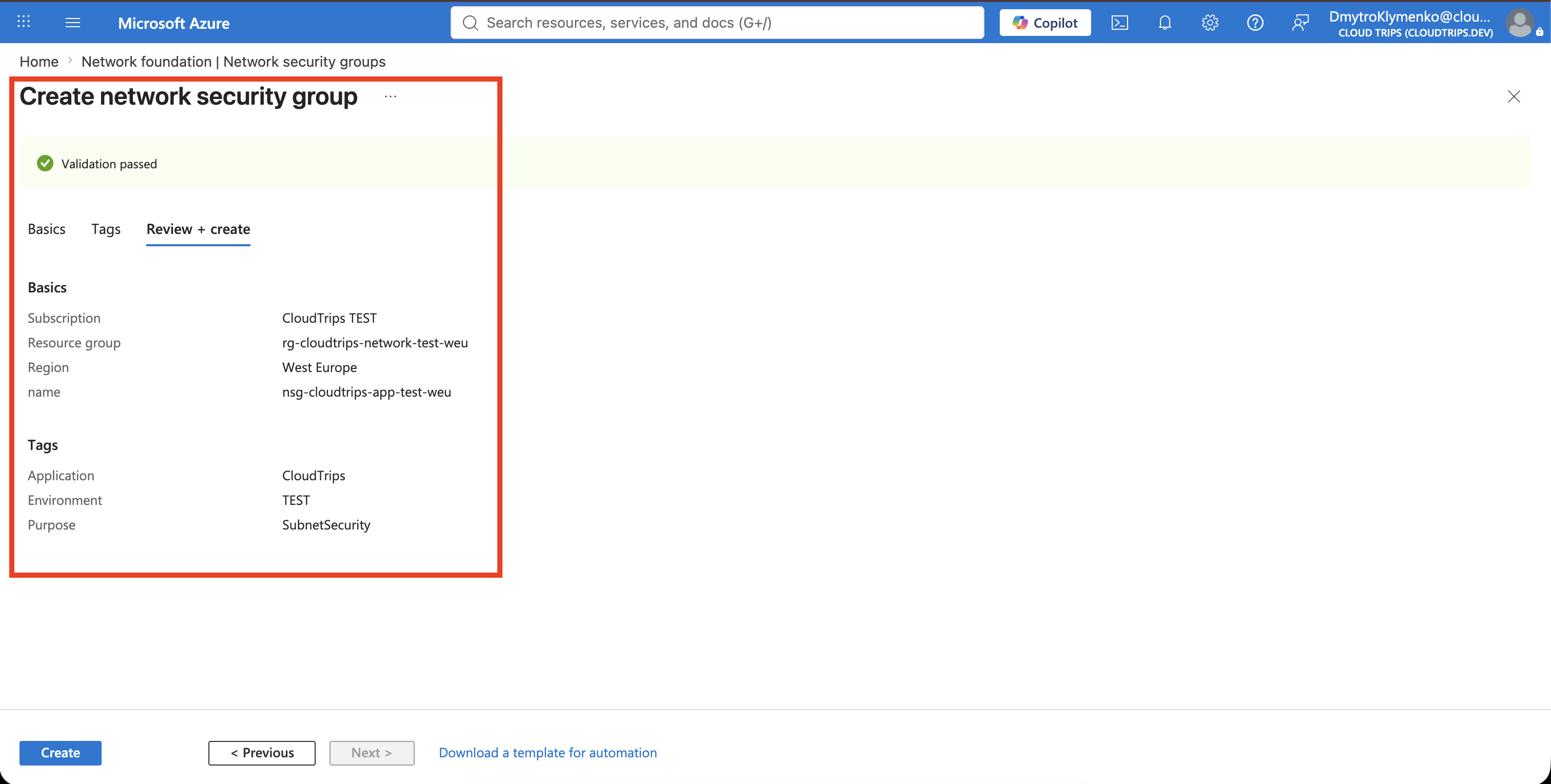
Create the NSG
In the Azure portal, search for Network security groups, open the service, and select Create.
Configure:
Subscription: CloudTrips TEST
Resource group: rg-cloudtrips-network-test-weu
Name: nsg-cloudtrips-app-test-weu
Region: West Europe
On Tags, add:
Application: CloudTrips
Environment: TEST
Purpose: SubnetSecurity
Select Review + create, and then select Create.
Allow HTTPS Inbound
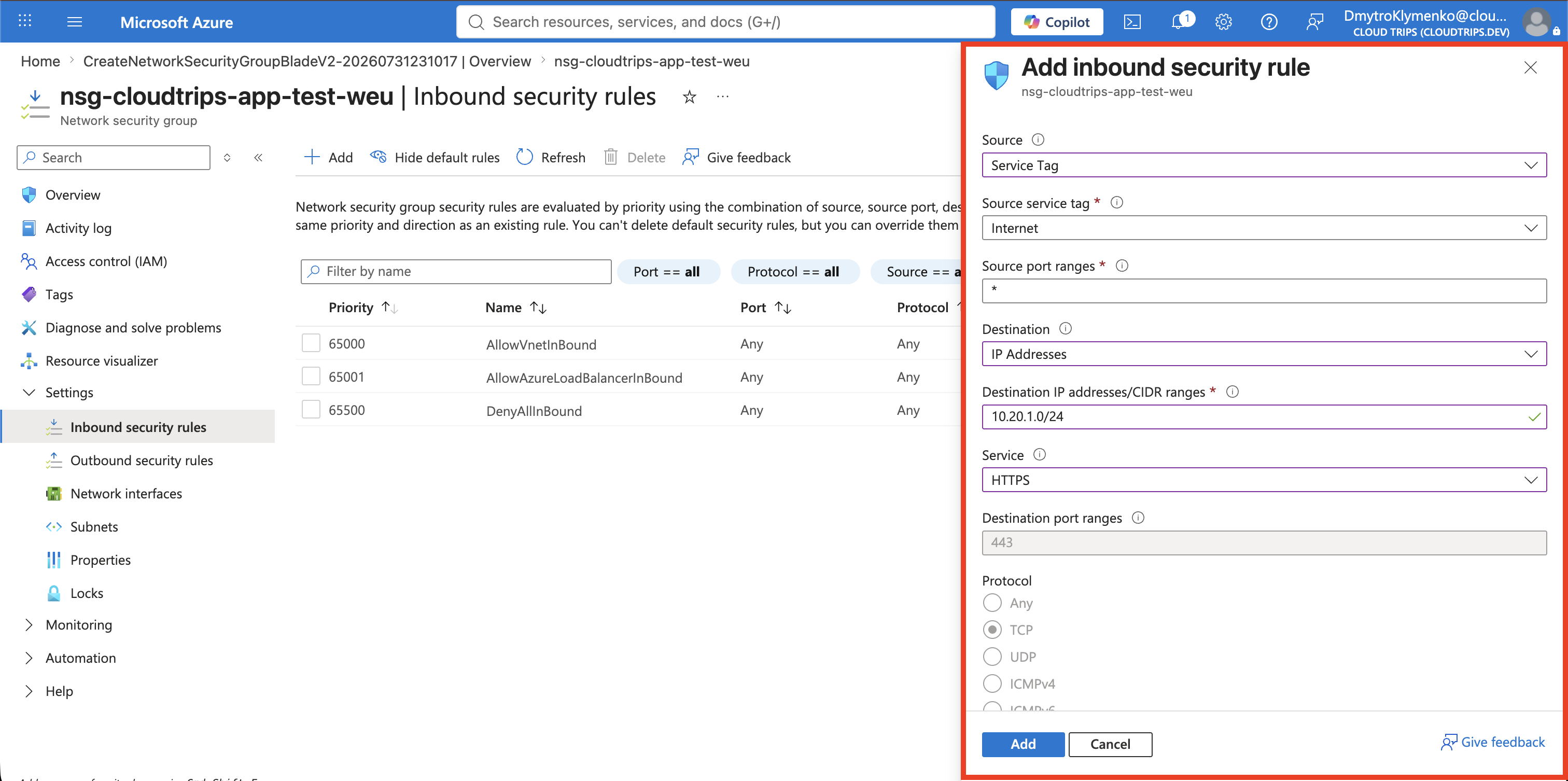
Open nsg-cloudtrips-app-test-weu and go to:
Settings > Inbound security rulesSelect Add and configure:
Source: Service Tag
Source service tag: Internet
Source port ranges: *
Destination: IP Addresses
Destination IP addresses/CIDR ranges: 10.20.1.0/24
Service: HTTPS
Action: Allow
Priority: 100
Name: Allow-HTTPS-Internet
Description: Allow HTTPS to the application subnet
Source: Service Tag selects the method used to describe the source. Source service tag: Internet selects the actual Azure-managed group of source IP
ranges. Azure maintains the addresses represented by this tag, so you do not
need to enter or update them manually.
The available Source options are:
- Any: every source;
- IP Addresses: specific IP addresses or CIDR ranges;
- My IP address: the public IP address currently used by your device;
- Service Tag: an Azure-managed group such as
Internet,VirtualNetwork, orAzureLoadBalancer; and - Application security group: a logical group of Azure network interfaces.
Use Service Tag with Internet here because the rule is specifically for public internet traffic.
Selecting HTTPS sets the protocol to TCP and the destination port to 443. Select Add.
The default DenyAllInBound rule at priority 65500 still blocks inbound
traffic that does not match an earlier allow rule. Do not add a broad rule that
allows all ports from the internet.
Associate the NSG with the Subnet
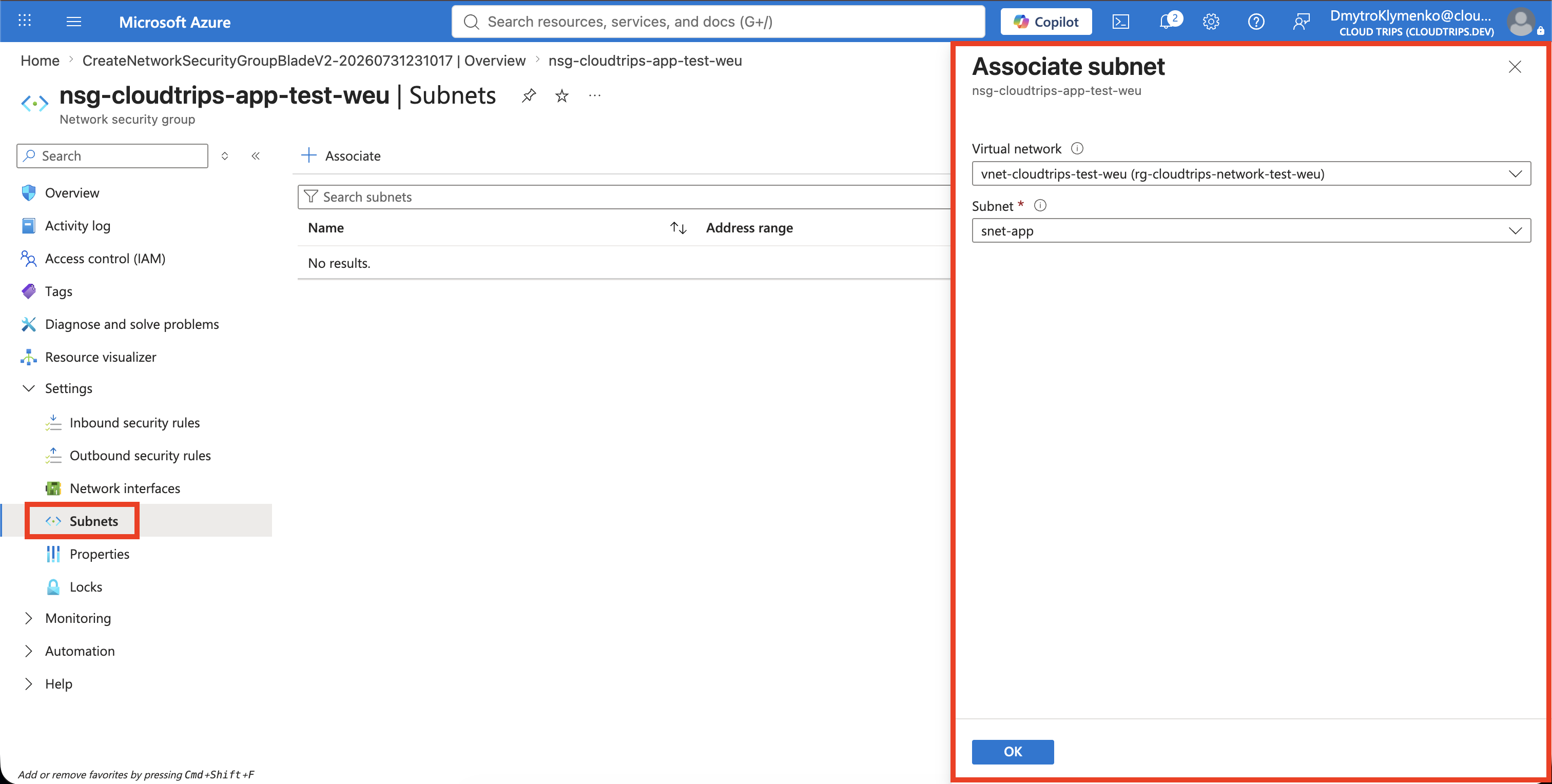
In the NSG, open Settings > Subnets, select Associate, and choose:
Virtual network: vnet-cloudtrips-test-weu
Subnet: snet-app
Select OK. A subnet NSG is the usual default because it protects every current and future NIC in that subnet. Attach an NSG directly to a NIC only when one VM needs exceptional rules. If NSGs are attached at both levels, traffic must be allowed by both sets of rules.
Verify the Protection
Confirm that Inbound security rules contains Allow-HTTPS-Internet above
the default rules. Then open Subnets and confirm:
Virtual network: vnet-cloudtrips-test-weu
Subnet: snet-app
The subnet now allows inbound HTTPS traffic, but the rule alone does not make a service available. A VM must be attached to the NIC and an application must be listening on port 443. All other unsolicited inbound traffic remains denied by the default rule.
Keep the NSG for the following networking trips. To delete it later, first
dissociate it from snet-app.