Workload Needs Its Own Network Segment? Create a Subnet
This trip builds on the first Networking trip: App Needs a Private Network? Create a VNet.
That trip created the snet-app application subnet. Placing every workload
component in that same subnet would make it harder to apply different security
and routing rules later.
Add a separate subnet for the data tier:
Virtual network: vnet-cloudtrips-test-weu
Existing subnet: snet-app — 10.20.1.0/24
New subnet: snet-data — 10.20.2.0/24
Add the Data Subnet
In the Azure portal, open:
Virtual networks > vnet-cloudtrips-test-weu > Settings > SubnetsSelect + Subnet.
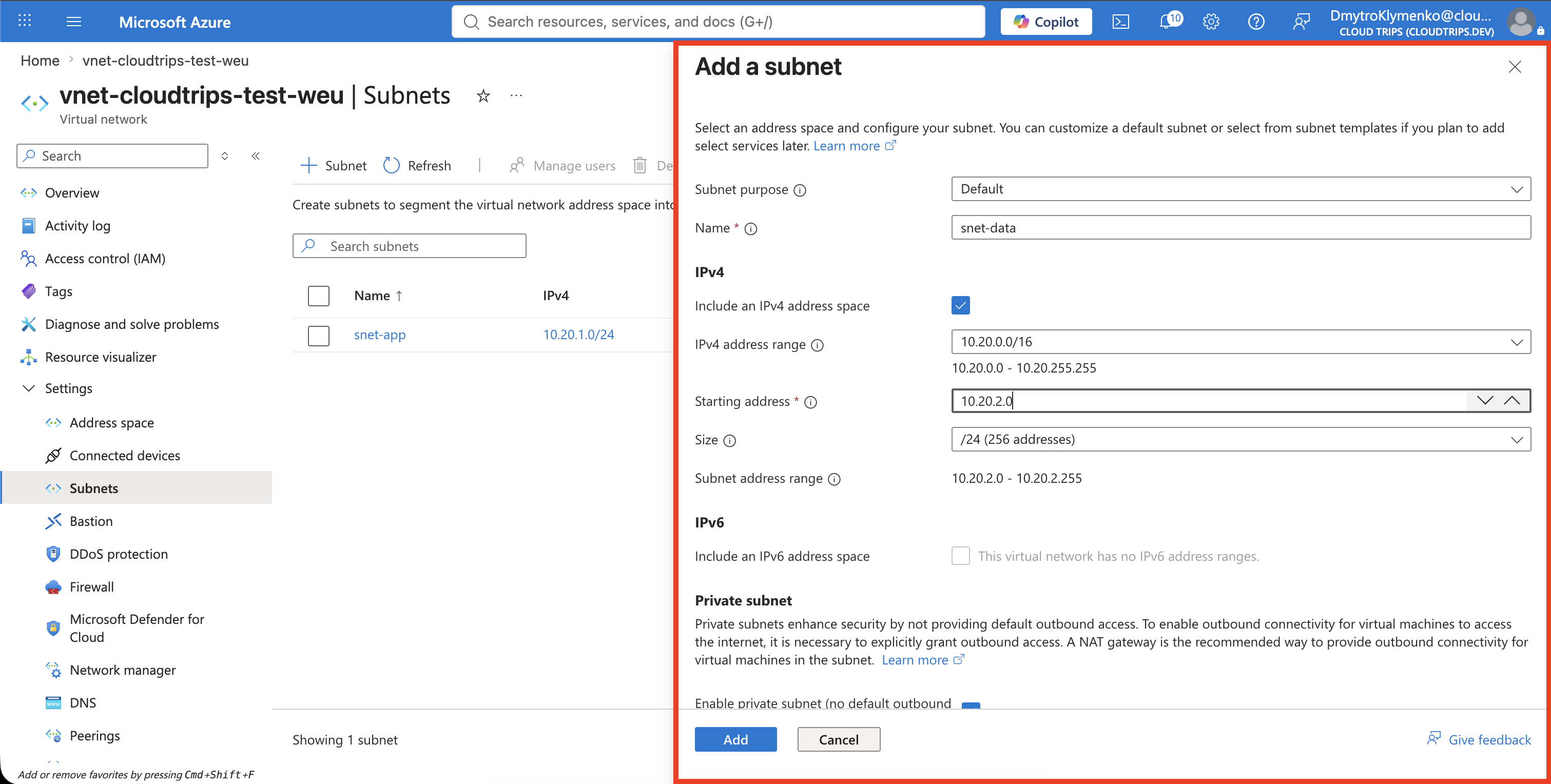
Configure:
Subnet purpose/template: Default
Name: snet-data
Starting address: 10.20.2.0
Subnet size: /24
Default outbound access: Disabled
Leave Network security group, Route table, NAT gateway, Service endpoints, and Subnet delegation unconfigured for this exercise. Select Add or Save, depending on the portal view.
10.20.2.0/24 is inside the VNet’s 10.20.0.0/16 address space and does not
overlap snet-app at 10.20.1.0/24.
Verify the Segments
On the Subnets page, confirm:
snet-app:  10.20.1.0/24
snet-data: 10.20.2.0/24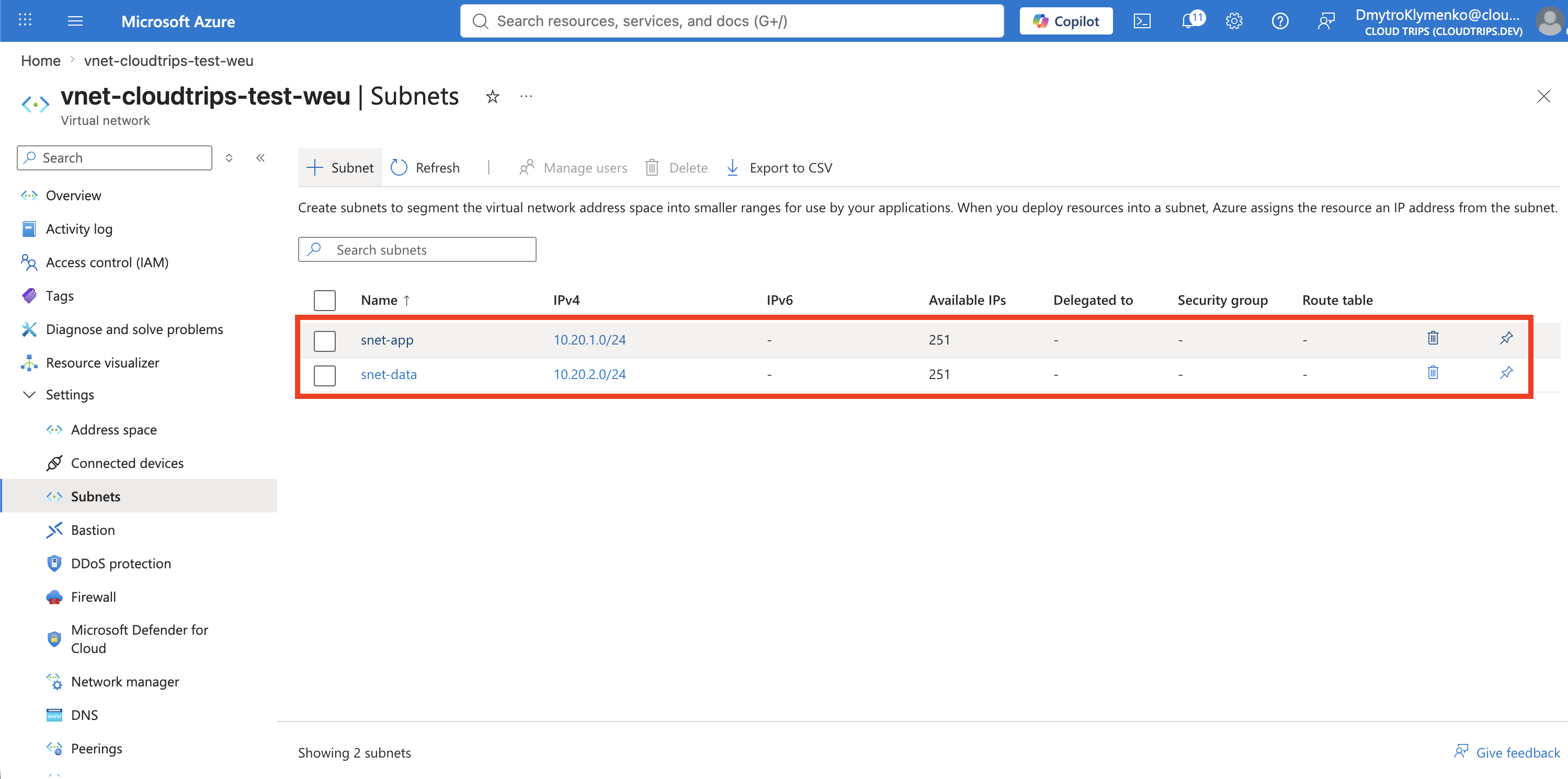
CloudTrips now has separate placement boundaries for application and data resources. This separation does not yet block traffic: Azure system routes allow communication between subnets in the same VNet by default. A later trip will add network security rules to control that traffic.
Keep snet-data for the following networking trips. If you need to remove it,
the subnet must not contain any connected resources.