App Needs a Private Network? Create a VNet
The CloudTrips application needs a private network boundary for components that should communicate with private IP addresses. Without a planned network, later deployments can end up using incompatible address ranges or relying on public connectivity.
Create an Azure virtual network, or VNet. A VNet is a software-defined, regional private network in Azure. Its address space supplies private IP addresses, and its subnets divide that space for different workload components.
This trip creates the network foundation only. Creating a VNet does not automatically place an application inside it, block traffic, connect another network, or make a public Azure service private. Later networking trips will add those controls.
Plan the Address Space
Use the following design for CloudTrips TEST:
Subscription: CloudTrips TEST
Resource group: rg-cloudtrips-network-test-weu
Region: West Europe
Virtual network: vnet-cloudtrips-test-weu
VNet address space: 10.20.0.0/16
Application subnet: snet-app
Subnet range: 10.20.1.0/24
Default outbound access: Disabled
10.20.0.0/16 is the complete private address range reserved for this VNet.
10.20.1.0/24 is one smaller range inside it, reserved for application
resources. The unused VNet space remains available for future subnets.
What Do /16 and /24 Mean?
An IPv4 address contains 32 binary digits, or bits. The number after / is
the CIDR prefix length: it tells the network mask how many bits identify the
network. The remaining bits can identify addresses inside that network.
| CIDR range | Equivalent subnet mask | Fixed network part | Complete range | Total addresses |
|---|---|---|---|---|
10.20.0.0/16 |
255.255.0.0 |
10.20 |
10.20.0.0–10.20.255.255 |
65,536 |
10.20.1.0/24 |
255.255.255.0 |
10.20.1 |
10.20.1.0–10.20.1.255 |
256 |
For /16, the first 16 bits are the network part and the final 16 bits can
vary. For /24, the first 24 bits are the network part and only the final 8
bits can vary. A larger prefix number therefore creates a smaller address
range.
Azure reserves the first four and final address in every subnet. The
10.20.1.0/24 subnet consequently provides 251 addresses that Azure resources
can use, not all 256. The /16 VNet range is not assigned directly to the
application; it is divided into subnets such as this /24.
Before using these values in a real organization, confirm that 10.20.0.0/16
does not overlap with another VNet, an on-premises network, or another cloud
network that CloudTrips might connect to. Overlapping ranges prevent normal
routing between connected networks.
Create the Resource Group
Sign in to the Azure portal and go to:
Resource groups > CreateConfigure:
Subscription: CloudTrips TEST
Resource group: rg-cloudtrips-network-test-weu
Region: West Europe
Select Review + create, and then select Create.
Create the Virtual Network
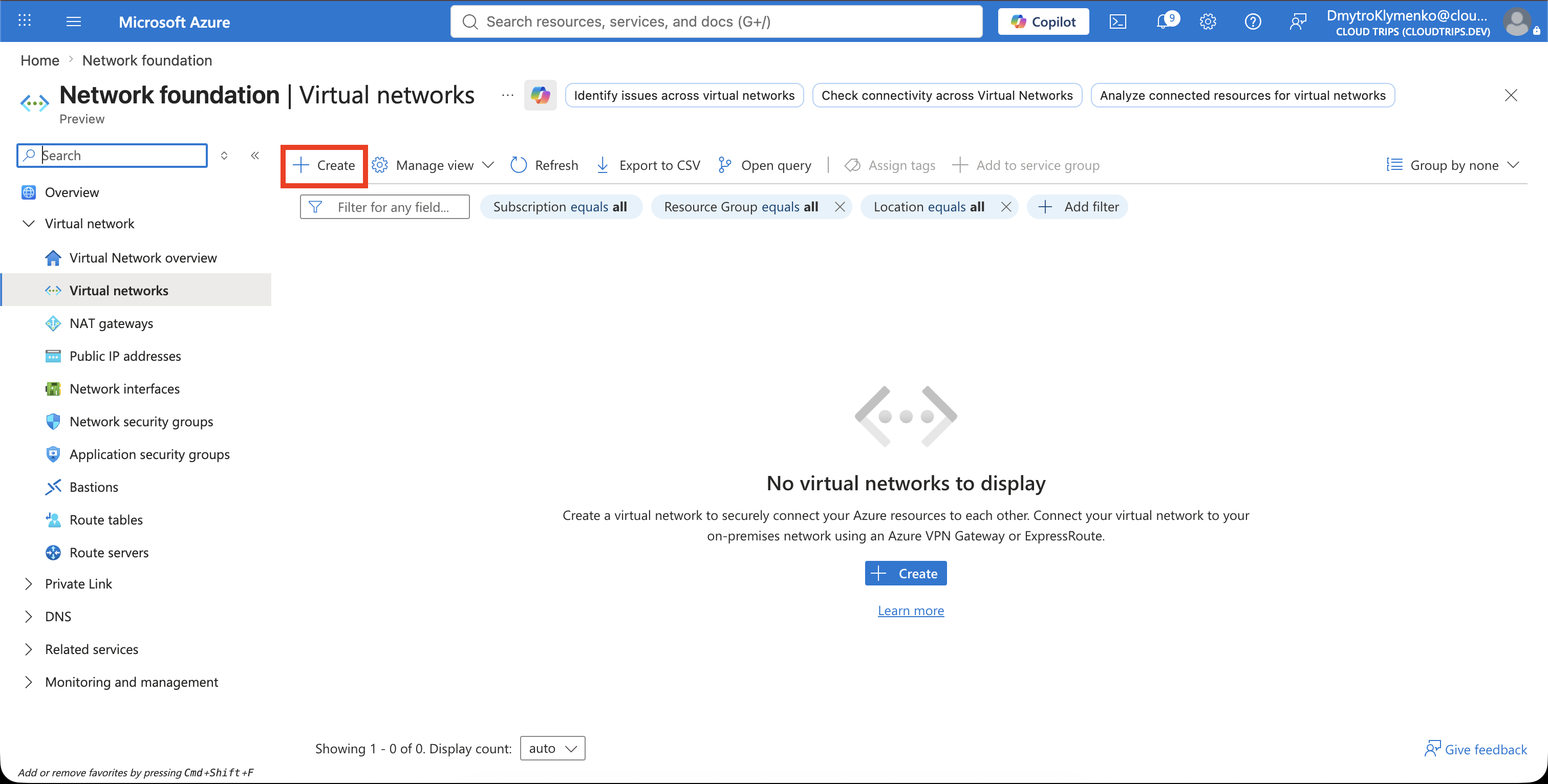
Search for Virtual networks, open the service, and select Create.
On Basics, configure:
Subscription: CloudTrips TEST
Resource group: rg-cloudtrips-network-test-weu
Name: vnet-cloudtrips-test-weu
Region: West Europe
Select Next to open Security. Do not deploy Azure Bastion, Azure Firewall, or a paid DDoS protection plan in this exercise. These services solve different problems and can introduce charges.
Under Virtual network encryption, leave Enable virtual network encryption cleared. This feature encrypts traffic between supported virtual machines and virtual machine scale sets. The VNet is empty in this trip, so enable it later only after confirming that the planned compute services and network design support it.
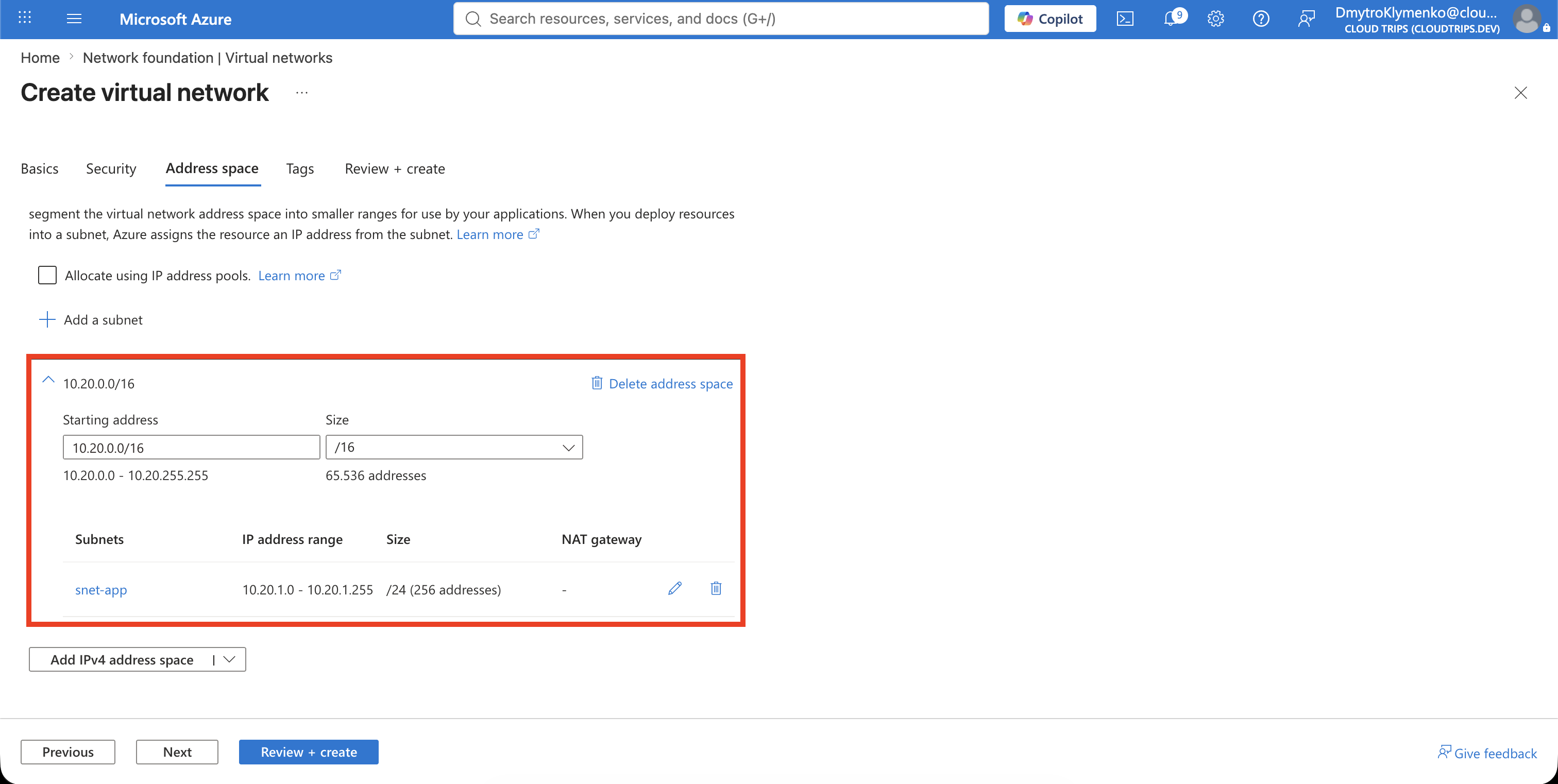
Select Next to open IP Addresses. Set the IPv4 address space to:
10.20.0.0/16This /16 is the outer boundary of the entire VNet. It contains the range from
10.20.0.0 through 10.20.255.255.
Now select the default subnet to edit it. Assign the subnet one smaller /24
slice from inside that VNet range:
Subnet purpose/template: Default
Name: snet-app
Starting address: 10.20.1.0
Subnet size: /24
Default outbound access: Disabled
The resulting subnet is 10.20.1.0/24, covering 10.20.1.0 through
10.20.1.255. It fits inside 10.20.0.0/16 because every address still starts
with 10.20. The /16 belongs to the VNet; the /24 belongs to snet-app.
Disabling default outbound access makes this a private subnet. A resource placed in it does not receive Azure’s implicit outbound internet connectivity. If the application later needs internet access, provide an explicit outbound path such as Azure NAT Gateway or Azure Firewall.
Save the subnet.
On Tags, add:
Application: CloudTrips
Environment: TEST
ManagedBy: Portal
Select Review + create. After validation succeeds, select Create.
Verify the Network
Open vnet-cloudtrips-test-weu. On Overview, confirm:
Resource group: rg-cloudtrips-network-test-weu
Location: West Europe
Address space: 10.20.0.0/16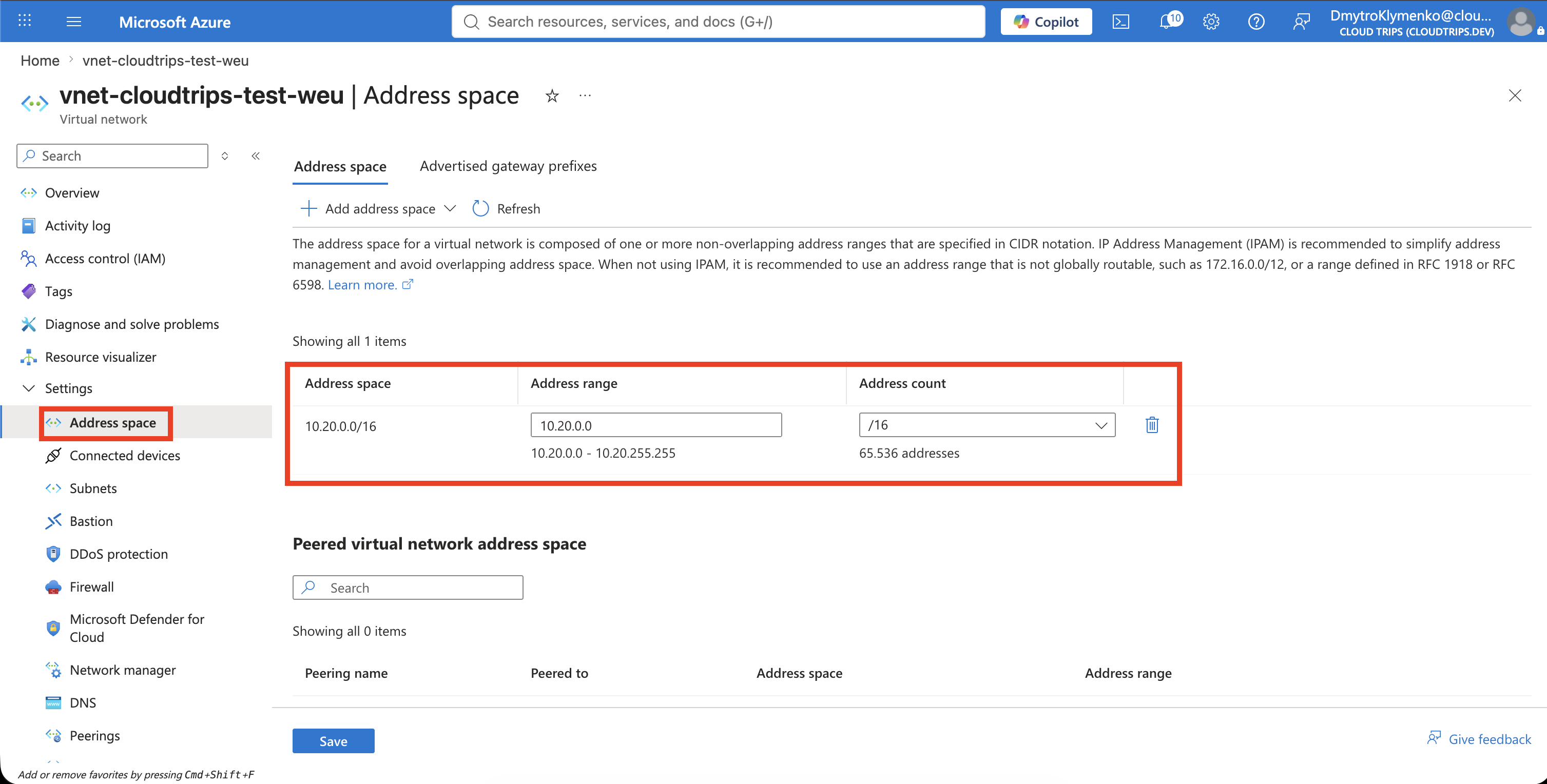
Then open Settings > Subnets and confirm:
Name: snet-app
Address range: 10.20.1.0/24
Default outbound access: Disabled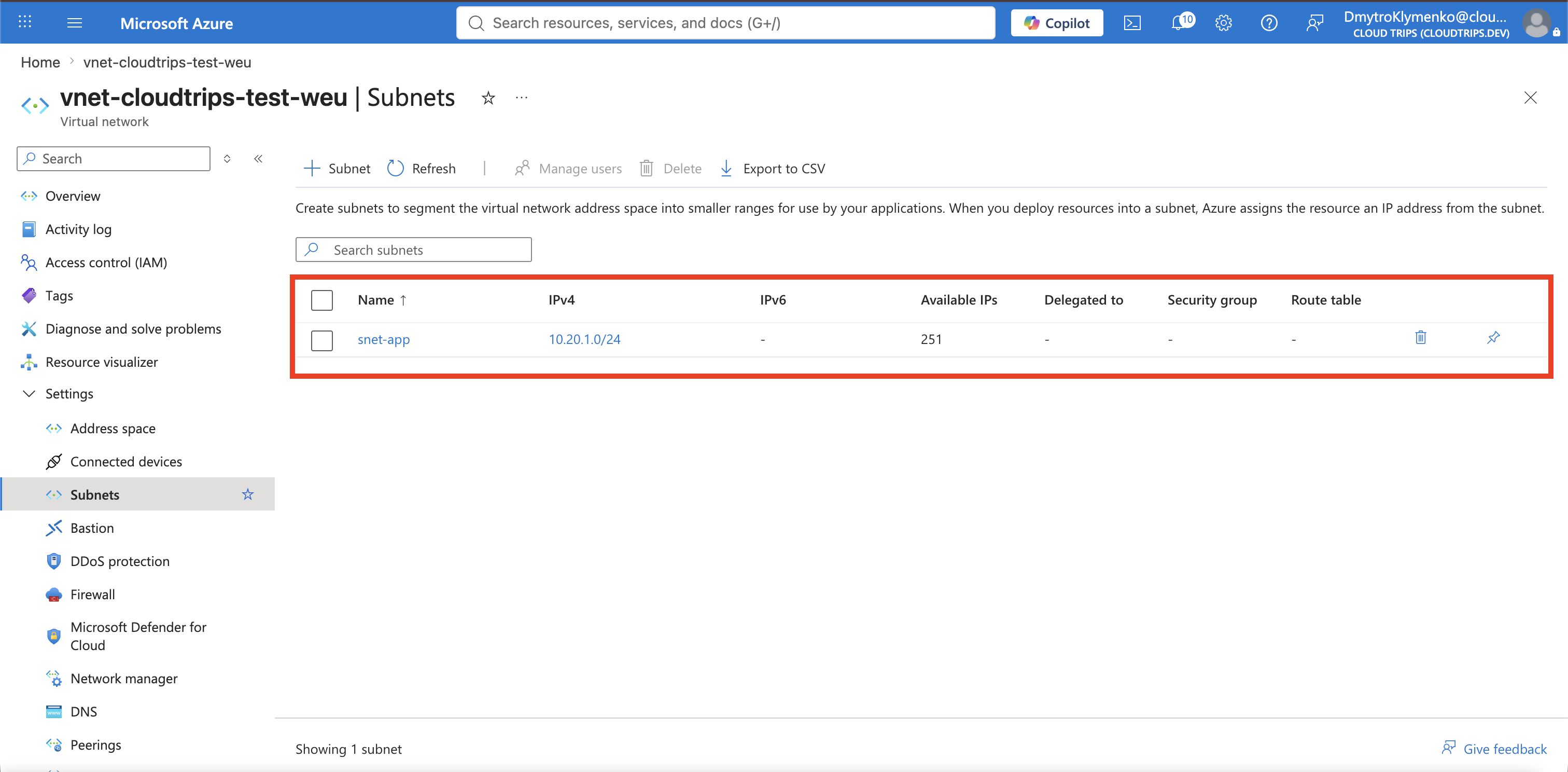
The application now has a planned private network foundation. The VNet
provides the regional address space, while snet-app provides the first
placement boundary for application resources.
Keep this VNet if you are continuing with the networking trips. If this was
only a test, delete rg-cloudtrips-network-test-weu; deleting the resource
group also deletes the VNet and its subnet.