Contractor Needs Temporary Access? Invite a B2B Guest User
When an external contractor needs access to your Azure or Microsoft 365 resources, you usually don’t create a full internal user.
Instead, you invite them as a B2B guest user in Microsoft Entra ID.
This keeps their identity outside your tenant while still allowing controlled access to resources.
Typical cases:
- freelancers
- external developers
- partner companies
- short-term project work
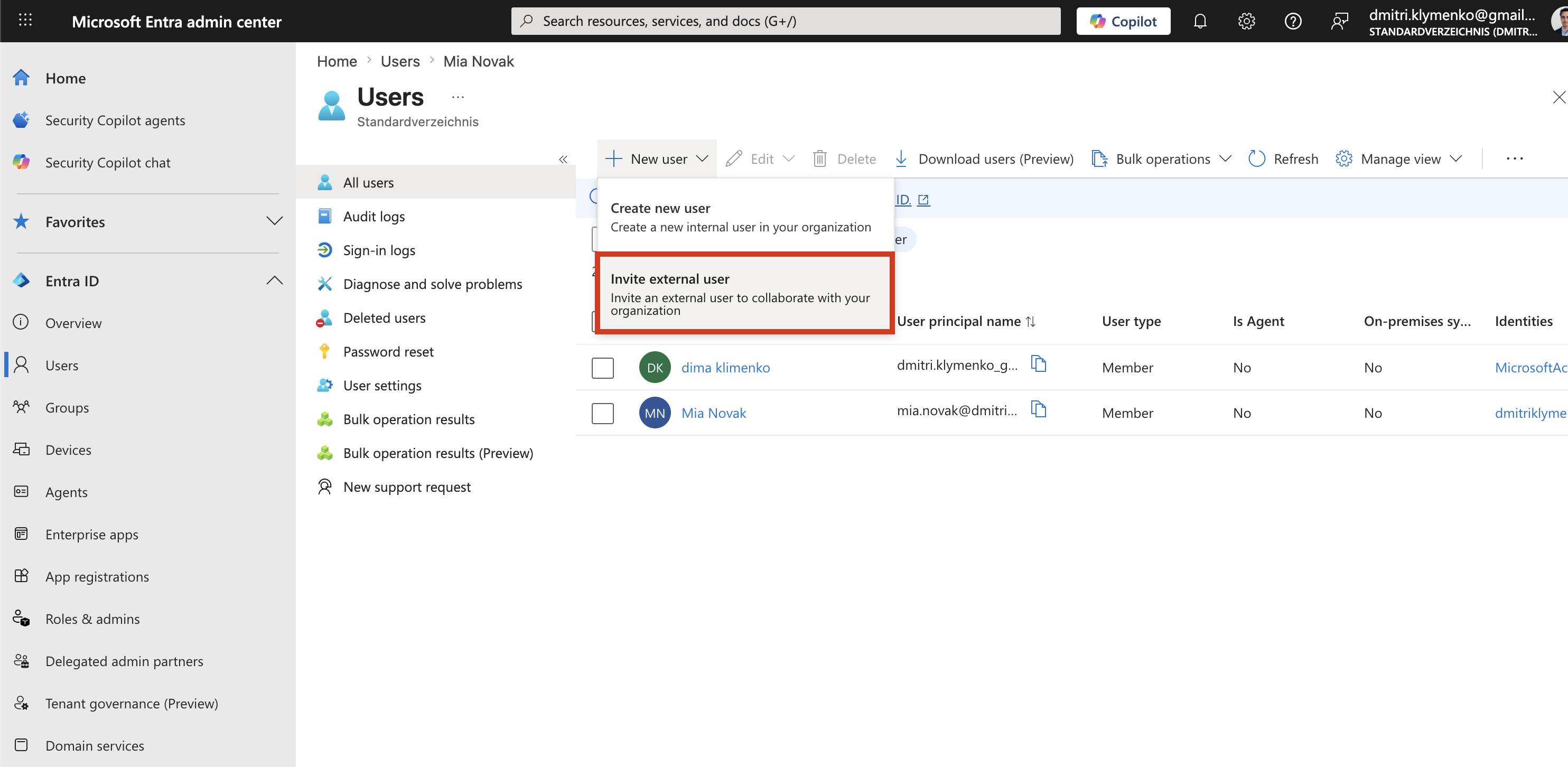
Open User Management in Entra
Go to:
Entra ID > UsersThen select:
New user > Invite external userThis creates a guest identity instead of a standard internal account.
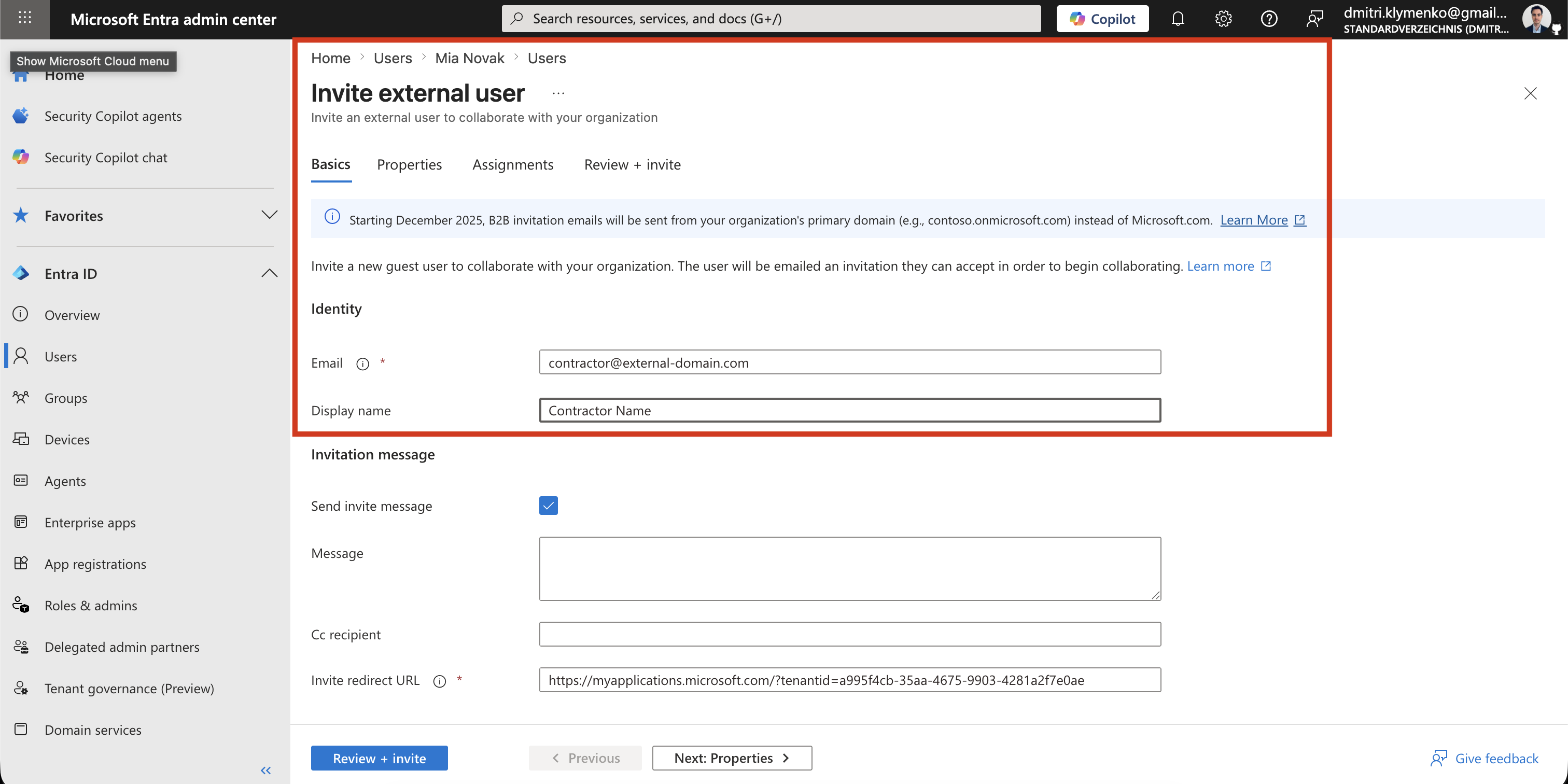
Enter Contractor Details
Provide the external user email and basic info:
Email: contractor@external-domain.com
Display name: Contractor Name
Once sent, Microsoft generates an invitation email.
The user must accept the invite before they appear as active in your tenant.
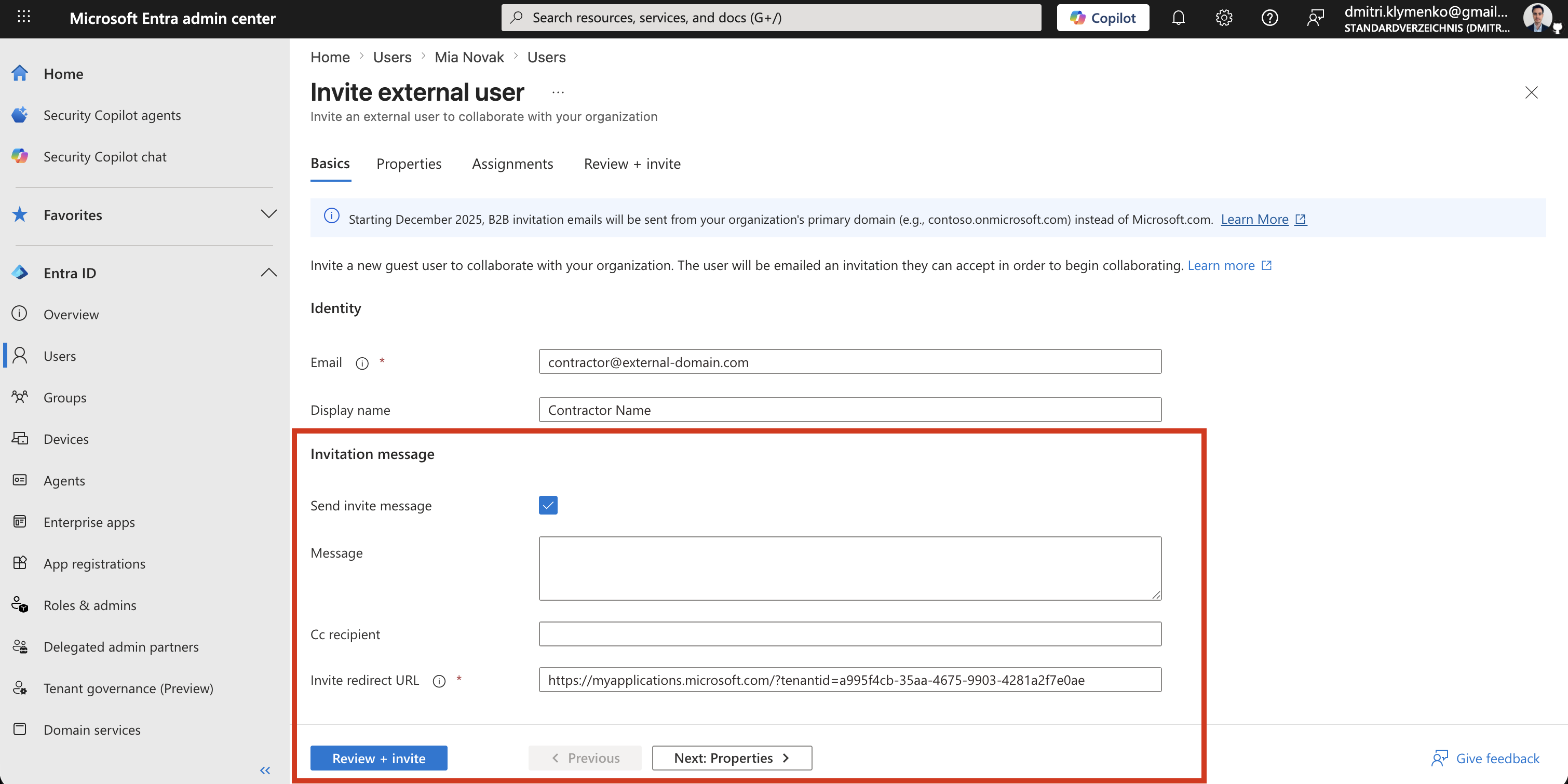
Invitation Settings
You can configure:
- redirect URL after acceptance
- custom invitation message
- initial group assignment, if needed
Best practice:
- avoid assigning direct permissions during invite
- use groups for access control instead
Send Invitation
Click:
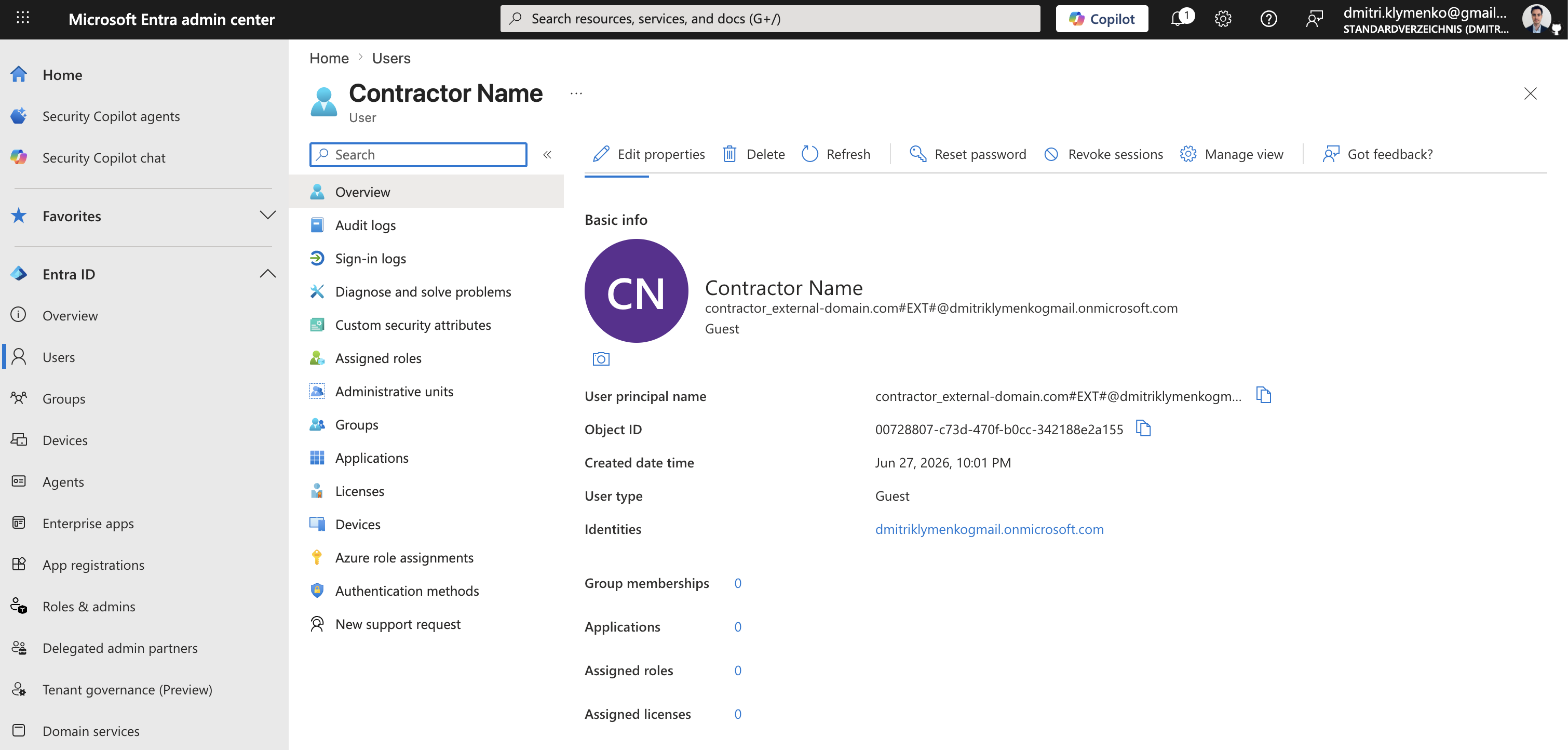
InviteThe contractor receives an email invitation.
After acceptance:
- their account appears in Entra ID as Guest
- authentication stays with their home identity provider
- access is controlled by your tenant policies
How Access Is Typically Managed
After the guest is created:
Add guest to group
Assign Azure RBAC to group
Scope access to resource group or app
Remove guest when contract ends
Guest accounts are fully revocable and should always be time-bound in real projects.