User Risk Must Be Remediated? Configure User Risk Policy
Sometimes the problem is not just one suspicious login attempt.
The account itself may be risky over time.
That is user risk.
The Microsoft Entra pattern is:
User account looks compromised -> Conditional Access user risk policy -> require remediationIn this example:
- CloudTrips wants compromised accounts remediated automatically
- User risk represents the likelihood that the account is compromised
- Conditional Access requires remediation for high-risk users
This trip is about the account.
The separate sign-in-risk trip is about the current login attempt.
User Risk vs Sign-In Risk
User risk answers:
Is this user account likely compromised?Sign-in risk answers:
Does this specific login attempt look risky?Keep the policies separate.
For user risk, the normal response is:
Require secure password change or risk remediationFor sign-in risk, the normal response is:
Require MFA or authentication strengthReview Risky Users
Go to:
Entra ID > Identity Secure Score > Risky usersYou do not need an existing risky user to configure the policy.
This page is where risky accounts appear when Microsoft detects enough account-level risk.
Look for columns such as:
User
Risk state
Risk level
Last updated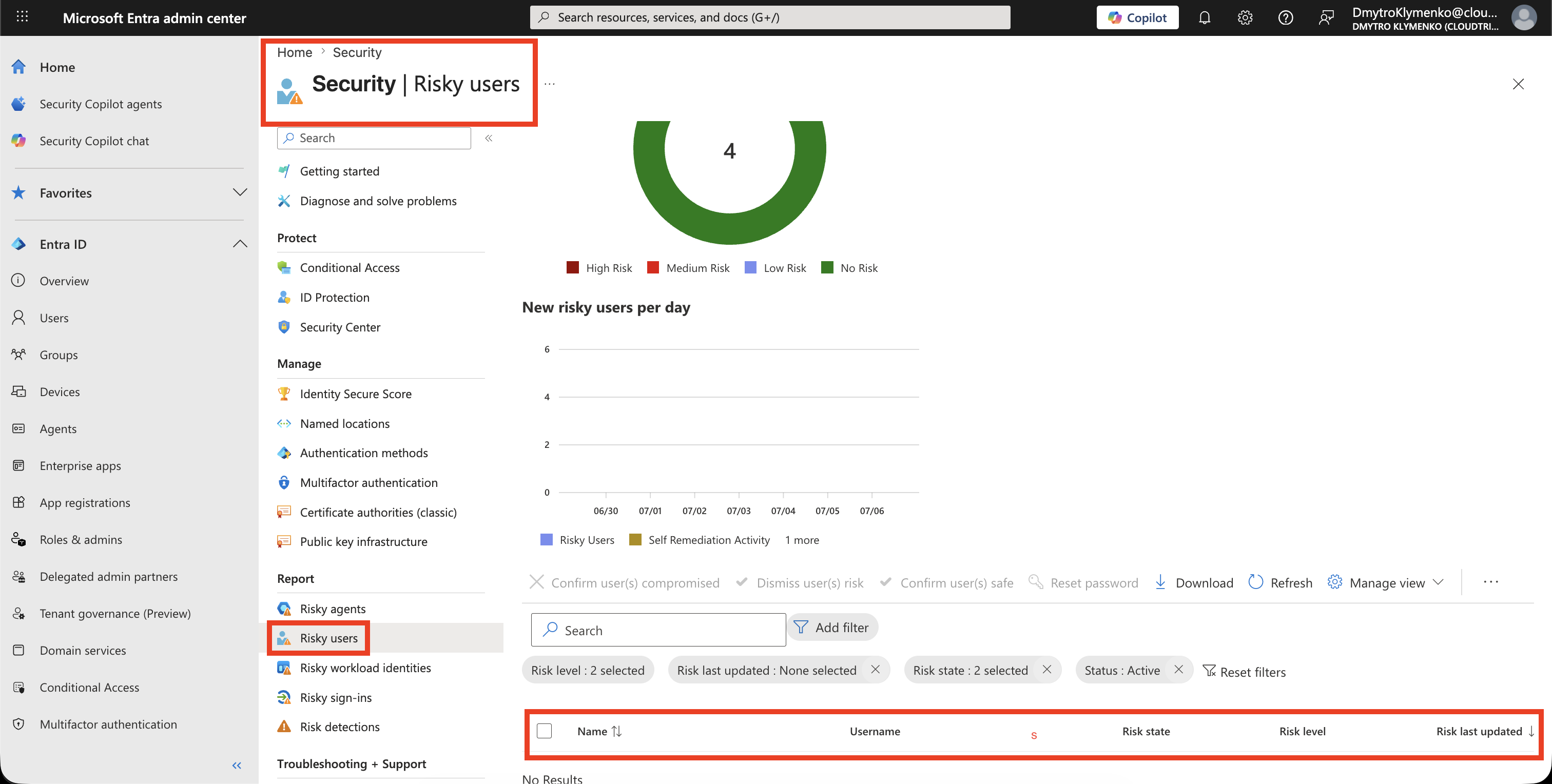
Create the Conditional Access Policy
Go to:
Entra ID > Conditional Access > PoliciesCreate a new policy.
Example name:
CA-Require-Remediation-For-High-User-Risk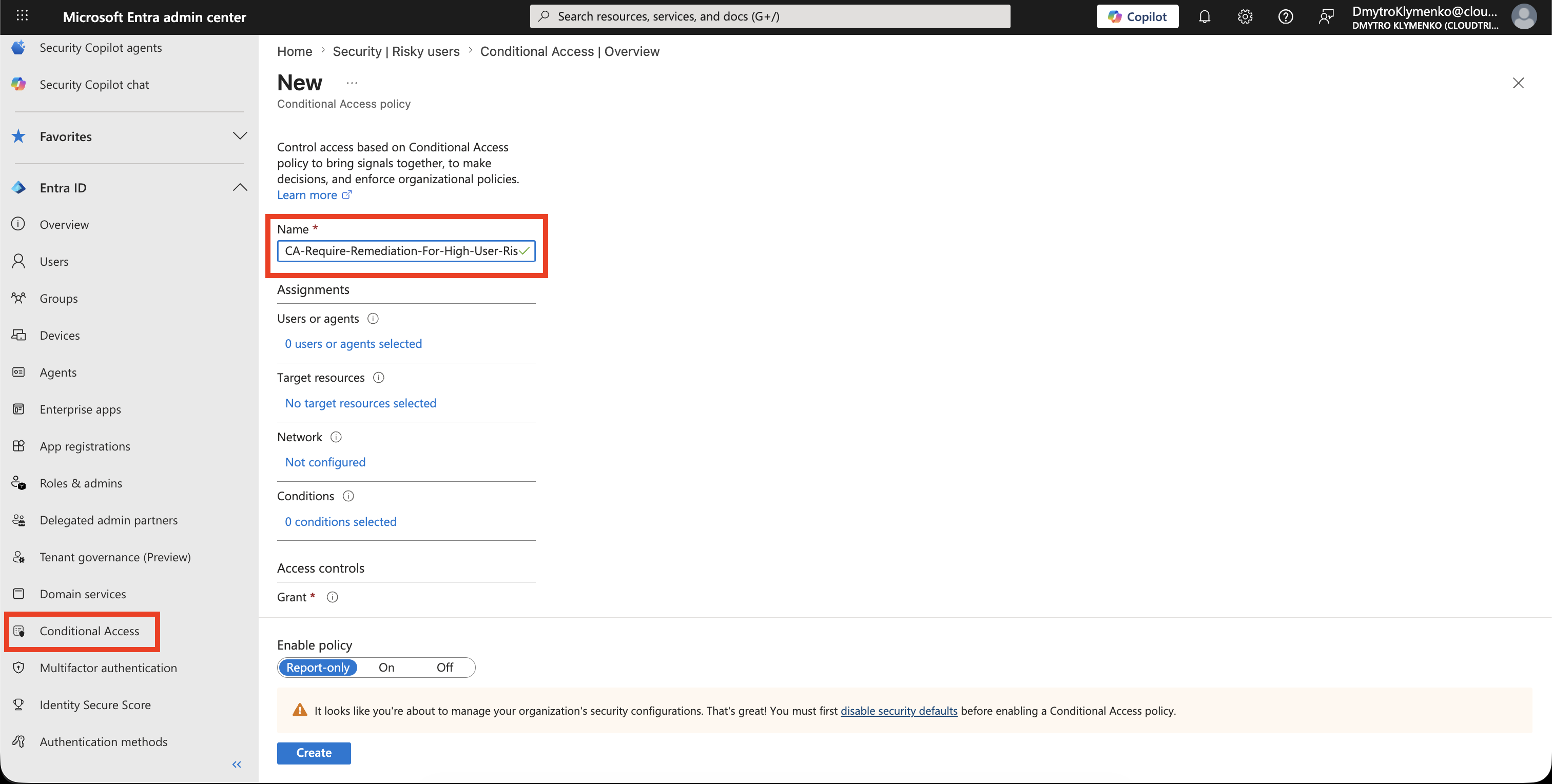
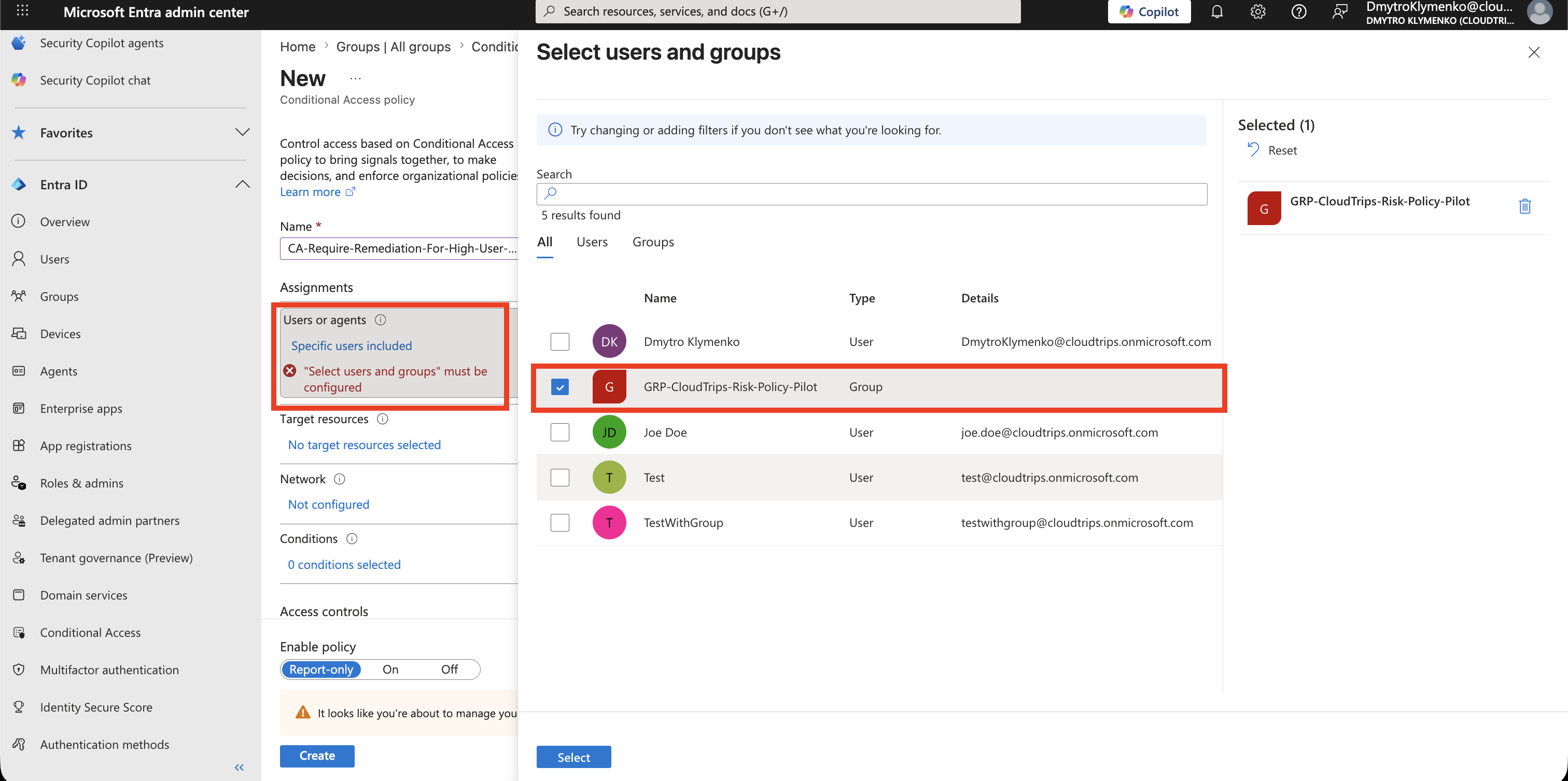
Assign Users
Under:
Users and groupsStart with a pilot group.
Example:
Include: GRP-CloudTrips-Risk-Policy-Pilot
Exclude: Emergency access accounts, if your tenant has them
After testing, you can expand the policy to all users.
Target Resources
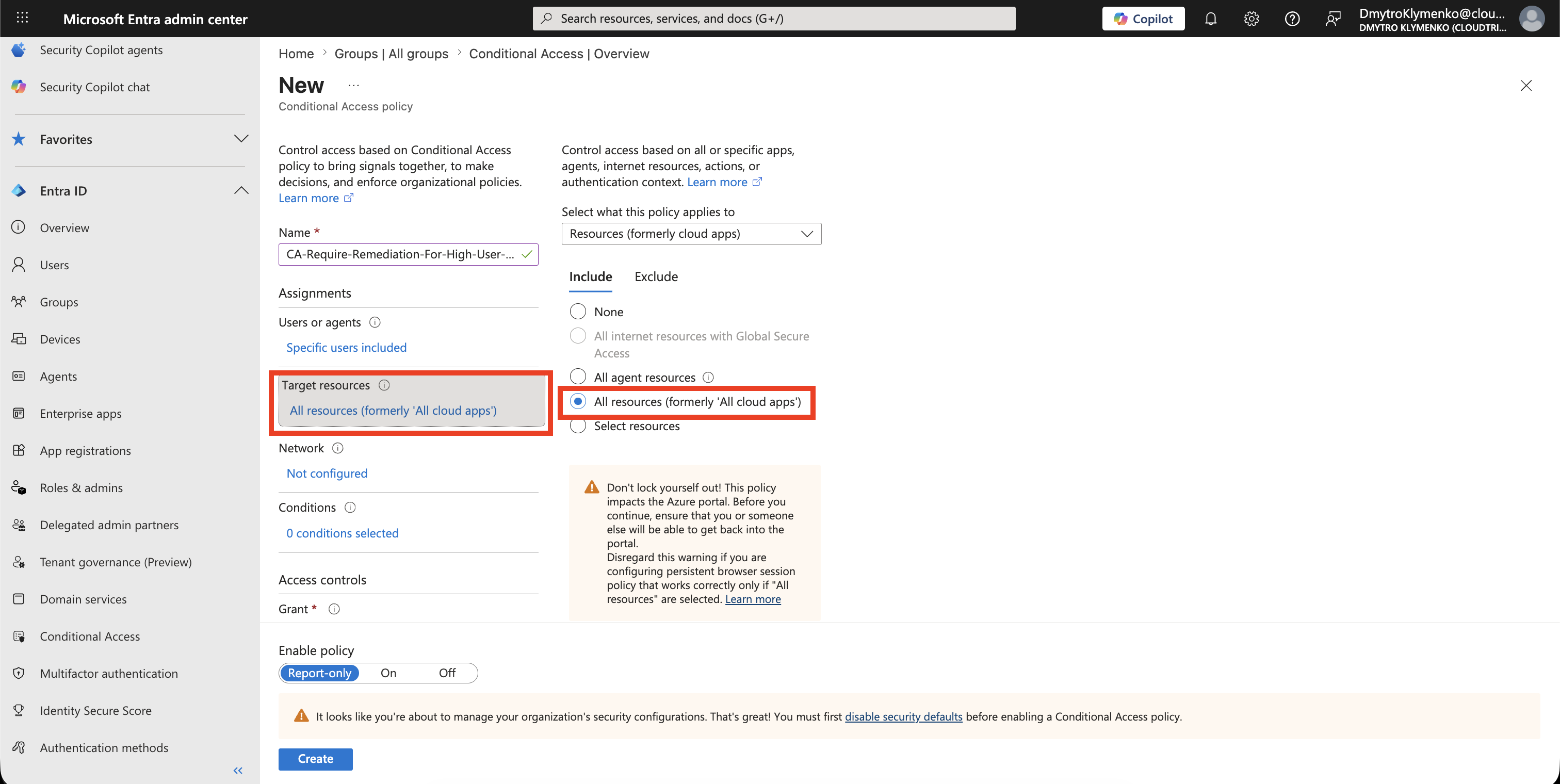
Under:
Target resourcesFor account-risk remediation, use:
All resourcesThis makes the remediation requirement apply when the risky user tries to access cloud resources.
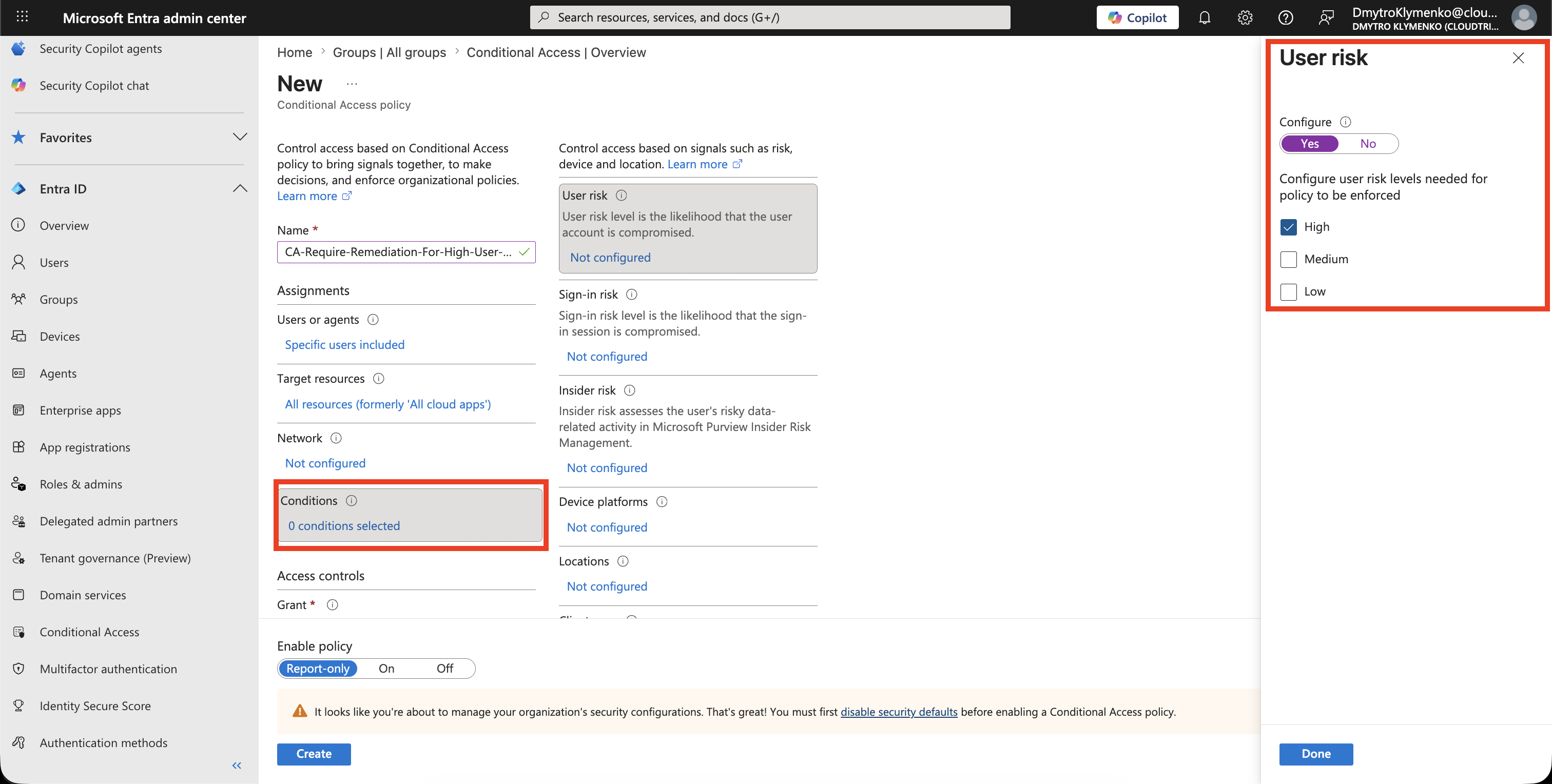
Configure User Risk
Under:
Conditions > User riskSelect:
HighHigh user risk is the usual starting point for remediation policies because it means Microsoft has stronger confidence that the account is compromised.
Require Risk Remediation
Under:
Access controls > GrantSelect:
Grant access
Require password change
Depending on the portal experience, this may appear as a risk remediation or password-change grant control.
The point is:
The risky user must remediate the account before continuing.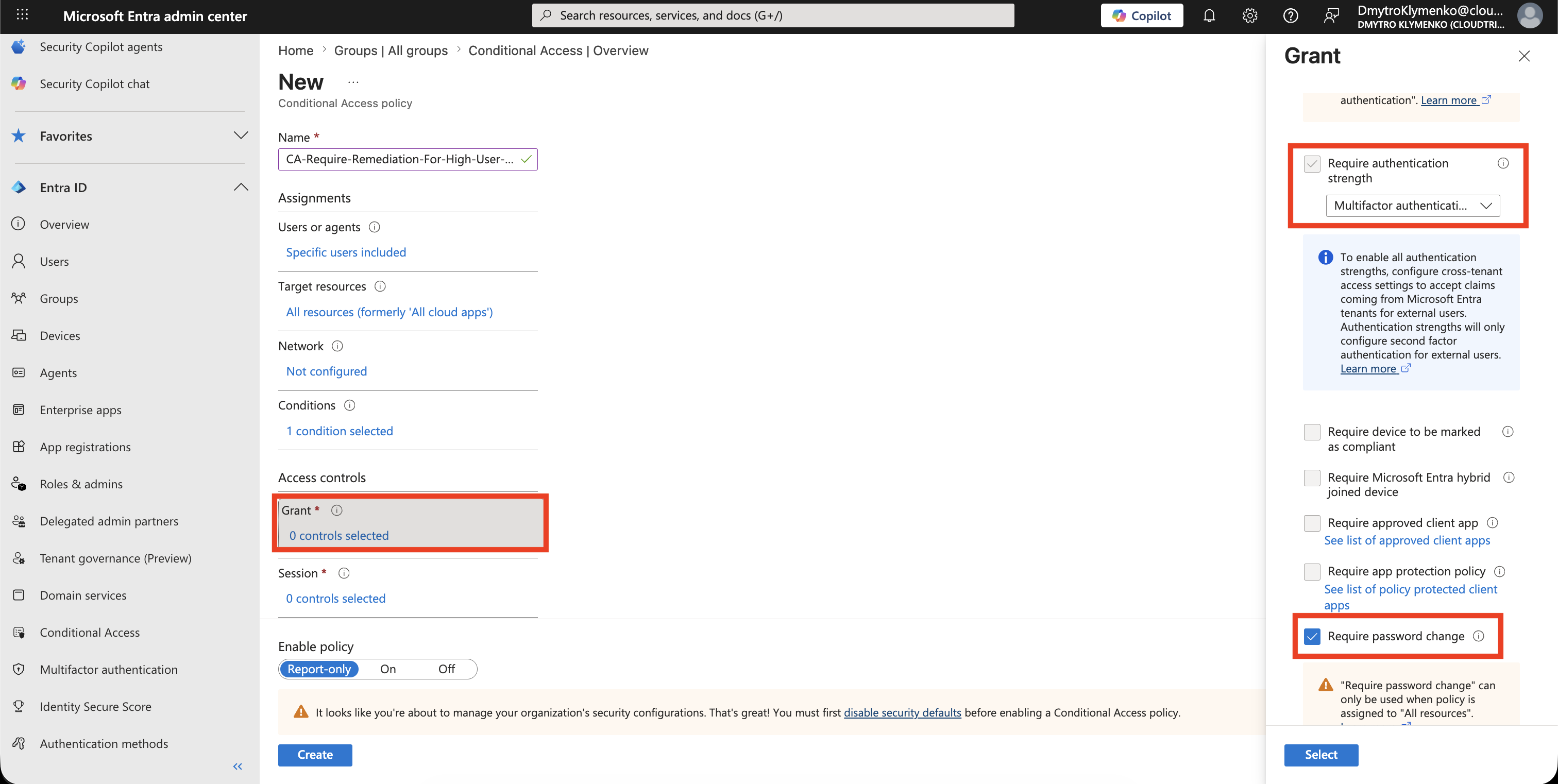
Start in Report-Only Mode
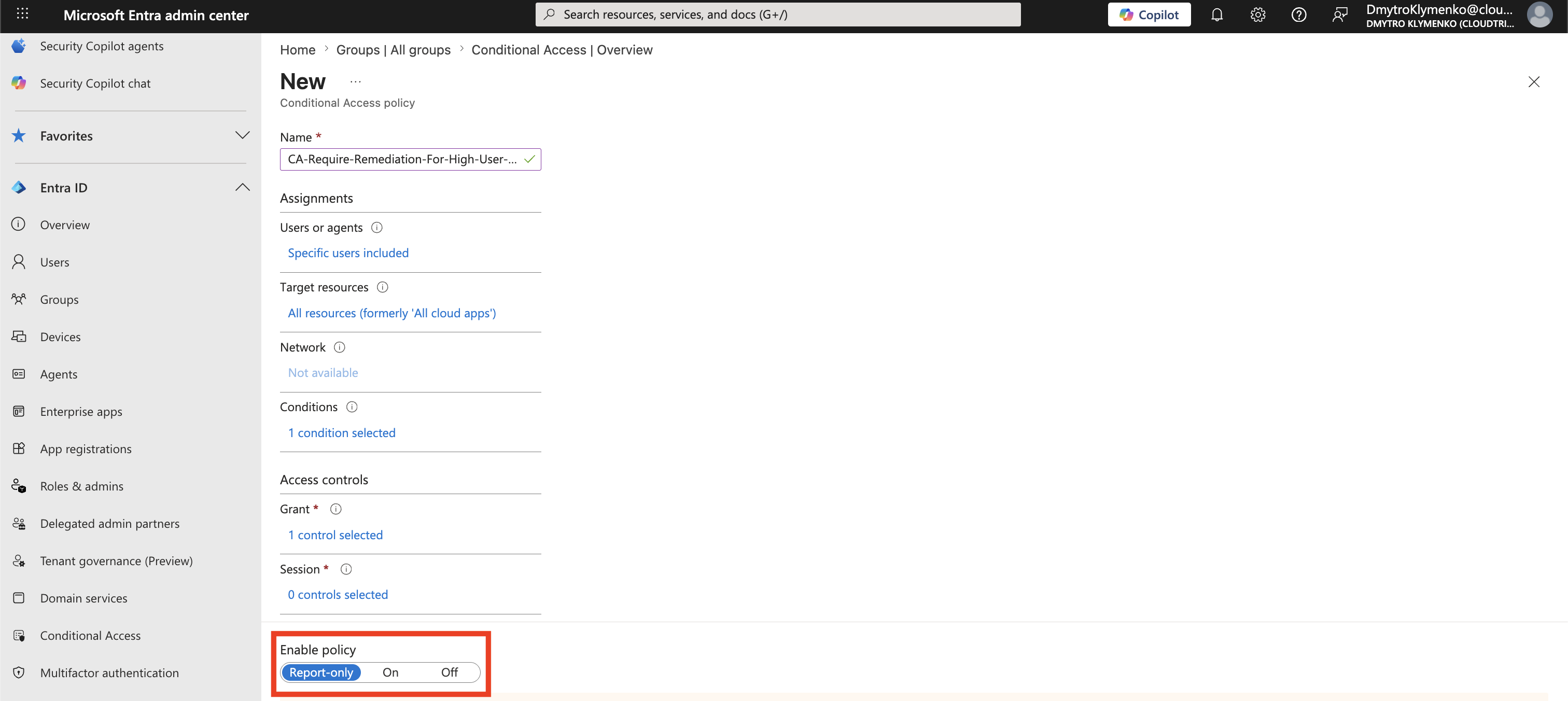
Set:
Enable policy: Report-onlyReport-only lets you validate the policy configuration without forcing remediation immediately.
If your lab has no risky users yet, that is fine.
Validate Without a Risky User
You do not need to generate a risky user to complete this trip.
Confirm the policy summary shows:
Users and groups: pilot group
Target resources: All resources
Conditions: User risk = High
Grant: Require password change or risk remediation
Enable policy: Report-only
When real risky users appear later, review them in:
Entra ID > Identity Secure Score > Risky usersand check whether the user risk state is remediated after the required action.
Turn Policy On
After testing, change:
Enable policy: OnNow high-risk users must remediate the account before continuing.
Enterprise Note
User risk policy is about account compromise over time.
It is not the same as sign-in risk policy.
Recommended rollout:
- start with a pilot group
- use report-only mode first
- exclude emergency access accounts if your tenant has them
- use
Highas the first user-risk level - keep sign-in-risk challenges in a separate policy
- make sure users can perform self-service password reset if password change is required