Storage Needs Customer-Controlled Encryption? Configure CMK and Encryption Scopes
Storage already encrypts data at rest. Your organization also needs control over key rotation and access. A customer-managed key (CMK) in Key Vault protects Storage’s encryption keys. When different groups of blobs need separate encryption settings, an encryption scope assigns those settings within one account.
Prepare the Key and Identity
Create these resources in West Europe, in the same tenant and resource group:
Resource group: rg-cloudtrips-cmk-test-weu
Key Vault: kv-ctcmkweu
Managed Identity: id-ctstorageweu
Storage account (created next): stctcmkweu
Adjust globally unique vault and storage names if needed. For Key Vault, choose Standard, Azure role-based access control, soft delete, and purge protection. Keep its public endpoint reachable for this lab.
Under the vault’s Access control (IAM), assign yourself Key Vault Crypto Officer to create keys. Under Keys → Generate/Import, generate an enabled RSA 2048-bit key named storage-key.
Assign Key Vault Crypto Service Encryption User on the vault to the managed identity id-ctstorageweu. This lets Storage use the key for wrapping and unwrapping encryption keys. Allow role assignments time to propagate.
Create Storage with CMK
Create stctcmkweu in the same group with Standard performance and LRS. On Encryption, select Customer-managed keys, choose your vault and storage-key, and select the user-assigned identity id-ctstorageweu. Complete creation, then open Security + networking → Encryption.
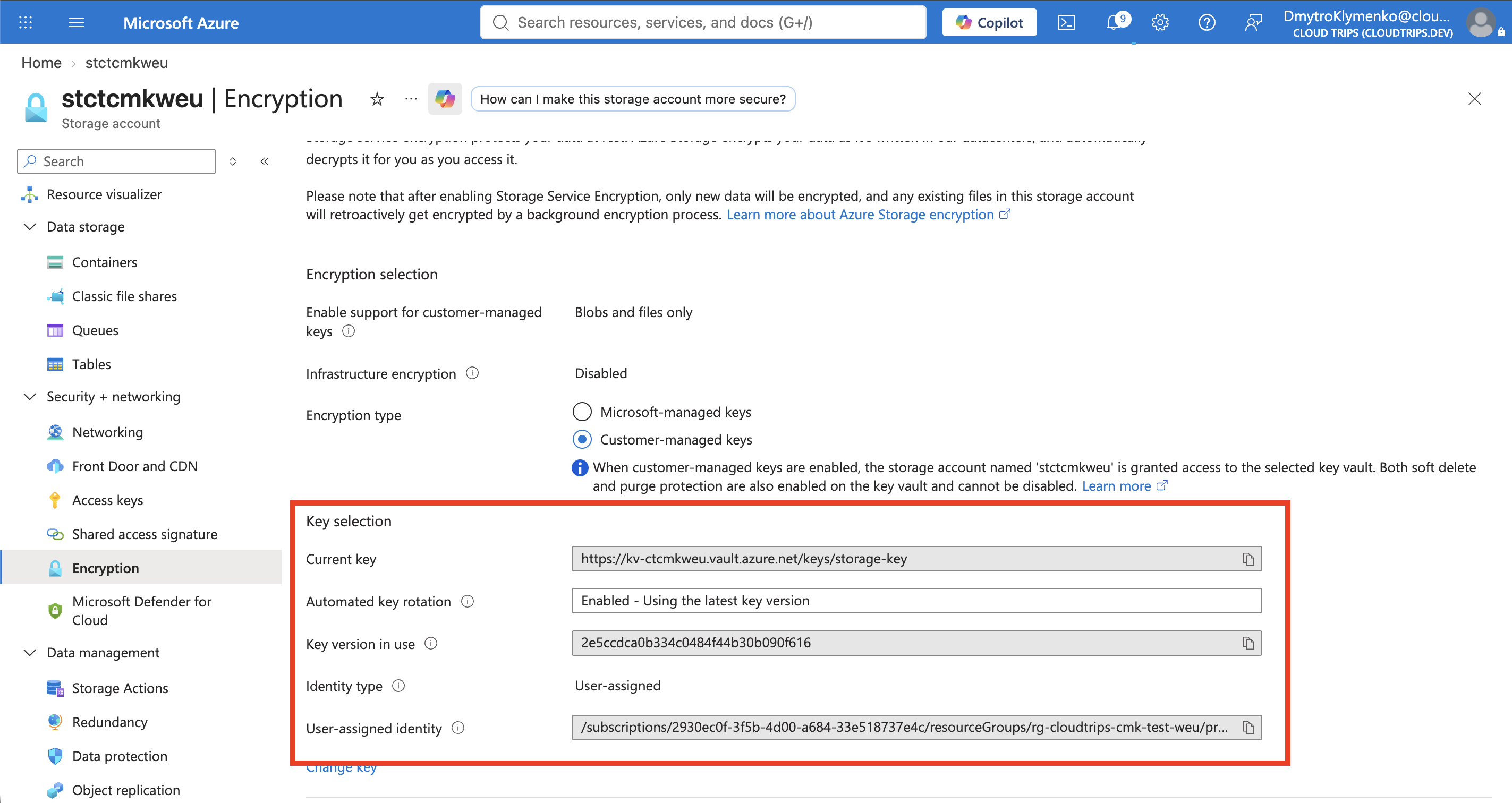
Check the saved key and identity. Azure encrypts and decrypts data transparently for authorized clients; your application keeps using normal Blob operations. Key availability and permissions now affect access to that data.
Create an Encryption Scope
In Encryption → Encryption Scopes → Add, create scoperecords with Customer-managed keys, selecting the same vault and key.
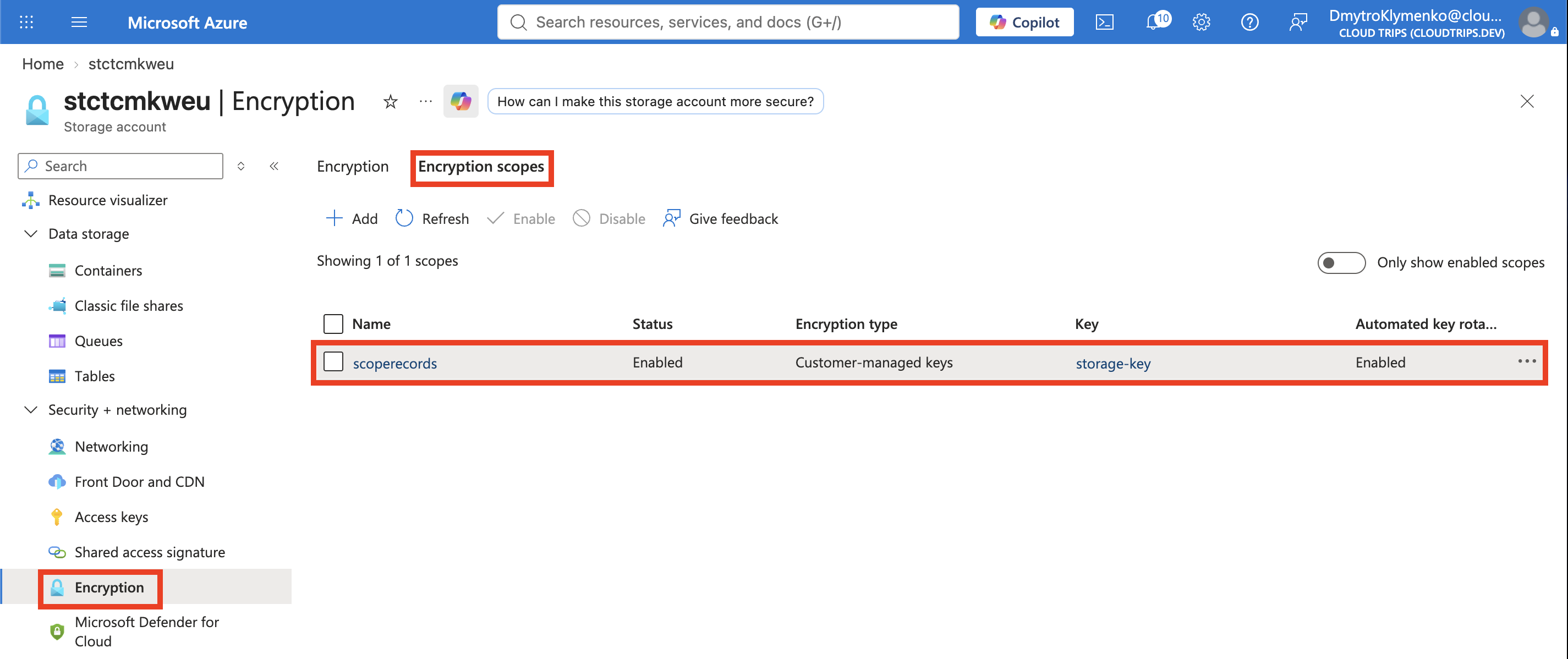
Confirm the scope is enabled and uses the intended key. This lab reuses one key; separate keys can give different data groups independent key control. Scopes have a minimum 30-day charge.
Apply the Scope and Test
Under Containers → + Container, create a private container named records. Expand Advanced, set Encryption scope: scoperecords, and enable Use this encryption scope for all blobs in the container to prevent upload-time overrides.
Assign yourself Storage Blob Data Contributor on the account. After the role takes effect, upload a small record.txt, open its properties, and download it.
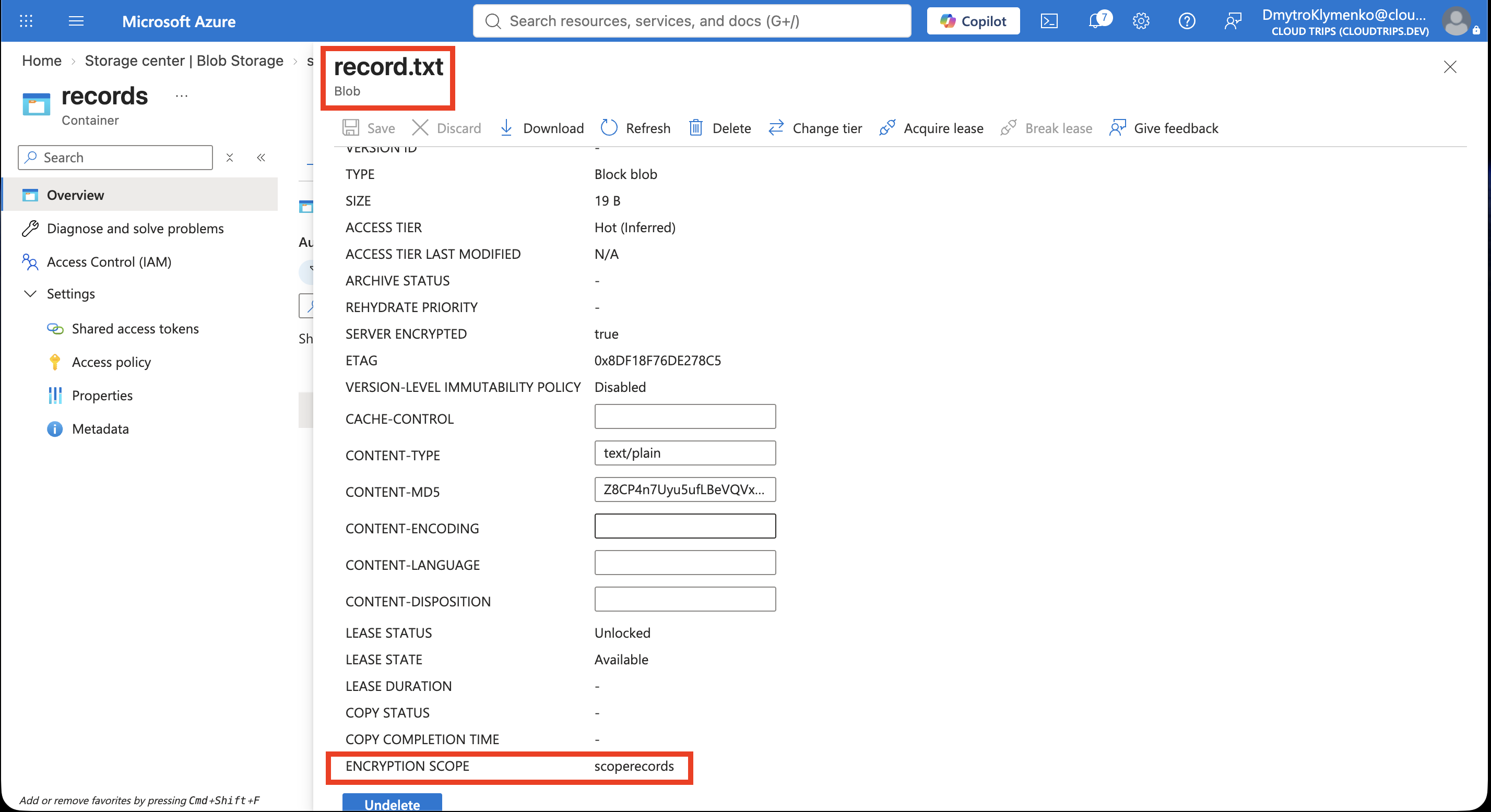
Check that the blob reports scoperecords and the downloaded contents match your original file. The scope selects encryption settings; normal authorization still controls who can read the blob.
Clean Up
Delete the test blob and storage account before deleting the vault and managed identity, then delete the resource group. Purge protection retains the deleted vault and keys until their retention period ends; immediate permanent removal is blocked.