Blobs Must Replicate to Another Account? Configure Change Feed and Object Replication
CloudTrips needs selected blobs copied automatically to a second storage account in another region. Azure Object Replication reads the source account’s change feed and asynchronously copies matching block blobs, their versions, metadata, and properties to a destination container.
Source account in West Europe
  └─ source-data container
       └─ change feed records blob writes
            └─ object replication policy
                 └─ replica-data container in North Europe
This is object-level, one-way replication configured by CloudTrips. It is different from GRS, where Azure replicates the whole account to a fixed paired region for service-managed disaster recovery.
Create the Source Account
Search for Storage accounts, select Create, and enter:
Subscription: CloudTrips TEST
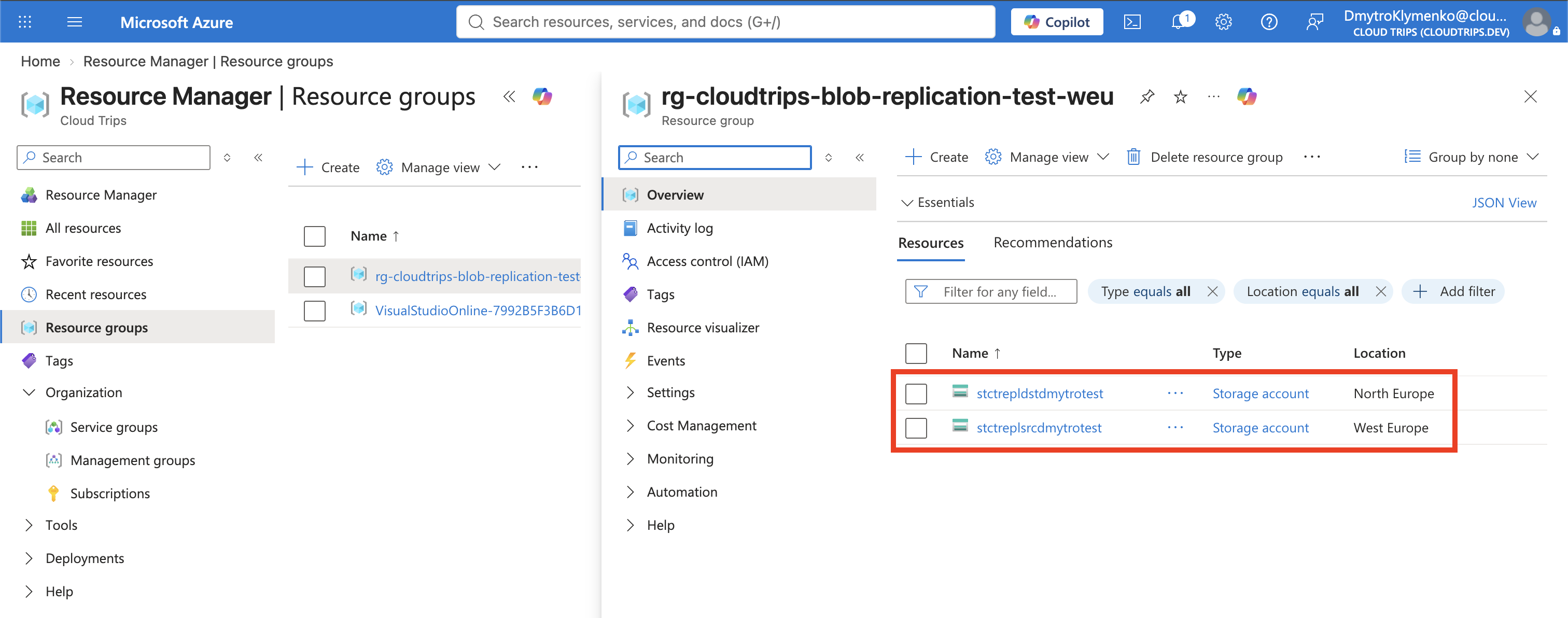
Resource group: Create new → rg-cloudtrips-blob-replication-test-weu
Storage account name: stctreplsrcdmytrotest
Region: West Europe
Performance: Standard
Redundancy: Locally-redundant storage (LRS)
Keep Hierarchical namespace disabled. Object replication is supported for GPv2 or Premium Block Blob accounts, works with block blobs, and does not support hierarchical-namespace accounts. Create the account.
Create the Destination Account
Create another storage account in the same resource group:
Storage account name: stctrepldstdmytrotest
Region: North Europe
Performance: Standard
Redundancy: Locally-redundant storage (LRS)
Hierarchical namespace: Disabled
Both accounts are in the same subscription and Microsoft Entra tenant. Keep cross-tenant replication disabled; it is unnecessary for this same-tenant lab and reduces the risk of copying data to an external tenant.
Enable Source Prerequisites
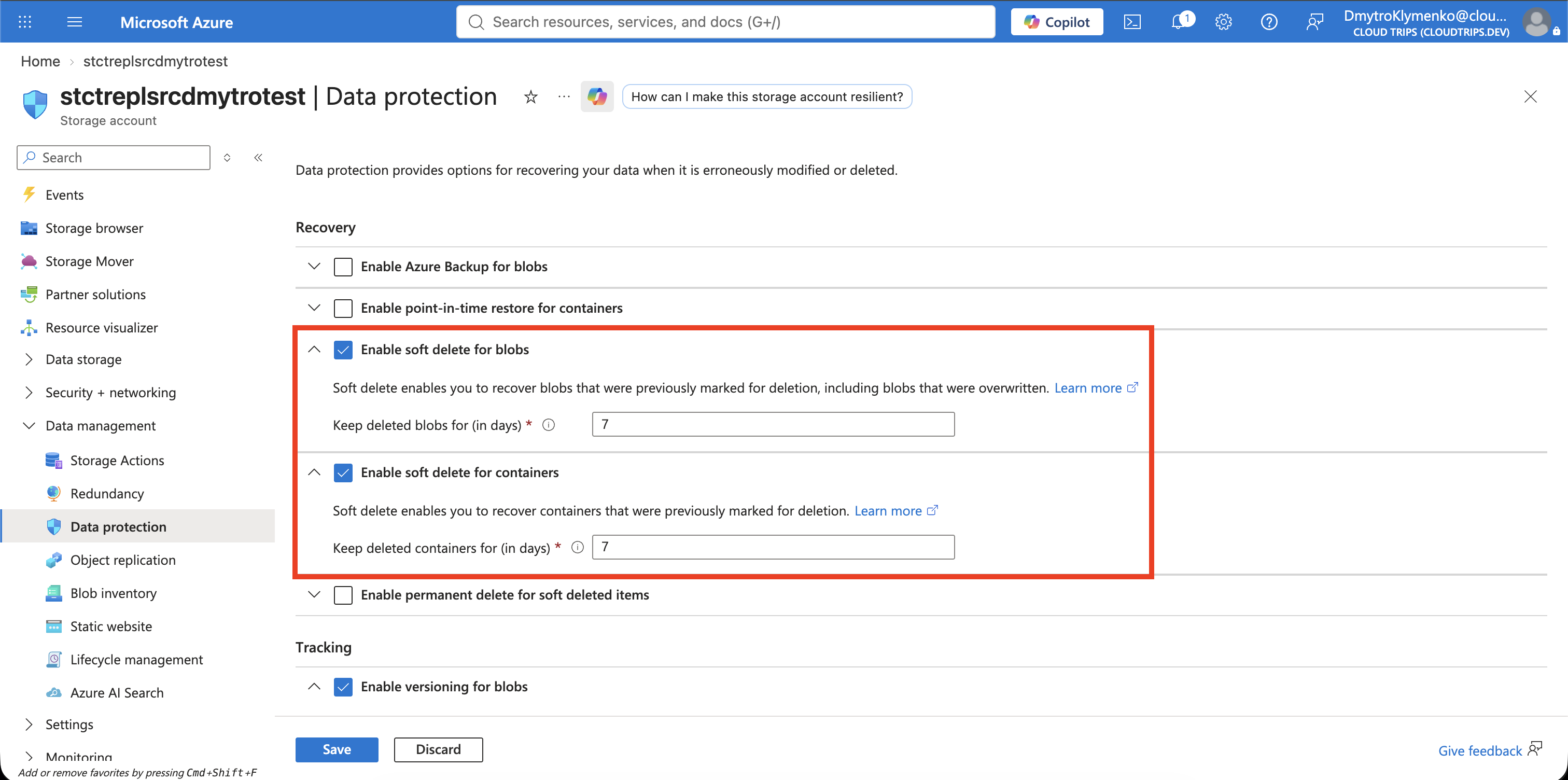
Open stctreplsrcdmytrotest and select Data management > Data
protection. Enable and save:
Enable versioning for blobs: Enabled
Enable blob change feed: Enabled
The change feed is an ordered, durable, read-only log of blob and metadata changes. Object Replication reads this log to discover work; it is not the destination copy itself. Change records normally become available within a few minutes rather than as a real-time event stream.
Enable Destination Versioning
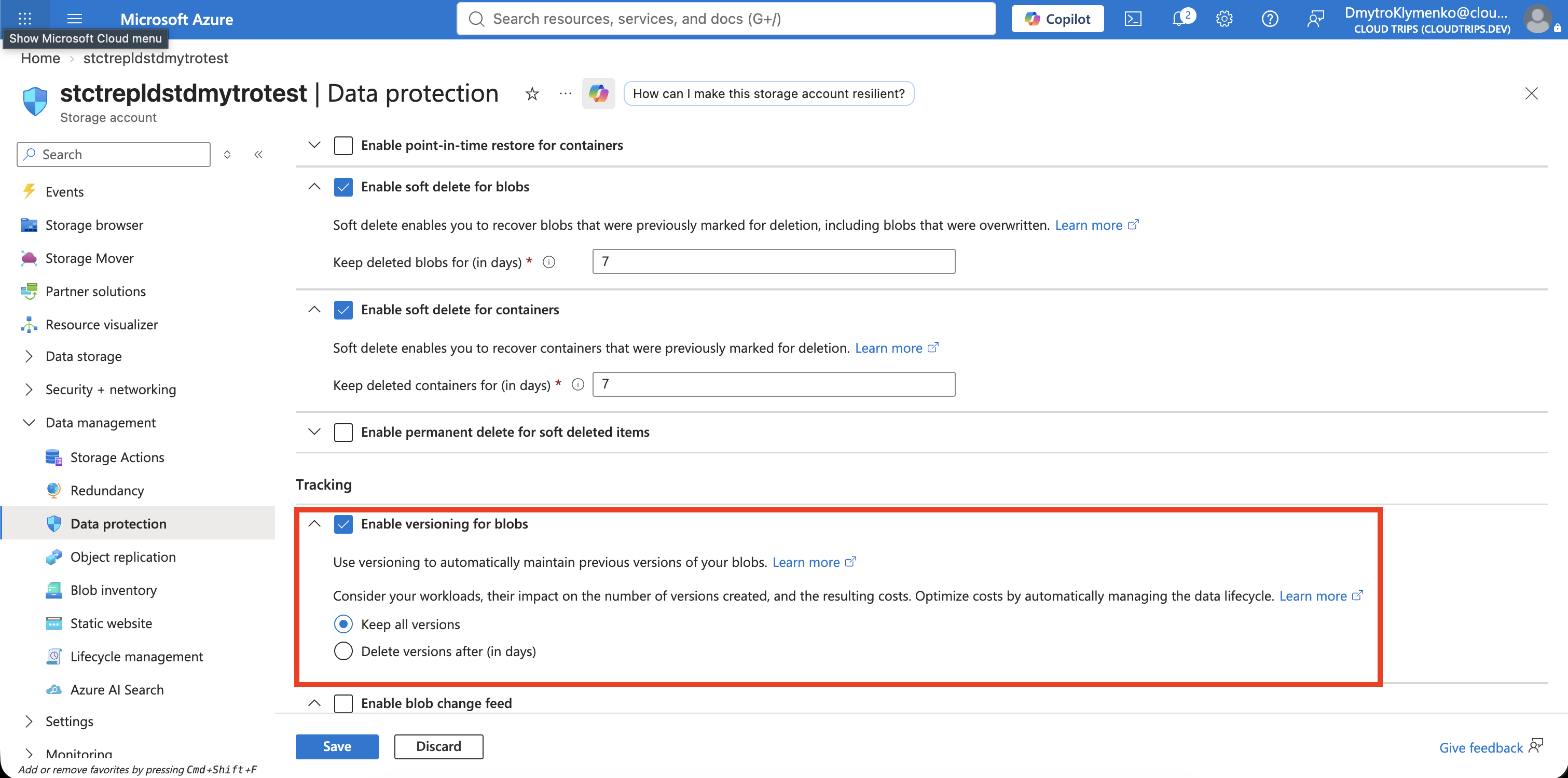
Open stctrepldstdmytrotest and select Data management > Data
protection. Enable and save:
Enable versioning for blobs: EnabledVersioning is required on both accounts because Object Replication copies blob versions and tracks the replicated state independently at the destination.
Create the Container Pair
Create private containers under Data storage > Containers:
Source account:      source-data
Destination account: replica-data
Anonymous access:    Private (no anonymous access)
Each replication rule maps exactly one source container to one destination container. Creating the destination container first prevents the policy from referencing a missing target.
Create the Object Replication Rule
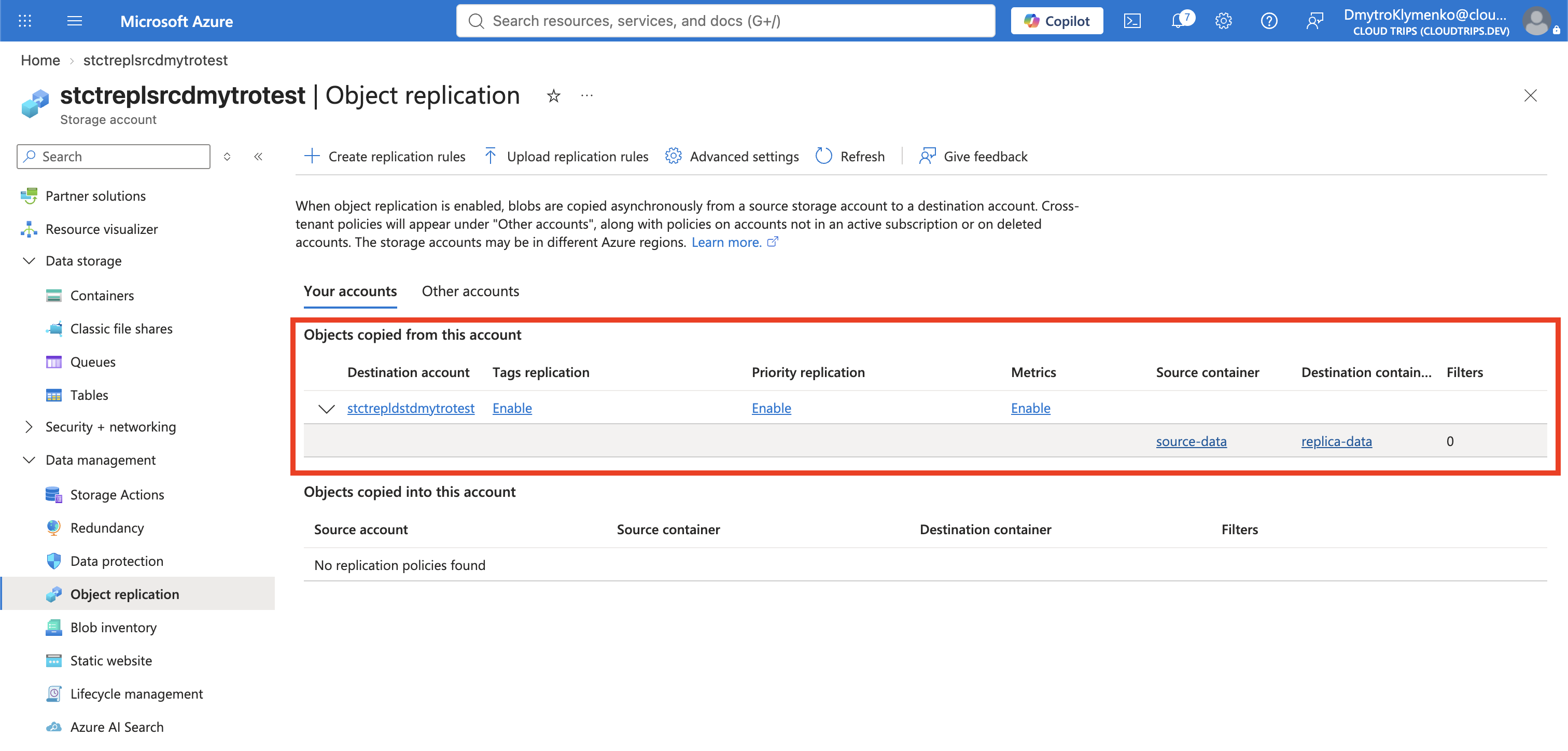
In the source account, select Data management > Object replication > Create replication rules. Choose:
Destination subscription: CloudTrips TEST
Destination storage account: stctrepldstdmytrotest
Source container: source-data
Destination container: replica-data
Leave prefix filtering empty so every block blob in source-data qualifies.
Create the rule. When configured from the source account in the portal, Azure
automatically creates the matching policy on the destination account. The same
policy and rule IDs must exist on both sides.
Object replication is asynchronous. The accounts are not instantly identical, and the standard mode has no guaranteed completion time. Do not use it as a synchronous write acknowledgement.
Upload a New Source Blob
Create a local file after the replication rule is active:
printf 'CloudTrips replicated object\n' > cloudtrips-replication-test.txtOpen the source account’s source-data container and upload the file as a block
blob. Uploading after policy creation makes the test independent of options for
copying objects that existed before the rule.
Open the source blob’s properties and inspect Object replication or Replication status. It can move through a pending state before becoming complete.
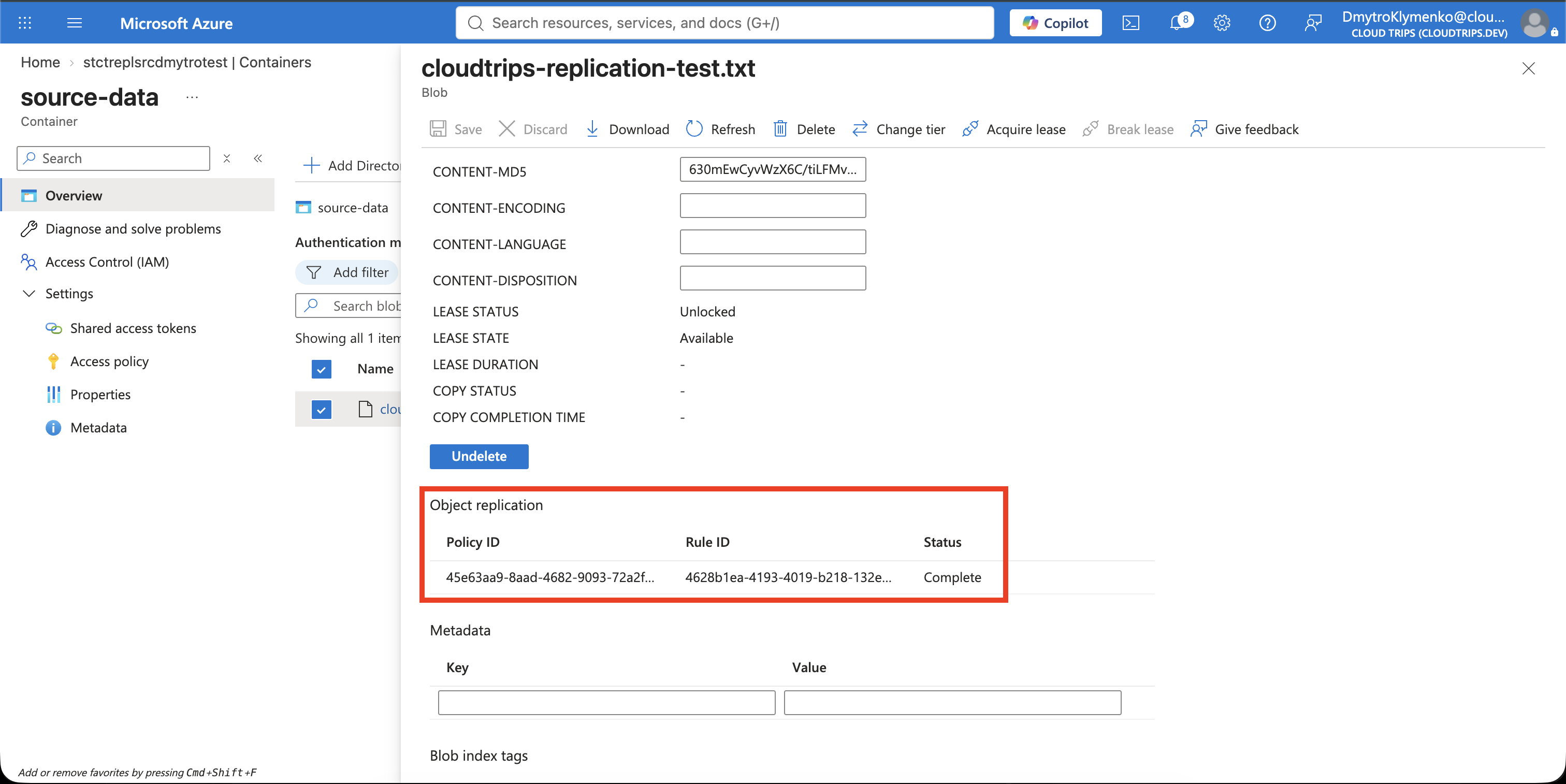
Verify the Destination Copy
Open the destination account’s replica-data container and refresh until
cloudtrips-replication-test.txt appears. Open or download it and confirm:
CloudTrips replicated object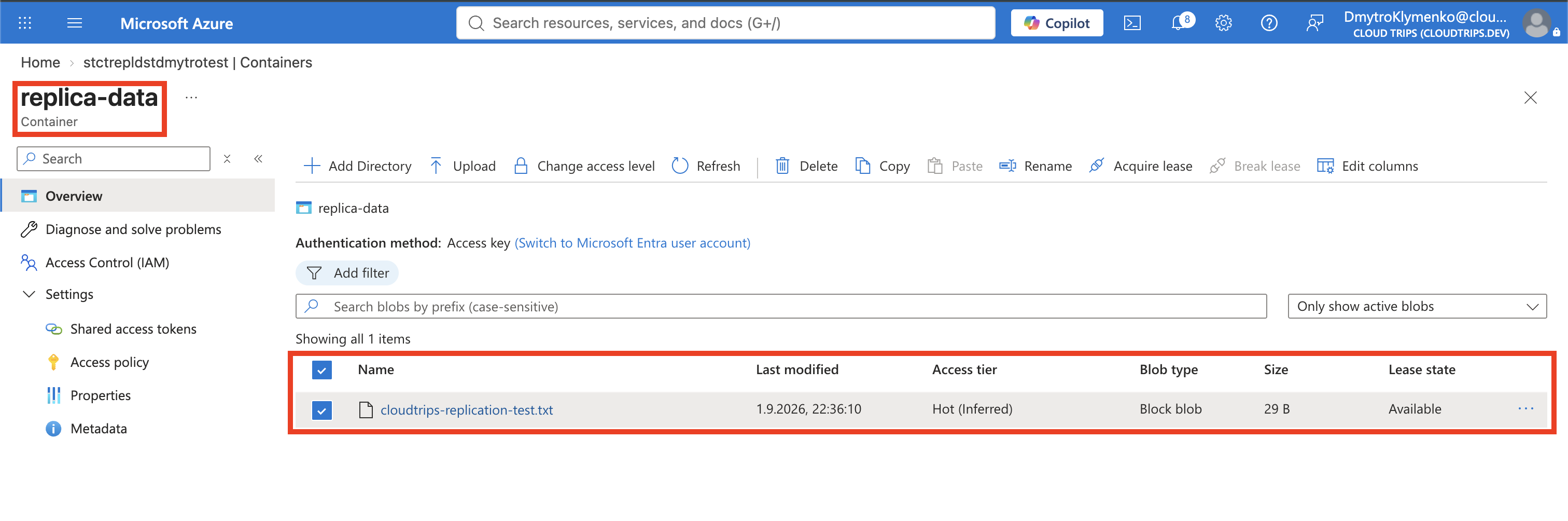
If the blob does not appear immediately, wait several minutes and refresh. Check that both accounts still have versioning enabled, the source still has change feed enabled, both containers exist, and the source blob is a block blob outside the Archive tier.
Replication is one-way: changing the destination does not copy data back to the source. Object Replication also does not provide application failover, DNS switching, or conflict resolution; clients must be designed to read from the appropriate account.
Clean Up
Delete the replication policy before deleting either account so the relationship is removed cleanly. In the source account, open Object replication, select the policy, and delete it. Then delete the standalone resource group:
az group delete \
  --name rg-cloudtrips-blob-replication-test-weu \
  --yes
Confirm that it is gone:
az group exists --name rg-cloudtrips-blob-replication-test-weuExpected result: false.