Blob Data Must Be Recoverable and Cost-Efficient? Configure Versioning, Soft Delete, Lifecycle, and Inventory
CloudTrips needs protection from accidental overwrites and deletions without keeping every old copy in the expensive Hot tier forever. Versioning preserves write history, soft delete provides a recovery window, lifecycle management automates tiering and deletion, and inventory reports describe what is stored.
Versioning → retains earlier blob versions after an overwrite
Soft delete → retains deleted blobs and versions for a recovery period
Lifecycle  → tiers or deletes data after age conditions are met
Inventory  → scheduled CSV or Parquet report describing stored objects
Protection increases stored capacity and therefore cost. The lifecycle policy provides the corresponding cost-control mechanism.
Create the Storage Account
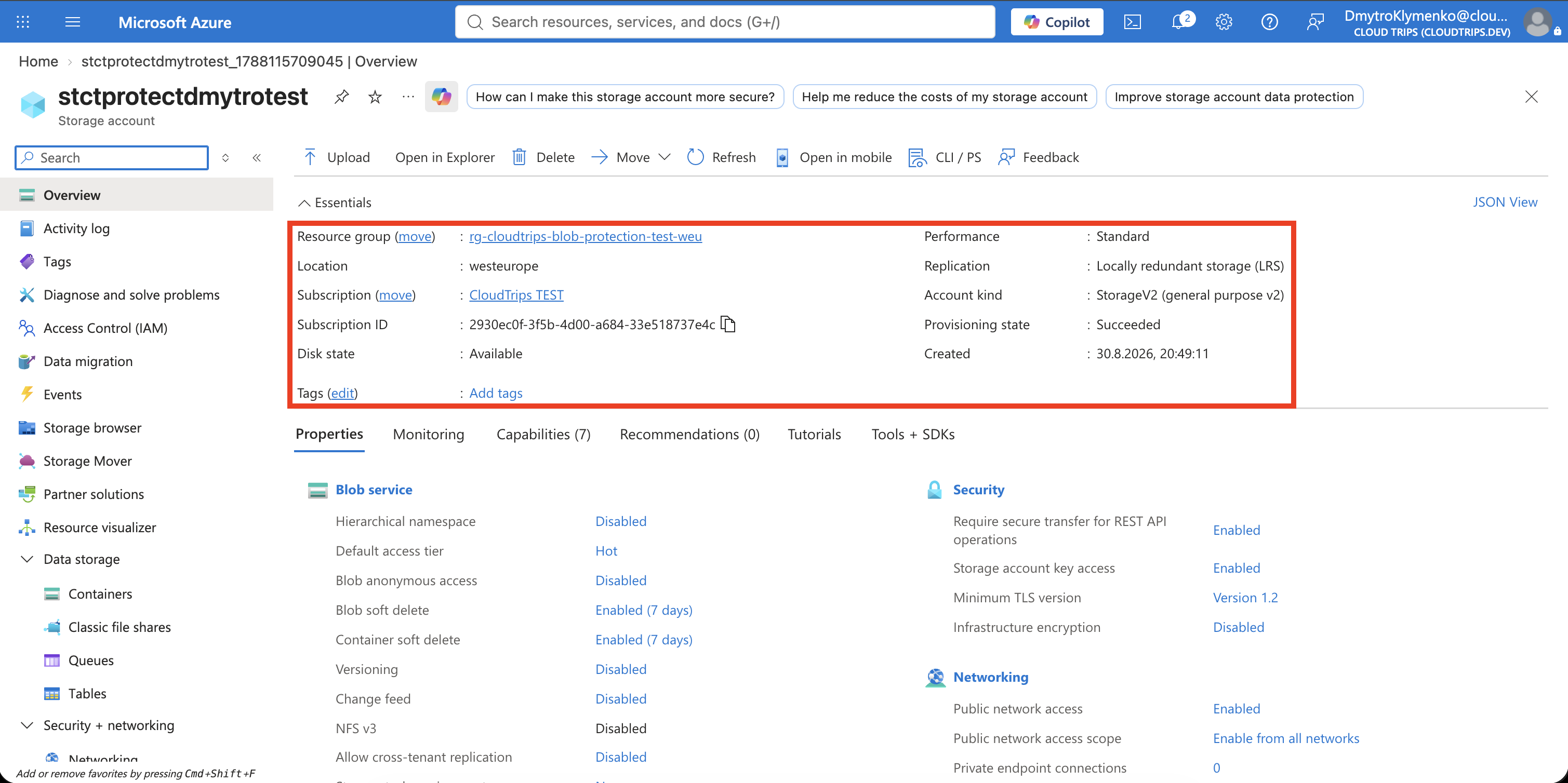
Search for Storage accounts, select Create, and enter:
Subscription: CloudTrips TEST
Resource group: Create new → rg-cloudtrips-blob-protection-test-weu
Storage account name: stctprotectdmytrotest
Region: West Europe
Performance: Standard
Redundancy: Locally-redundant storage (LRS)
Keep Hierarchical namespace disabled because blob versioning is unavailable on hierarchical-namespace accounts. Select Review + create > Create.
Enable Versioning and Soft Delete
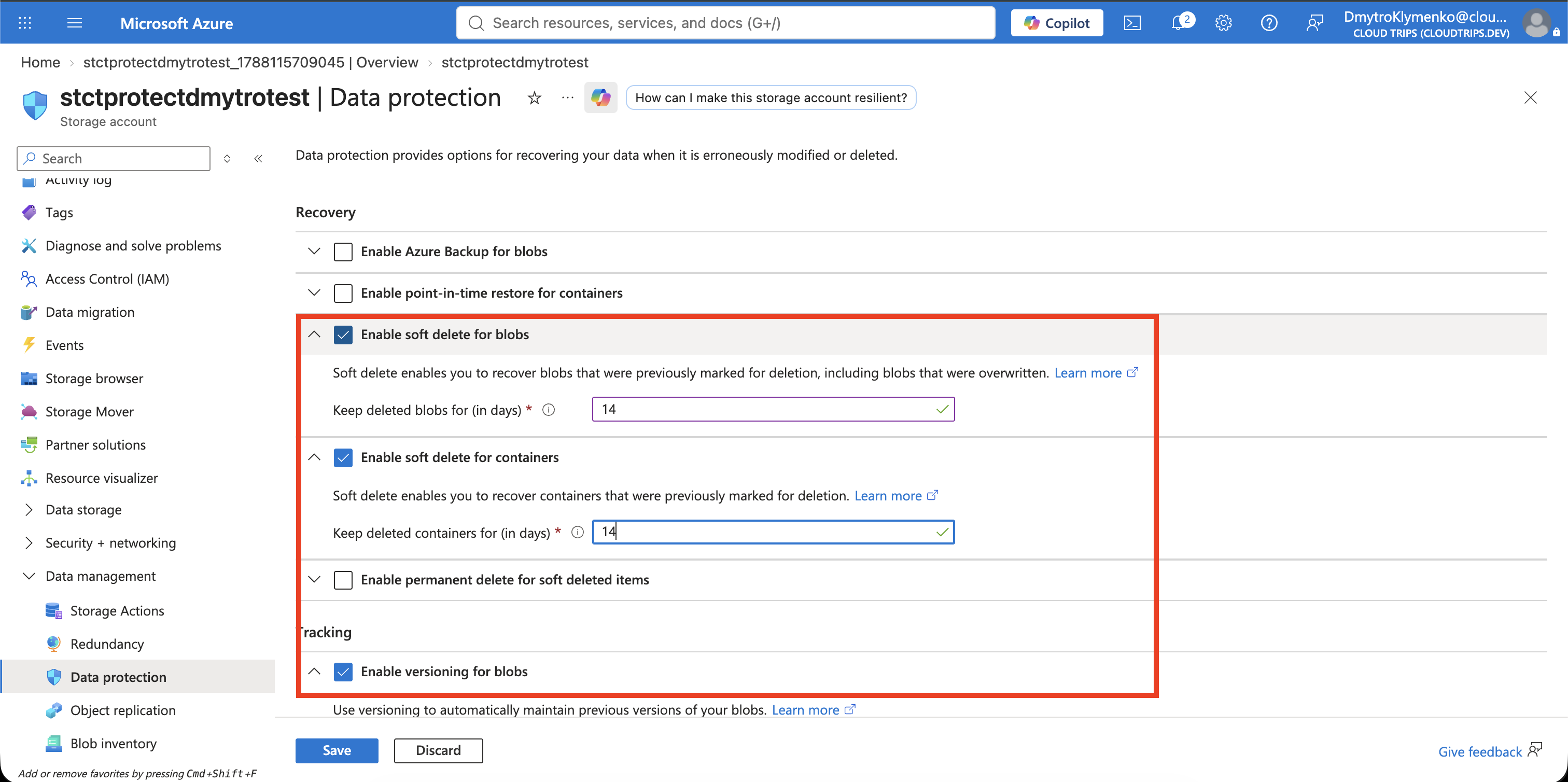
Open the storage account and select Data management > Data protection. Configure and save:
Enable versioning for blobs: Enabled
Enable soft delete for blobs: Enabled
Blob retention period: 14 days
Enable soft delete for containers: Enabled
Container retention period: 14 days
Versioning has no fixed retention period: previous versions remain until they are explicitly deleted or a lifecycle rule removes them. Soft delete retains a deleted blob or version for 14 days before permanent deletion. Container soft delete additionally protects against deleting the whole container.
Create Containers and Two Blob Versions
Under Data storage > Containers, create two private containers:
documents
inventory-reports
Create version 1 locally:
printf 'CloudTrips policy version 1\n' > cloudtrips-policy.txtOpen documents, select Upload, and upload cloudtrips-policy.txt. Then
replace the local content:
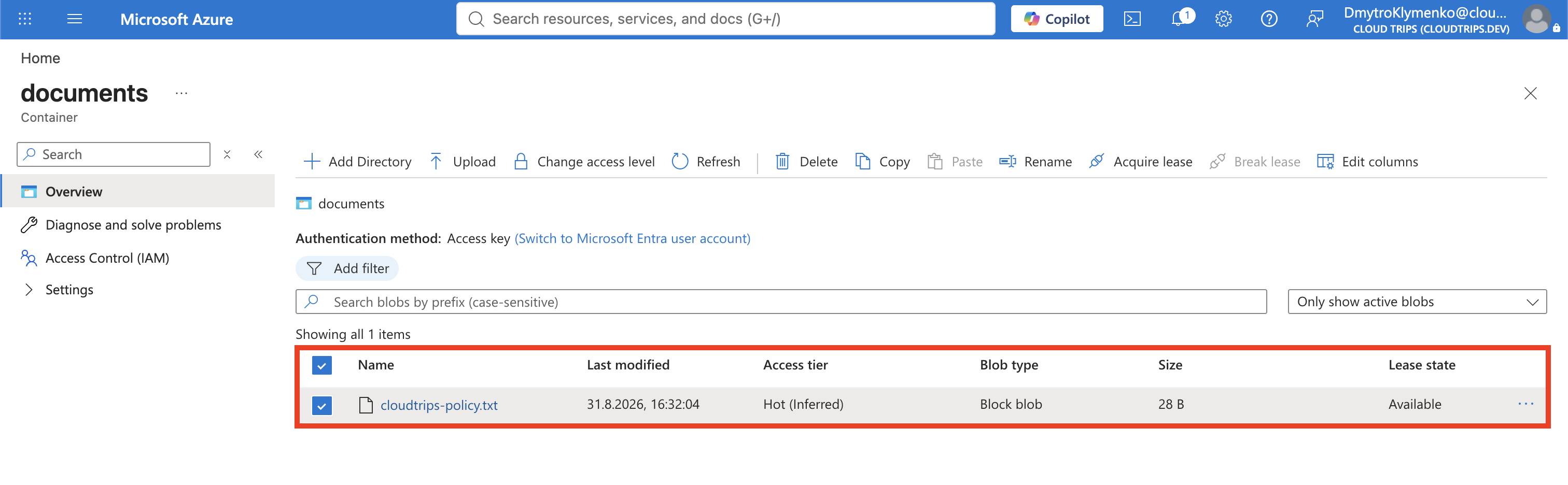
printf 'CloudTrips policy version 2\n' > cloudtrips-policy.txtUpload the same filename again and allow it to overwrite the destination blob. Azure makes version 2 current and retains version 1 as a previous version.
Open the blob and select Versions. Version 2 remains the current blob shown
in the container, while this view lists retained version 1. Seeing one entry
here after one overwrite is therefore correct.
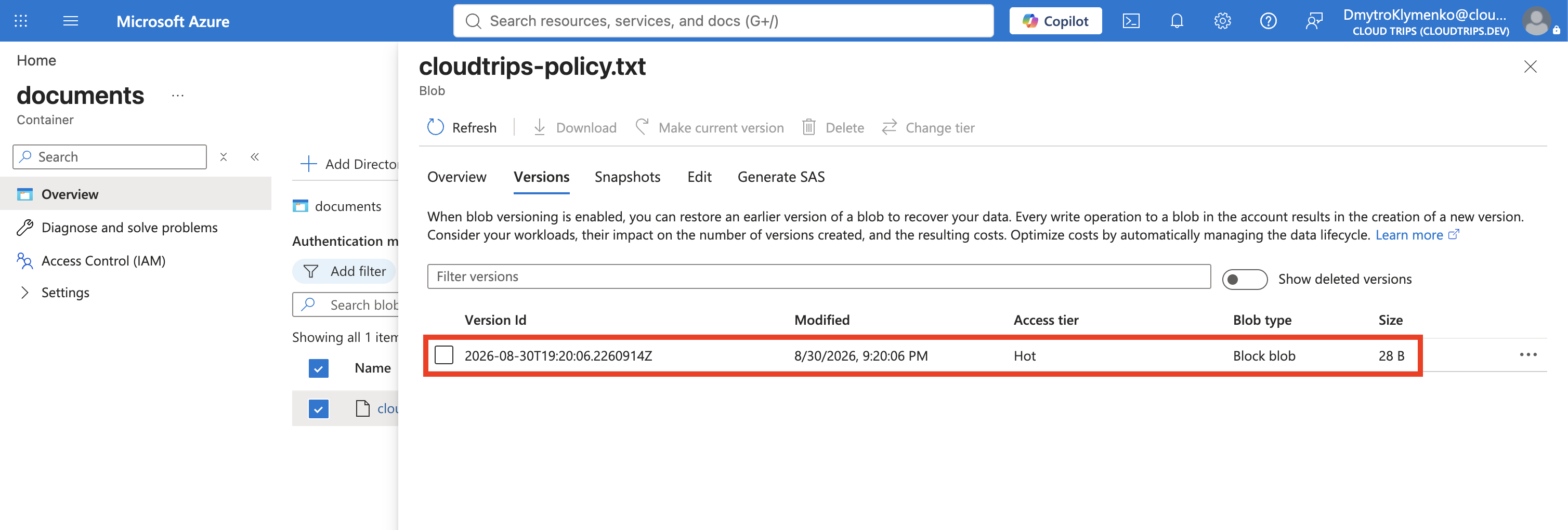
Each write creates another billable version. Versioning protects history, but a busy application needs a lifecycle rule to prevent unlimited growth.
Recover a Deleted Blob
Delete cloudtrips-policy.txt. In the container, enable Show deleted blobs
and open the deleted blob. Because versioning is enabled, restoring deleted
versions alone does not create a current version. Open Versions, select the
version containing CloudTrips policy version 2, and select Make current
version.
Open or download the restored blob and confirm that it contains:
CloudTrips policy version 2If a version itself was soft-deleted, select Undelete first and then promote the required version. Soft delete restores recoverable versions; Make current version chooses which one becomes the live blob.
Configure Lifecycle Management
Select Data management > Lifecycle management > List view > Add a rule and configure:
Rule name: manage-document-history
Rule scope: Limit blobs with filters
Blob type: Block blobs
Blob subtype: Base blobs, Versions
Select both Base blobs and Versions on the first Details tab. Azure then displays a separate tab for configuring each selected subtype.
Under Base blobs, add:
Condition: Last modified
Older than: 30 days
Then: Move to cool storage
Under Versions, add:
Older than version creation: 7 days
Then: Delete the version
Under Filter set, enter the prefix:
documents/Save the rule. The prefix starts with the container name, so this rule does not
affect the inventory-reports container.
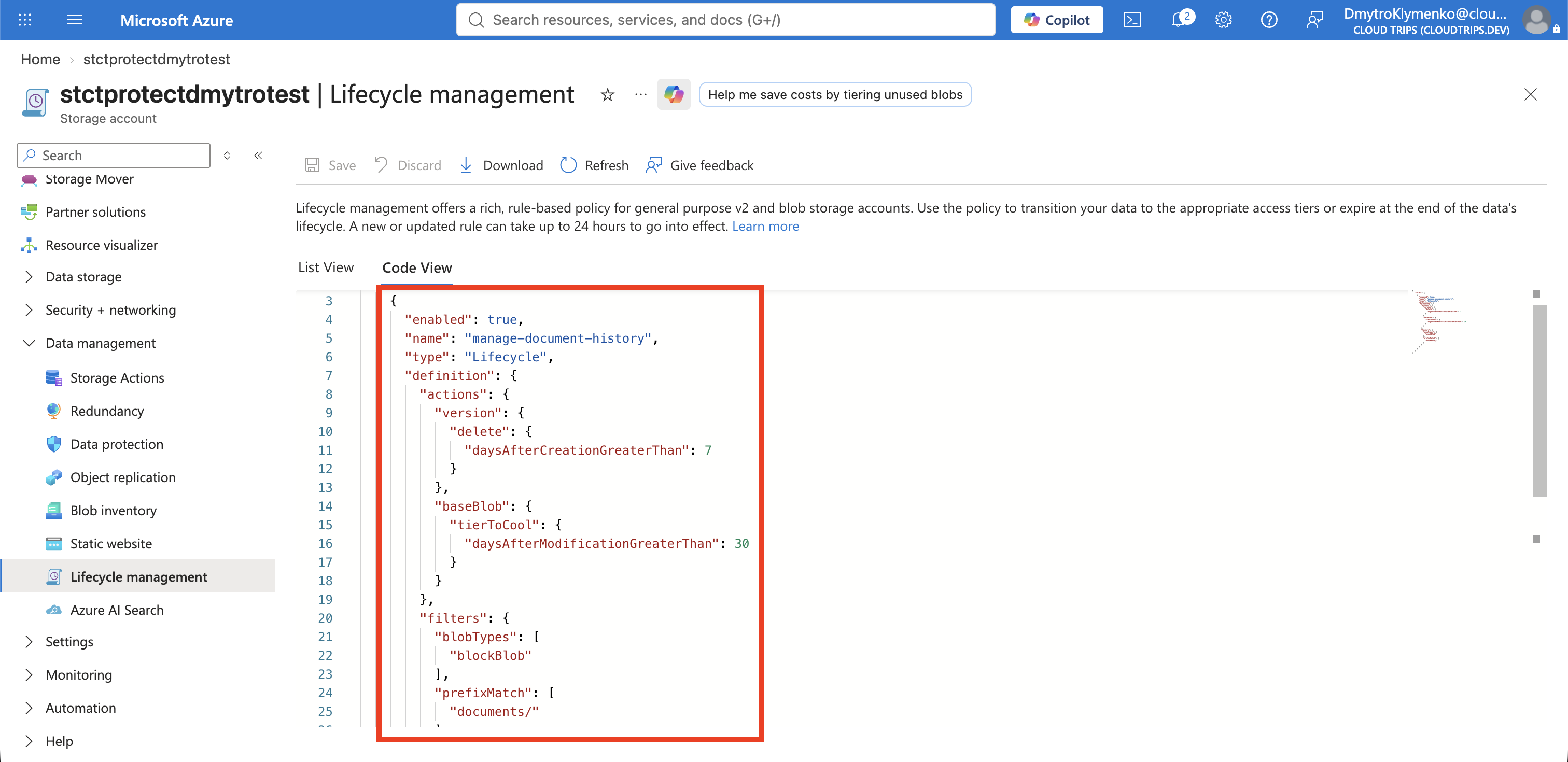
Lifecycle conditions are evaluated asynchronously, normally once per day. A new test blob does not become 30 days old during this trip, so the saved and enabled rule is the verification. Deleted versions can also remain billable during the 14-day soft-delete window before final removal.
Configure Blob Inventory
Select Data management > Blob inventory > Add your first inventory rule and configure:
Rule name: daily-document-inventory
Destination container: inventory-reports
Object type: Blob
Format: CSV
Schedule: Daily
Blob types: Block blobs
Prefix match: documents/
Include blob versions: Enabled
Include deleted blobs: Enabled, if shown
Select useful schema fields such as:
Name
Creation-Time
Last-Modified
Content-Length
Access-Tier
VersionId
Current Version status
Deleted
Remaining Retention Days
When Include deleted blobs is enabled, Azure requires both Deleted and Remaining Retention Days in the schema. Either select both fields or disable the deleted-blob option and exclude both.
Save and enable the inventory rule.
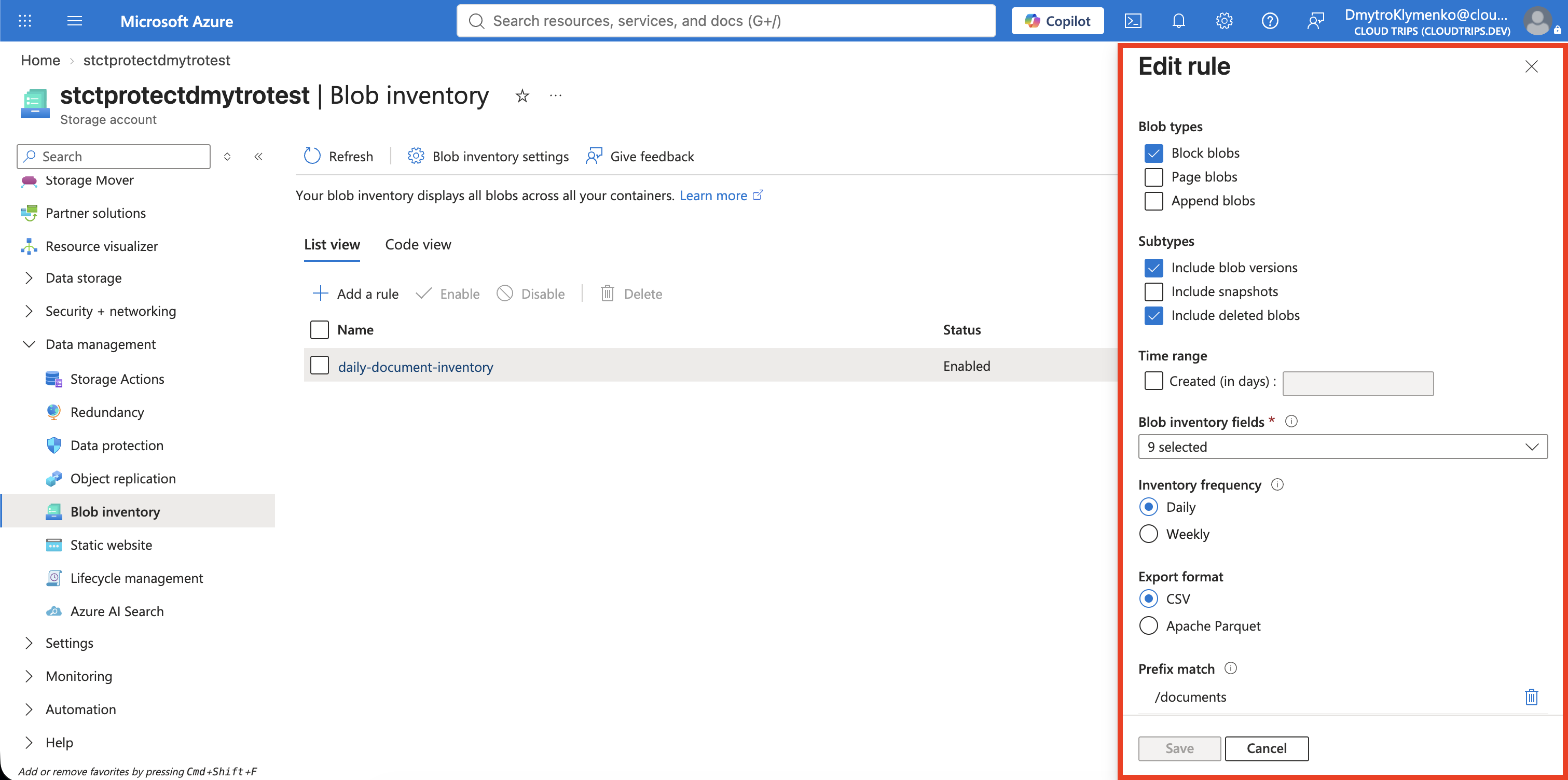
Inventory is not an immediate interactive listing. Azure runs the policy on its
daily schedule and later writes reports beneath a path in inventory-reports.
Report generation can take up to a day or longer for large accounts. The report
can then support audits, cost analysis, and lifecycle-policy design.
Verify the Configuration
Optionally summarize the protection settings:
az storage account blob-service-properties show \
  --account-name stctprotectdmytrotest \
  --resource-group rg-cloudtrips-blob-protection-test-weu \
  --query "{Versioning:isVersioningEnabled,BlobSoftDelete:deleteRetentionPolicy,ContainerSoftDelete:containerDeleteRetentionPolicy}" \
  --output yaml
The expected result shows versioning enabled and both retention policies enabled for 14 days.
Clean Up
Delete the standalone resource group:
az group delete \
  --name rg-cloudtrips-blob-protection-test-weu \
  --yes
Confirm that it is gone:
az group exists --name rg-cloudtrips-blob-protection-test-weuExpected result: false.