App Needs Secure Secret Storage? Create Key Vault and Store a Secret
An application needs an API password. Putting it in source code or shared configuration files spreads copies and makes access difficult to control. Azure Key Vault stores the secret centrally, encrypts it at rest, and checks the caller’s identity and permissions when it is retrieved.
Create the Vault
In Azure Portal, open Key vaults → Create:
Resource group: rg-cloudtrips-security-test-weu
Key vault name: kv-ctappweu
Region: West Europe
Pricing tier: Standard
Soft-delete retention: 7 days
Purge protection: Disabled for this disposable lab
Adjust the globally unique vault name if taken. Soft delete keeps deleted secrets recoverable during the retention period. Purge protection, when enabled, prevents permanent deletion before that period ends.
Under Access configuration, select Azure role-based access control (RBAC). For this portal lab, select public access under Networking. Authentication and permissions still control secret access. Review and create the vault.
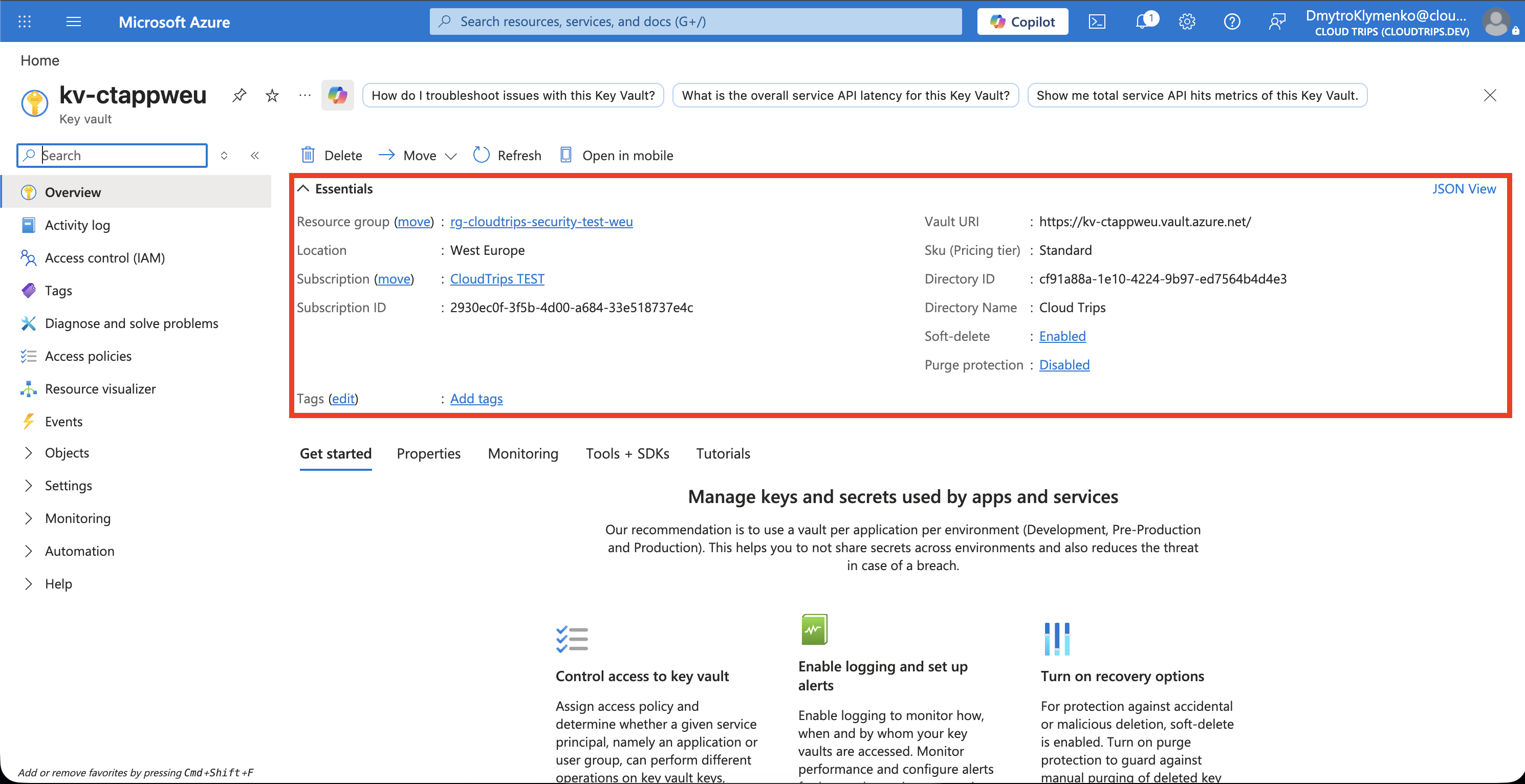
Check the vault name, region, and Vault URI, such as https://kv-ctappweu.vault.azure.net/. Applications use that address to reach the vault.
Give Yourself Secret Access
Open Access control (IAM) → Add → Add role assignment. Select Key Vault Secrets Officer, choose User, group, or service principal, select your signed-in user, and finish the assignment at this vault’s scope.
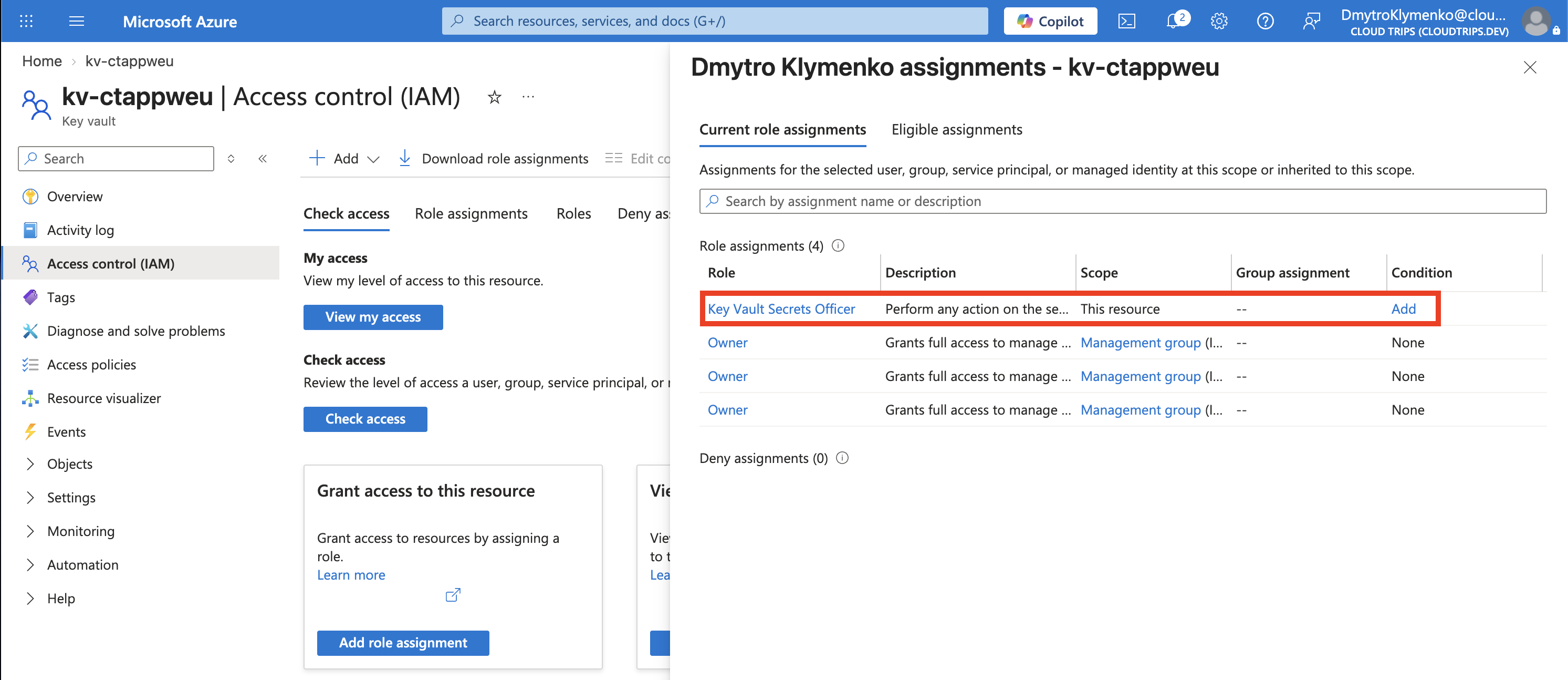
Check the user, role, and scope. Secrets Officer permits creating and reading secrets. Owner manages the Azure resource and role assignments; accessing secret values requires a data-access role. Assigning roles requires Owner, Role Based Access Control Administrator, or another role with the appropriate assignment permission.
Allow a few minutes for the assignment to take effect. An application that only retrieves secrets normally receives Key Vault Secrets User; the next trip uses a managed identity for this.
Store and Retrieve a Test Secret
Open Objects → Secrets → Generate/Import:
Upload options: Manual
Name: demo-api-password
Secret value: CloudTrips-Demo-Only-2026!
Enabled: Yes
This is a public sample value for the exercise. Create the secret, open demo-api-password, select its current version, and choose Show Secret Value.
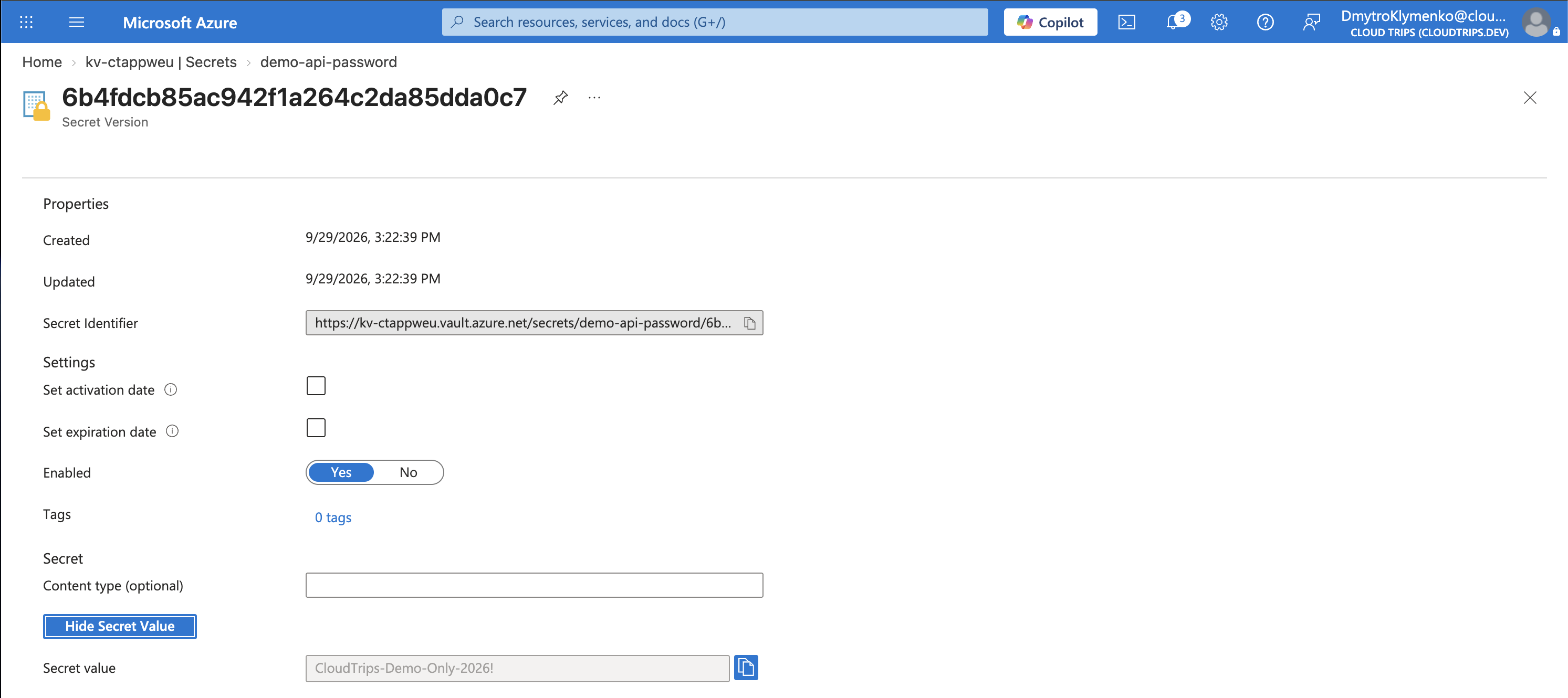
Check Enabled: Yes and that the returned value matches your input. This verifies both storage and your permission to retrieve it. A new value under the same secret name creates another version.
Keep for the Next Trip
Keep kv-ctappweu and demo-api-password for the managed-identity exercise. After the related Security trips, delete rg-cloudtrips-security-test-weu. A soft-deleted vault reserves its name during retention; recover it if you need to reuse that name.