Vault Keys Need Hardware Protection? Create HSM-Backed Keys in Key Vault Premium
An application protects sensitive data with an encryption key. Your security requirements demand that the private key and its operations remain inside dedicated cryptographic hardware. A Hardware Security Module (HSM) provides that protected boundary. Key Vault Premium lets you generate HSM-backed keys and use them through the Key Vault API, while Azure operates the hardware.
This trip creates a separate lab vault. Premium uses a shared, multi-tenant HSM service; Azure Managed HSM provides a single-tenant service, covered in the next trip.
Create a Premium Vault
In the Azure portal → Key vaults → Create, enter:
Subscription: CloudTrips TEST
Resource group: rg-cloudtrips-kvpremium-test-weu
Key vault name: kv-ctpremiumweu
Region: West Europe
Pricing tier: Premium
Soft-delete retention: 7 days
Purge protection: Disabled for this disposable lab
Adjust the globally unique vault name if taken. Under Access configuration, select Azure role-based access control (RBAC). Under Networking, allow public access for this portal exercise. Open Review + create.
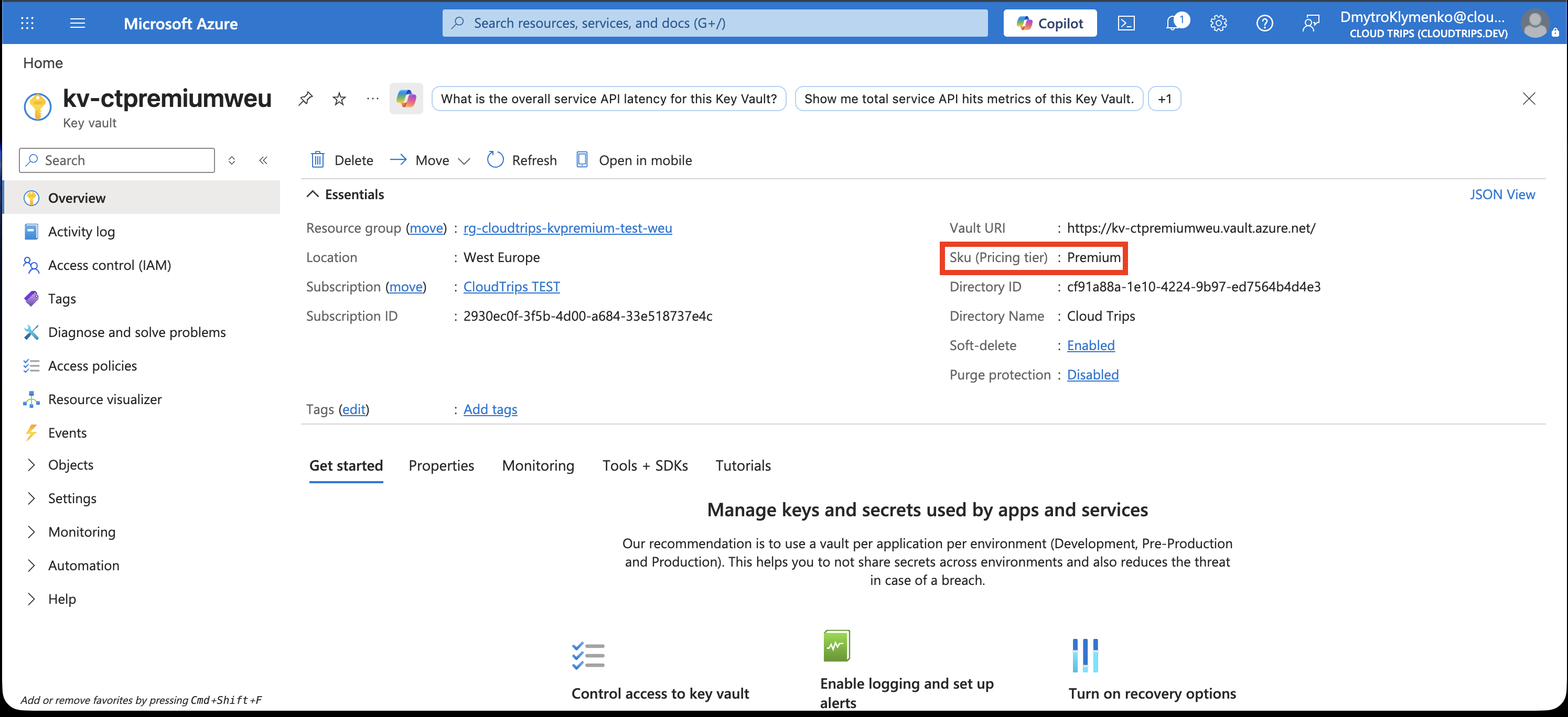
Confirm Premium, the vault name, and resource group, then create the vault. HSM-backed keys have additional key and operation charges; review the displayed pricing. For production keys, enable purge protection to enforce the recovery period after deletion.
Give Yourself Key Permissions
Open kv-ctpremiumweu → Access control (IAM) → Add role assignment. Assign Key Vault Crypto Officer to your signed-in user at vault scope. Your subscription Owner account can make this assignment.
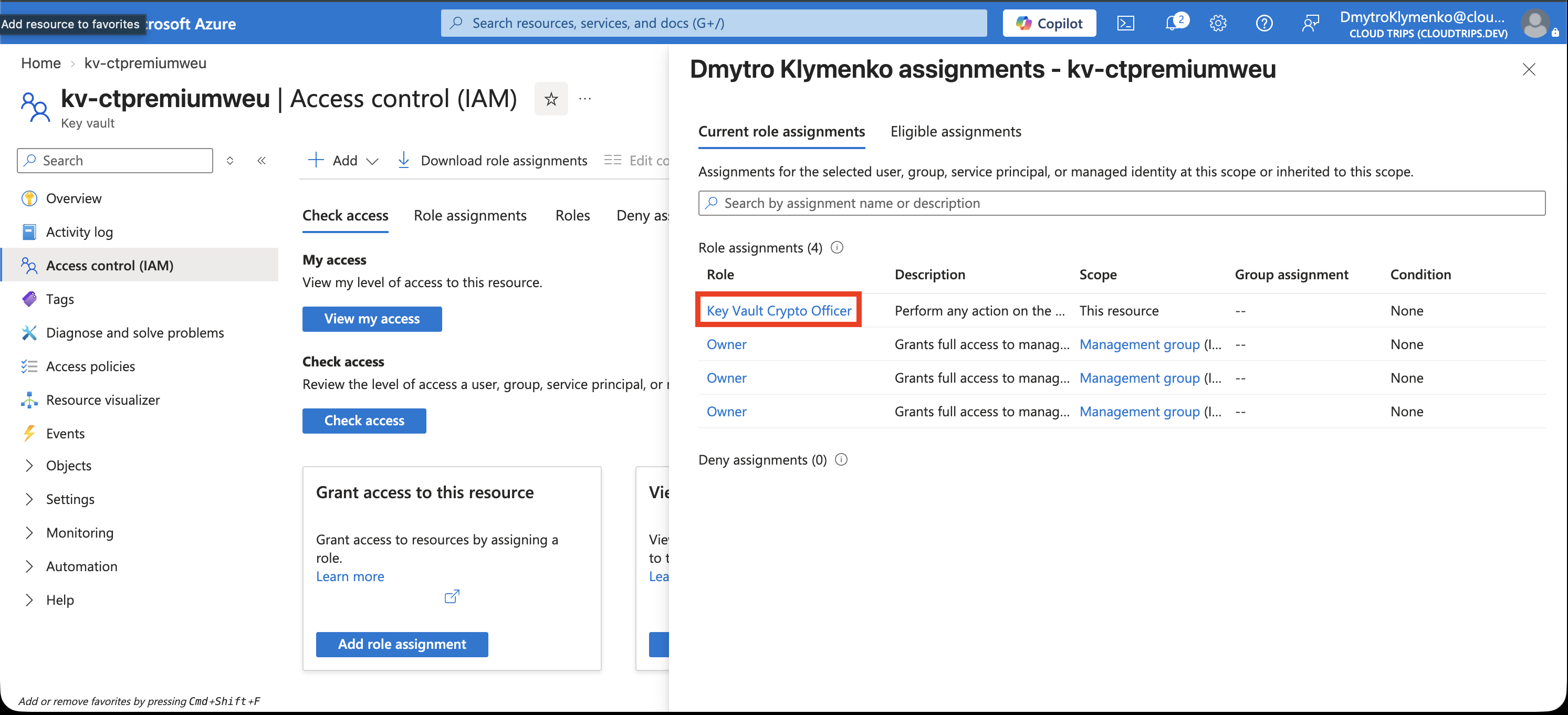
Check the user and role. Crypto Officer permits key creation and management. Allow a few minutes for the assignment to take effect.
Generate and Inspect the HSM Key
Open Objects → Keys → Generate/Import:
Options: Generate
Name: demo-hsm-key
Key type: RSA-HSM (HSM-backed RSA)
RSA key size: 2048
Enabled: Yes
Select the HSM-backed RSA option, create the key, then open demo-hsm-key → current version.
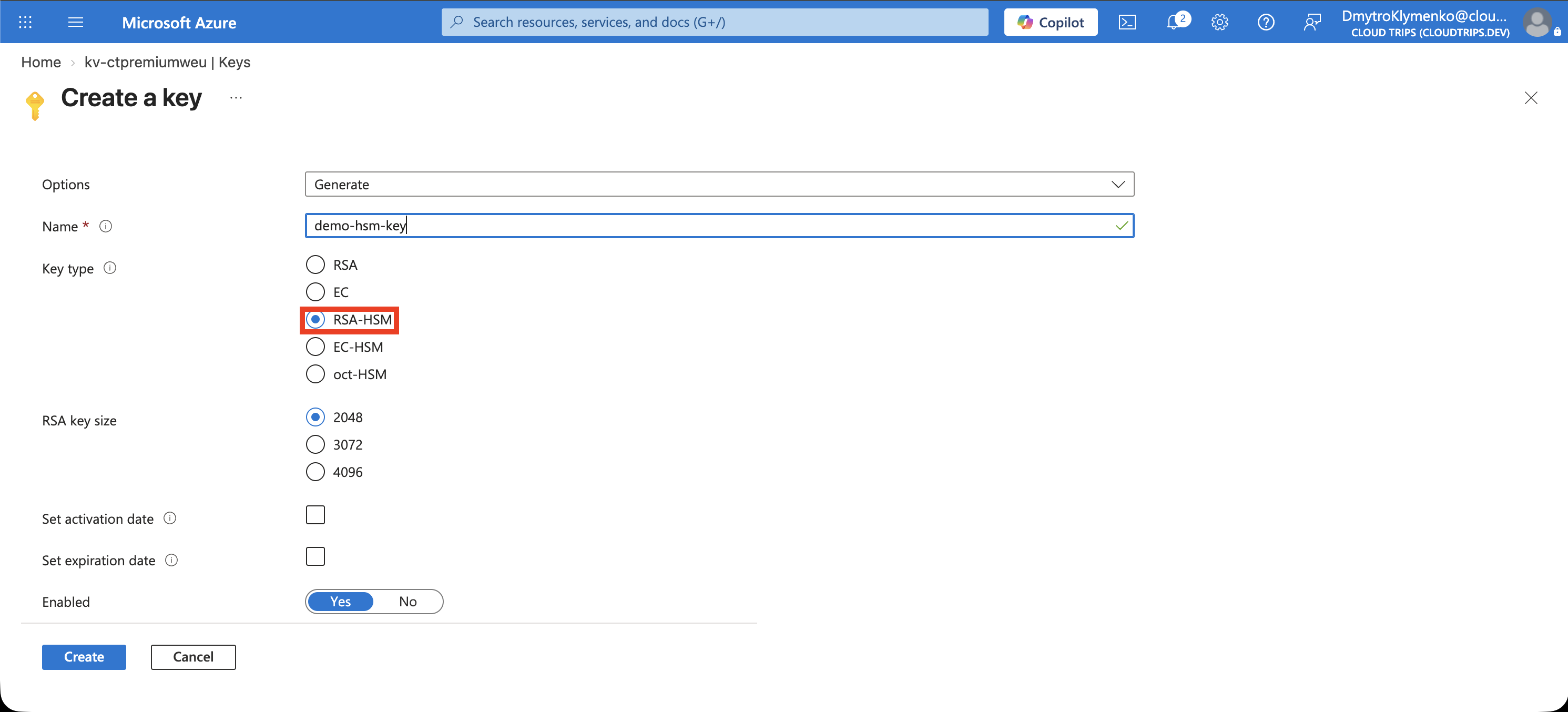
Check RSA-HSM, Enabled, and the versioned Key Identifier. Premium supports both software- and hardware-protected keys; this key’s type confirms which protection you selected. Download public key provides the public portion. For this generated key, the private portion remains inside the HSM.
An authorized application sends cryptographic requests to Key Vault. For example, it encrypts a file with a symmetric data key, then asks the vault to wrap that data key. Later, an authorized unwrap request lets the application recover the data key. The HSM performs the private-key operation within its protected boundary.
The lab prepares the key for use. An application or Azure service must receive suitable permissions and be configured with its key identifier to use it.
Finish
Delete rg-cloudtrips-kvpremium-test-weu when finished with this disposable lab. Soft delete retains the vault for the configured recovery period. The next Managed HSM trip creates a separate resource.