Traffic Must Use a Custom Path? Create a Route Table
Azure automatically routes traffic within a VNet and toward the internet. That default behavior is not enough when CloudTrips must explicitly control where traffic from an application subnet can go.
Create a route table containing a user-defined route (UDR). A route table is associated with a subnet and tells Azure which next hop to use for a destination. It does not allow traffic like an NSG; it selects the path for traffic that the security rules already permit.
This trip builds on: Need to See Why Traffic Is Blocked? Evaluate Effective NSG Rules.
Plan a Safe Custom Route
CloudTrips reserves 10.30.0.0/16 for a future services network. The
application subnet must not send traffic there until an approved firewall or
routing appliance is available.
Use:
Route table: rt-cloudtrips-app-test-weu
Associated subnet: vnet-cloudtrips-test-weu/snet-app
Route name: Block-Future-Services
Destination: 10.30.0.0/16
Next hop type: None
The None next hop discards matching traffic. The destination is outside the
current 10.20.0.0/16 VNet, so this route does not interrupt communication
inside the existing VNet or its existing outbound configuration. A route only
selects a path; it does not itself provide Internet access. A private workload
still needs an explicit outbound method such as NAT Gateway, a Load Balancer
outbound rule, Azure Firewall, or an instance-level public IP. A production
route can later replace None with a working virtual appliance or virtual
network gateway.
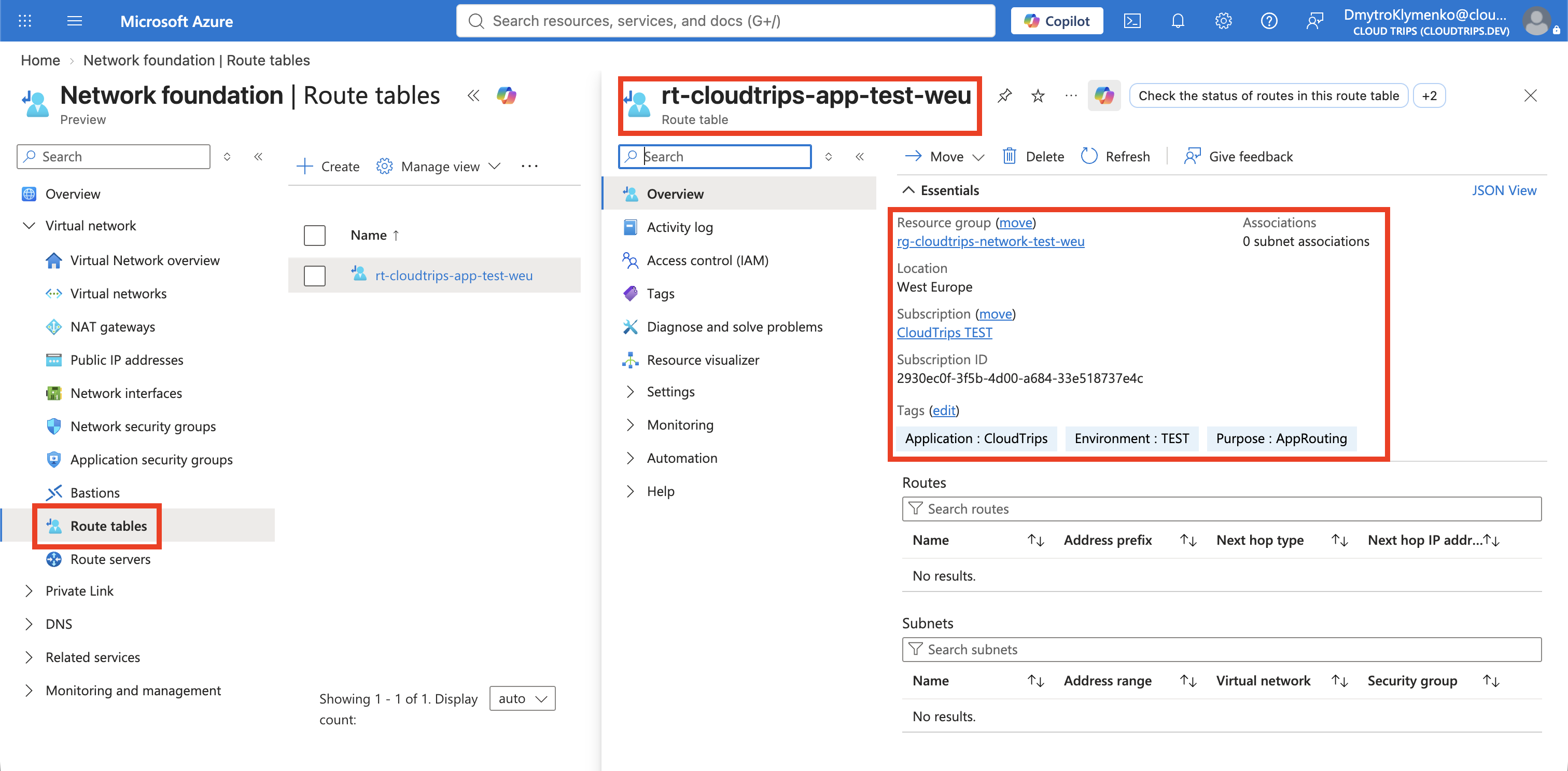
Create the Route Table
In the Azure portal, search for Route tables, open the service, and select Create.
Configure:
Subscription: CloudTrips TEST
Resource group: rg-cloudtrips-network-test-weu
Region: West Europe
Name: rt-cloudtrips-app-test-weu
Propagate gateway routes: Yes
Leave gateway-route propagation enabled so that BGP routes learned through a future VPN or ExpressRoute virtual network gateway can reach subnets associated with this route table. This setting does not control VNet peering routes; Azure adds those system routes when a peering is connected. CloudTrips has no virtual network gateway yet, so the setting does not change this exercise’s result.
On Tags, add:
Application: CloudTrips
Environment: TEST
Purpose: AppRouting
Select Review + create, and then select Create.
Add the User-Defined Route
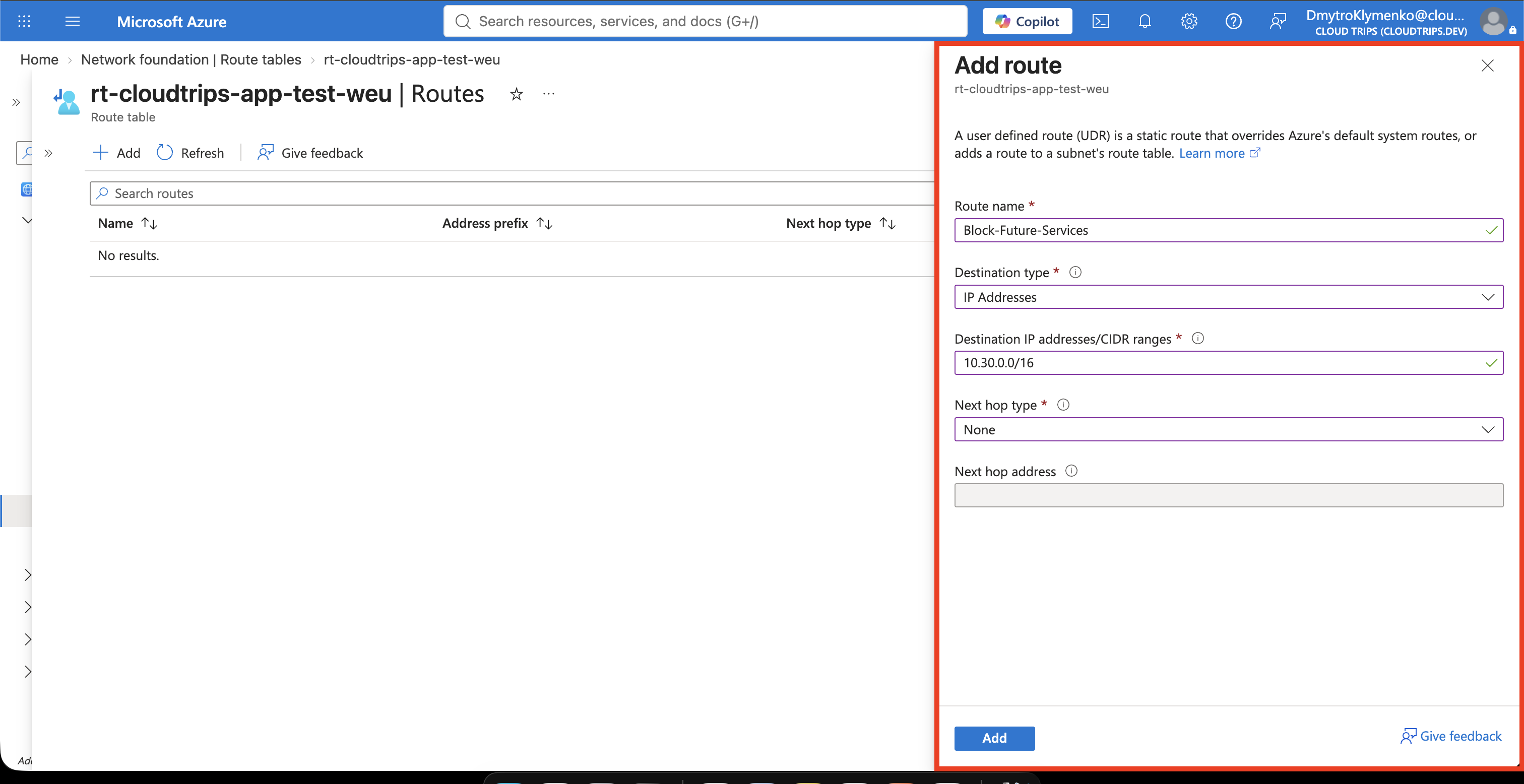
Open rt-cloudtrips-app-test-weu, select Settings > Routes, and select
Add.
Configure:
Route name: Block-Future-Services
Destination type: IP Addresses
Destination IP addresses/CIDR ranges: 10.30.0.0/16
Next hop type: None
Select Add.
Azure selects routes using the most specific matching address prefix. This
route therefore affects destinations inside 10.30.0.0/16; it is not a general
internet route.
Associate the Route Table with the Subnet
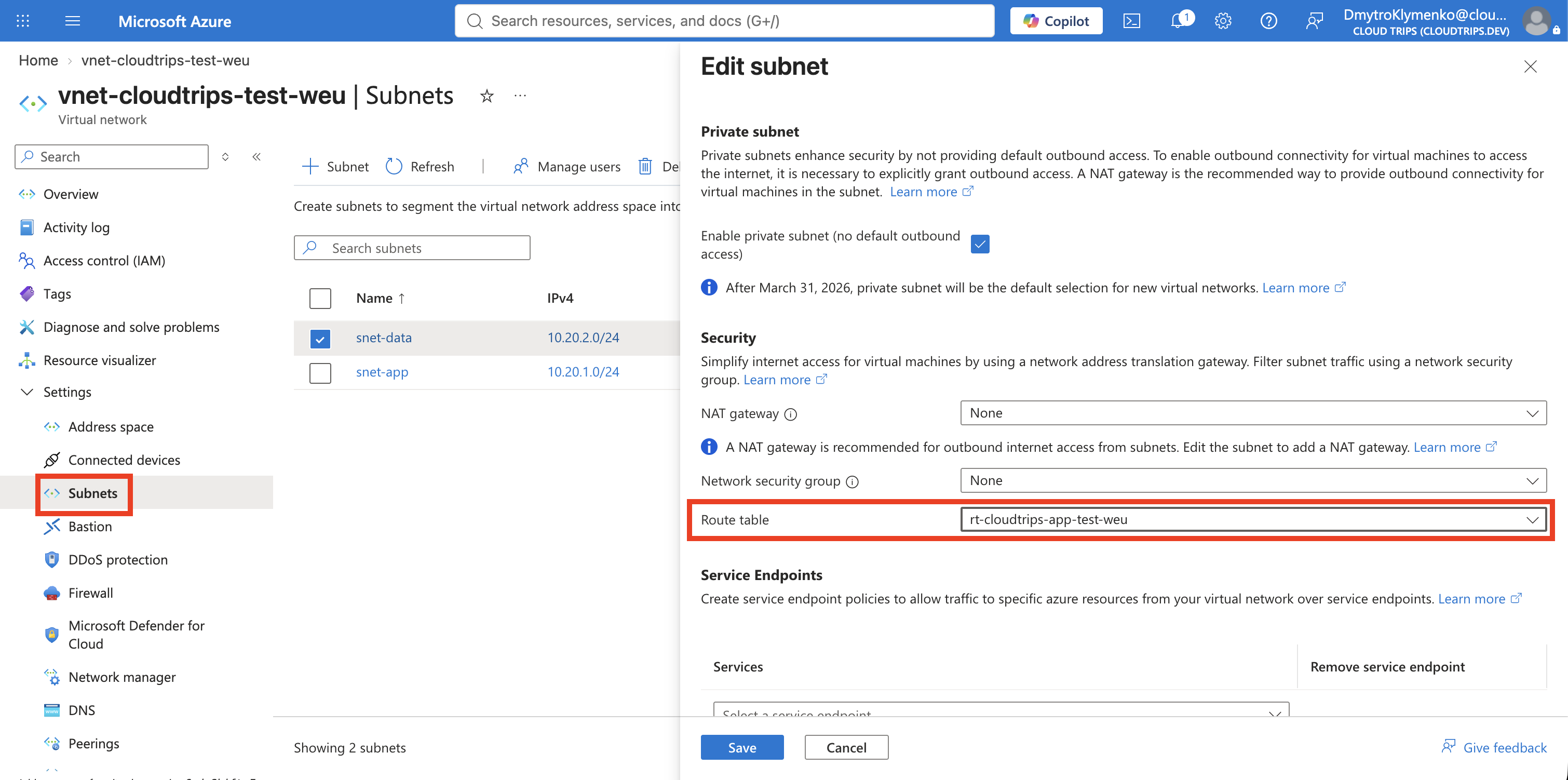
A route table has no effect until it is associated with a subnet. Search for
Virtual networks, open vnet-cloudtrips-test-weu, and select Settings >
Subnets. Open snet-app, set:
Route table: rt-cloudtrips-app-test-weuKeep the existing NSG association unchanged and select Save. A route table is associated with each subnet that should use it, not with the complete VNet or directly with a NIC.
Verify the Association
Open Cloud Shell, select Bash, and run:
az network vnet subnet show \
  --resource-group rg-cloudtrips-network-test-weu \
  --vnet-name vnet-cloudtrips-test-weu \
  --name snet-app \
  --query "{Subnet:name,RouteTable:routeTable.id}" \
  --output yaml
RouteTable should end with:
/routeTables/rt-cloudtrips-app-test-weuThe NSG still decides whether traffic is permitted. For permitted traffic, the
route table now decides the next hop. Traffic from snet-app to
10.30.0.0/16 is discarded, while existing VNet and internet routes remain
available.