Front Door Needs Multiple Origins? Configure an Origin Group
CloudTrips now has a global Front Door endpoint, but its origin group contains only the West Europe Application Gateway. If that origin is unavailable, Front Door has nowhere else to send the request.
Add an Azure Storage static website as a small maintenance origin in North Europe. The Application Gateway remains the primary origin. Front Door uses the static site only when the primary is disabled or unhealthy.
Azure Front Door endpoint
          |
og-cloudtrips-weu
          |
          |-- Priority 1: Application Gateway in West Europe
          |
          `-- Priority 2: Static maintenance site in North Europe
This is an active/passive design: the priority-1 origin is active, while the priority-2 origin is a fallback. It demonstrates origin selection without the cost of another VM and Application Gateway deployment. A production multi-region application would run the same application in both regions instead of returning a maintenance page.
This trip depends on A Global Web App Needs an Edge Entry? Create Azure Front Door. Keep
afd-cloudtrips-test,route-cloudtrips-all,og-cloudtrips-weu, andorigin-appgw-weu.
Create a Unique Storage Account Name
Generate a globally unique storage account name from the current subscription ID:
FALLBACK_STORAGE="stctfd$(az account show \
  --query id \
  --output tsv | tr -d '-' | cut -c1-8)"

printf 'Fallback storage account: %s\n' "$FALLBACK_STORAGE"
Copy the displayed value for the portal. Storage account names use only lowercase letters and numbers and must be unique across Azure.
Create the Maintenance Storage Account
Search for Storage accounts, select Create, and configure:
Subscription: CloudTrips TEST
Resource group: rg-cloudtrips-network-test-weu
Storage account name: Use the FALLBACK_STORAGE value
Region: North Europe
Performance: Standard
Redundancy: Locally-redundant storage (LRS)
Require secure transfer: Disabled
Minimum TLS version: 1.2
Allow public network access: Enabled
Select Review + create, then select Create. North Europe keeps the fallback content in a different region from the primary Application Gateway. LRS is sufficient for this temporary lab page.
This lab deliberately permits HTTP at the Storage origin because the existing Front Door route, its shared health probe, and the prerequisite Application Gateway listener all use HTTP. Client connections to the Front Door endpoint remain HTTPS. For production, configure HTTPS on every origin first, then change both the shared probe and the route’s forwarding protocol to HTTPS.
Enable the Static Website
Open the storage account and select Capabilities > Static website. If the current portal shows it in the navigation instead, open Data management
Static website. Configure:
Static website: Enabled
Index document name: index.html
Error document path: 404.html
Select Save. Azure creates a container named $web and displays the
website’s Primary endpoint.
Create the maintenance page on your computer:
printf '%s\n' \
  '<!doctype html>' \
  '<html lang="en">' \
  '<head><meta charset="utf-8"><title>CloudTrips maintenance</title></head>' \
  '<body>' \
  '<h1>CloudTrips is temporarily unavailable</h1>' \
  '<p>Front Door reached the secondary maintenance origin.</p>' \
  '</body>' \
  '</html>' \
  > index.html
In the storage account, open Data storage > Containers > $web and
select Upload. Select the local index.html file, expand the advanced
options, and confirm:
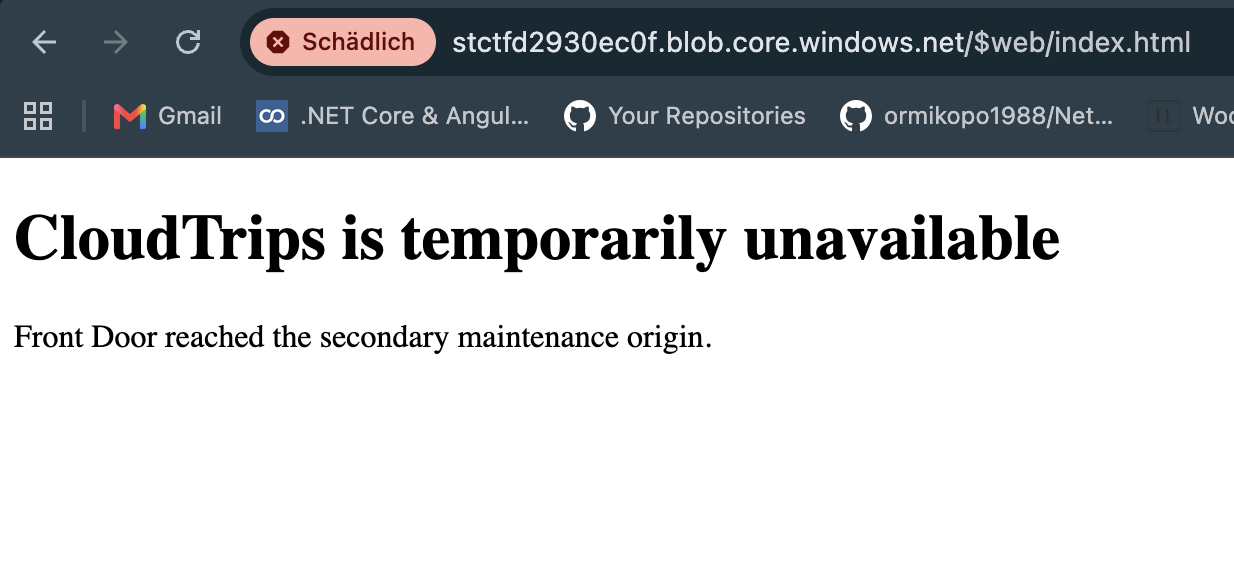
Content type: text/htmlSelect Upload. Open the Primary endpoint from the Static website page. The browser should display the CloudTrips maintenance message.
Add the Fallback Origin
Open afd-cloudtrips-test, select Settings > Origin groups, and open
og-cloudtrips-weu. The group name reflects its original primary origin; an
origin group can contain endpoints from other regions.
Confirm that the shared health probe still uses:
Health probe status: Enabled
Path: /
Protocol: HTTP
Request type: GET
Interval: 30 seconds
The probe settings belong to the origin group and therefore apply to both
origins. / returns a successful page from the Application Gateway and from
the storage static website because Require secure transfer was disabled
when the Storage account was created.
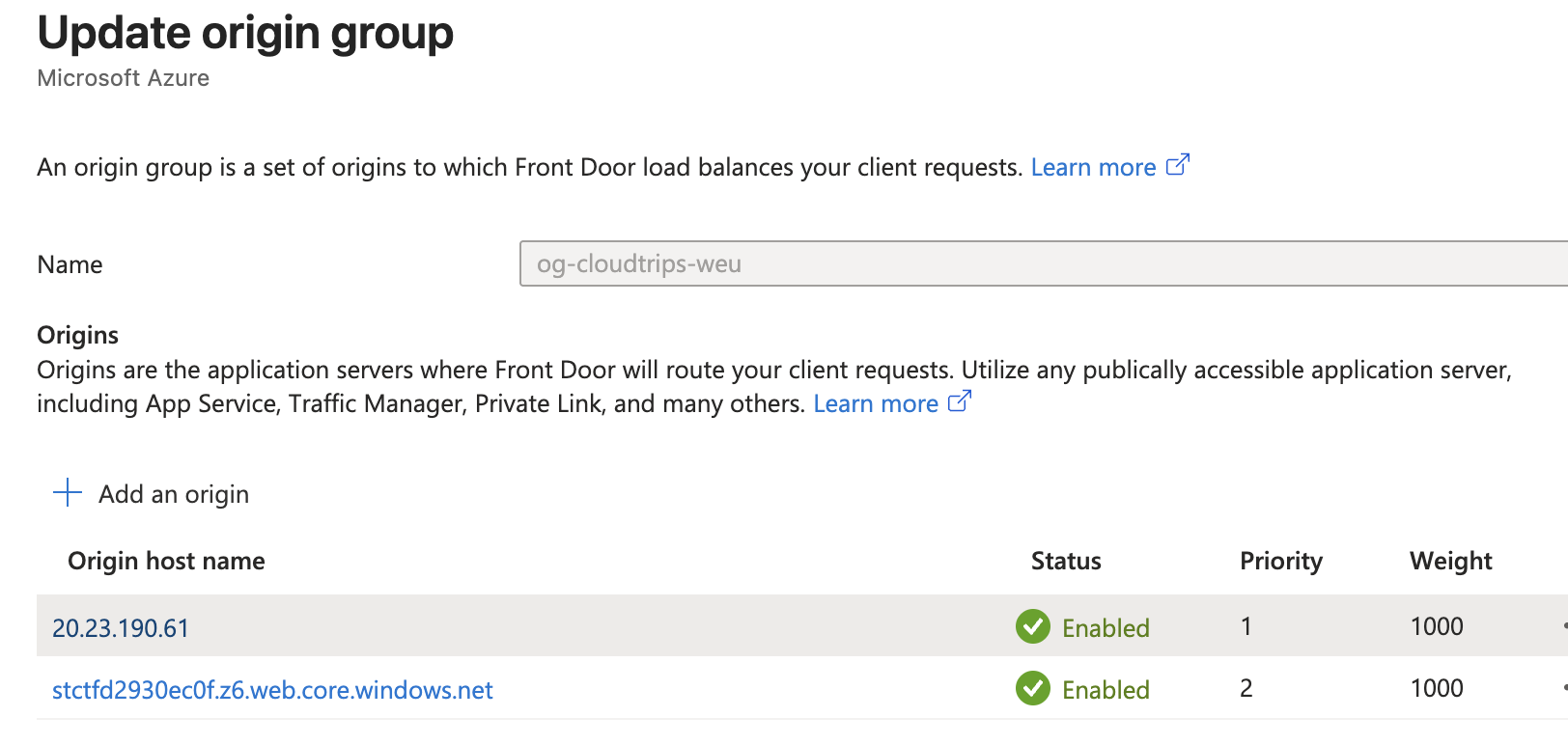
Select + Add an origin and configure:
Name: origin-maintenance-neu
Origin type: Storage (Static website)
Host name: Select the new fallback storage account
Origin host header: Keep the generated static-website hostname
HTTP port: 80
HTTPS port: 443
Priority: 2
Weight: 1000
Status: Enabled
Private Link: Disabled
Keep certificate subject-name validation enabled if it is displayed. The storage hostname and its Microsoft-managed certificate match. The current route forwards over HTTP, so the setting becomes relevant only after every origin is prepared for HTTPS and the route is changed to HTTPS.
Select Add, then Update or Save on the origin group. Wait until the deployment status returns to Succeeded.
The lower priority number wins. Front Door sends traffic to
origin-appgw-weu at priority 1 whenever it is healthy. It considers
origin-maintenance-neu at priority 2 only when no priority-1 origin is
available. Weight distributes traffic only among healthy origins at the same
priority, so 1000 does not split traffic between these two origins.
Confirm the Primary Origin
Retrieve the Front Door hostname:
AFD_HOST=$(az afd endpoint list \
  --resource-group rg-cloudtrips-network-test-weu \
  --profile-name afd-cloudtrips-test \
  --query '[0].hostName' \
  --output tsv)
Request the root page several times:
for request in {1..3}; do
  curl --silent --show-error "https://${AFD_HOST}/"
  printf '\n'
done
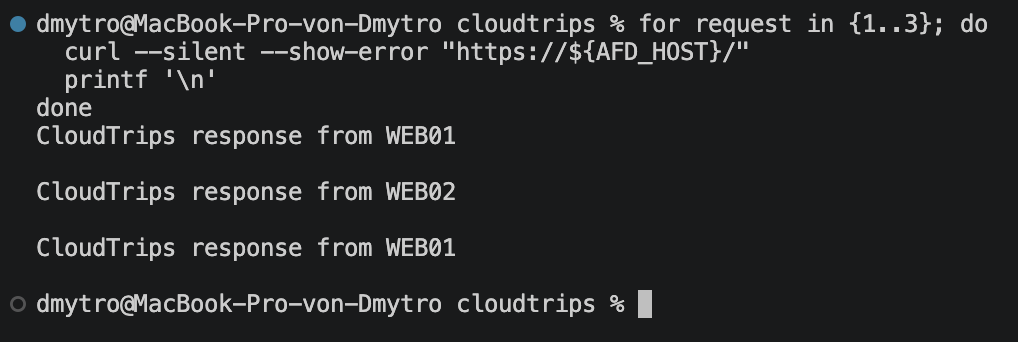
The responses should come from the normal CloudTrips web VMs behind Application Gateway. The maintenance page should not appear while the priority-1 origin is available.
Test the Fallback Origin
Return to og-cloudtrips-weu, open origin-appgw-weu, change Status to
Disabled, and save. Disabling an origin stops both routing and health
probes to that origin. It does not stop or modify the Application Gateway.
Wait until the Front Door deployment returns to Succeeded, then request the same URL:
curl --silent --show-error "https://${AFD_HOST}/"The response should now contain:
CloudTrips is temporarily unavailable
Front Door reached the secondary maintenance origin.
If the response instead contains AccountRequiresHttps, return to the Storage
account’s Configuration page and disable Require secure transfer. Do
not change only the Front Door route to HTTPS: the prerequisite Application
Gateway has an HTTP-only listener, and it would no longer work when restored
as the primary origin.
The client used the same Front Door hostname and route. Only the selected origin changed.
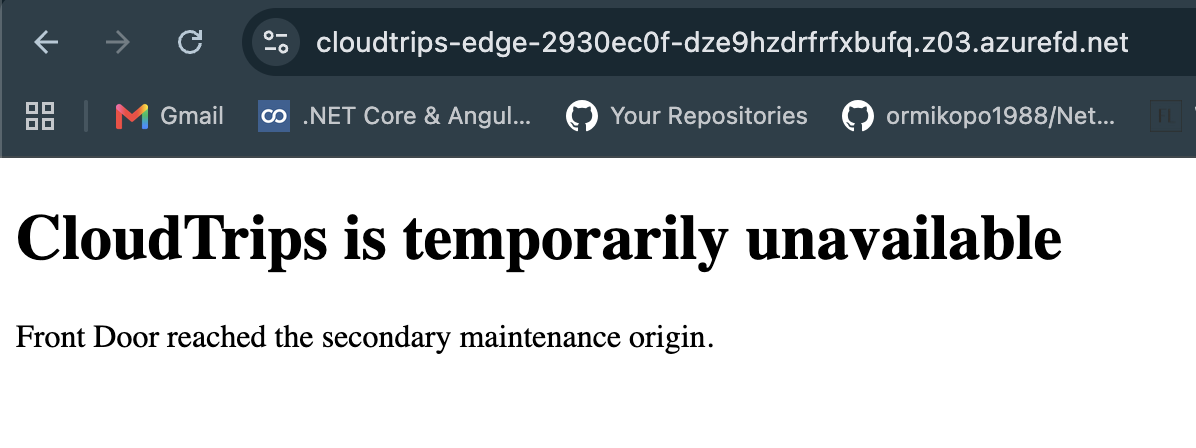
This controlled test proves the priority behavior without stopping shared VMs or the Application Gateway. In a real outage, failed health probes would make Front Door exclude the unhealthy primary automatically.
Restore the Primary Origin
Open origin-appgw-weu again, change Status to Enabled, and save. Wait
for the configuration to deploy and for several successful health probes.
With a 30-second probe interval, recovery can take a few minutes.
Run the request again and confirm that the normal CloudTrips application has replaced the maintenance page.
The fallback static website is public and does not pass through the regional Application Gateway WAF. That is acceptable for this read-only lab page. A production design should apply appropriate edge protection and restrict direct access to its origins.
Keep the Front Door profile, route, both origins, and maintenance storage account for Front Door Needs Routing Logic? Configure Rules Engine. If you stop here, remove the maintenance origin before deleting its storage account.