Modules Cannot Be Reused Across Repositories? Publish a Bicep Registry
The CloudTrips storage wrapper is reusable inside this repository, but another
repository cannot reference ./modules/storage.bicep. Copying the file creates
separate versions that drift, receive fixes at different times, and no longer
have one owner.
Publish the wrapper to a private Bicep registry. A Bicep registry is an Azure Container Registry (ACR) that stores compiled Bicep modules as versioned OCI artifacts. Other repositories can pull an approved version without copying its source.
This registry is different from the public Azure Verified Modules registry: AVM contains Microsoft-maintained modules, while the private registry contains CloudTrips modules and conventions.
This trip builds on: Use Azure Verified Modules. Complete it first because this lab publishes the versioned CloudTrips storage wrapper produced there.
Create the Registry Infrastructure
The registry needs a shared resource group and an ACR. In
cloudtrips-bicep/registry/registry.bicep, create the resource group and call a
resource-group-scoped module:
targetScope = 'subscription'

param location string = deployment().location
param resourceGroupName string = 'rg-cloudtrips-bicep-registry-weu'
param registryName string = 'crctbicep${uniqueString(subscription().id)}'

var commonTags = {
  Application: 'CloudTrips'
  Environment: 'Shared'
  ManagedBy: 'Bicep'
  Purpose: 'BicepModuleRegistry'
}

resource registryResourceGroup 'Microsoft.Resources/resourceGroups@2025-04-01' = {
  name: resourceGroupName
  location: location
  tags: commonTags
}

module moduleRegistry './registry-resource.bicep' = {
  name: '${deployment().name}-registry'
  scope: registryResourceGroup
  params: {
    location: location
    registryName: registryName
    tags: commonTags
  }
}

output registryId string = moduleRegistry.outputs.registryId
output registryName string = moduleRegistry.outputs.registryName
output registryLoginServer string = moduleRegistry.outputs.registryLoginServer
output storageModuleTarget string = 'br:${moduleRegistry.outputs.registryLoginServer}/bicep/modules/storage-account:1.0.0'
Create cloudtrips-bicep/registry/registry-resource.bicep:
param location string = resourceGroup().location
param registryName string
param tags object = {}

resource moduleRegistry 'Microsoft.ContainerRegistry/registries@2025-11-01' = {
  name: registryName
  location: location
  tags: tags
  sku: {
    name: 'Basic'
  }
  properties: {
    adminUserEnabled: false
    anonymousPullEnabled: false
    dataEndpointEnabled: false
    policies: {
      azureADAuthenticationAsArmPolicy: {
        status: 'enabled'
      }
    }
    publicNetworkAccess: 'Enabled'
    roleAssignmentMode: 'AbacRepositoryPermissions'
    zoneRedundancy: 'Disabled'
  }
}

output registryId string = moduleRegistry.id
output registryName string = moduleRegistry.name
output registryLoginServer string = moduleRegistry.properties.loginServer
The registry name is derived from the subscription ID because ACR names must be globally unique. The Basic SKU is sufficient for this learning registry. The admin account and anonymous pull are disabled; identities authenticate through Microsoft Entra ID.
publicNetworkAccess: 'Enabled' means authenticated clients can reach the
registry through its public Azure endpoint. “Private registry” describes
access control, not network isolation. A production design can use a Premium
registry with a private endpoint when network isolation is required.
Create cloudtrips-bicep/registry/registry.bicepparam:
using './registry.bicep'

param location = 'westeurope'
param resourceGroupName = 'rg-cloudtrips-bicep-registry-weu'
Preview and Deploy the Registry
From cloudtrips-bicep, select the subscription that will own the shared
registry:
az account set \
  --subscription "<CloudTrips subscription name or ID>"
Validate and preview:
az deployment sub validate \
  --location westeurope \
  --name validate-cloudtrips-bicep-registry \
  --parameters registry/registry.bicepparam \
  --validation-level Provider

az deployment sub what-if \
  --location westeurope \
  --name preview-cloudtrips-bicep-registry \
  --parameters registry/registry.bicepparam
The preview should create one resource group, one nested deployment, and one Basic container registry. Deploy it:
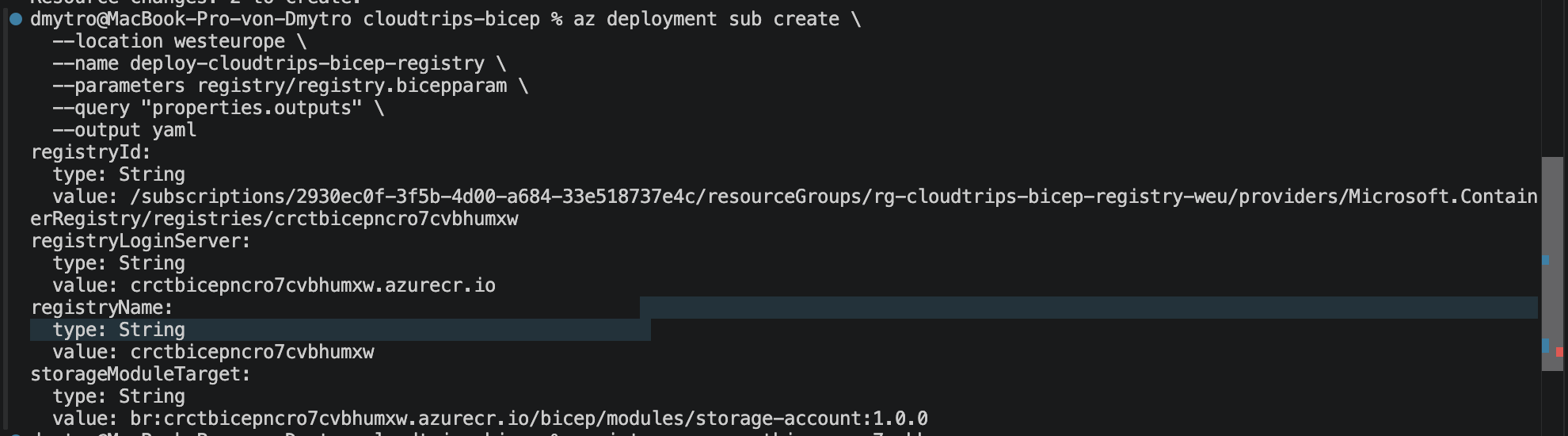
az deployment sub create \
  --location westeurope \
  --name deploy-cloudtrips-bicep-registry \
  --parameters registry/registry.bicepparam \
  --query "properties.outputs" \
  --output yaml
Copy the registryName, registryLoginServer, and storageModuleTarget
outputs.
Grant Publish and Restore Access
Open the new container registry in the Azure portal and select Access control (IAM) > Add role assignment.
This registry uses RBAC Registry + ABAC Repository Permissions:
- Give the person or pipeline that publishes modules Container Registry Repository Writer.
- Give consumer identities and deployment pipelines Container Registry Repository Reader.
- Add Container Registry Repository Catalog Lister only when an identity must list every repository in the registry.
An Azure subscription Contributor or Owner role does not replace these repository data-plane roles. Allow a few minutes for a new role assignment to propagate before publishing.
Publish the CloudTrips Storage Module
Set the output values in the current shell:
registry_name="<registryName output>"
registry_login_server="<registryLoginServer output>"
Publish the wrapper with its source code:
az bicep publish \
  --file modules/storage.bicep \
  --target "br:${registry_login_server}/bicep/modules/storage-account:1.0.0" \
  --with-source
Bicep compiles the module before publishing it. The artifact contains the
deployable ARM template, while --with-source also enables Go to
Definition for consumers using the Bicep VS Code extension.
Confirm the version:
az acr repository show-tags \
  --name "$registry_name" \
  --repository bicep/modules/storage-account \
  --output table
The result should contain 1.0.0. You can also open the registry and select
Services > Repositories > bicep/modules/storage-account.
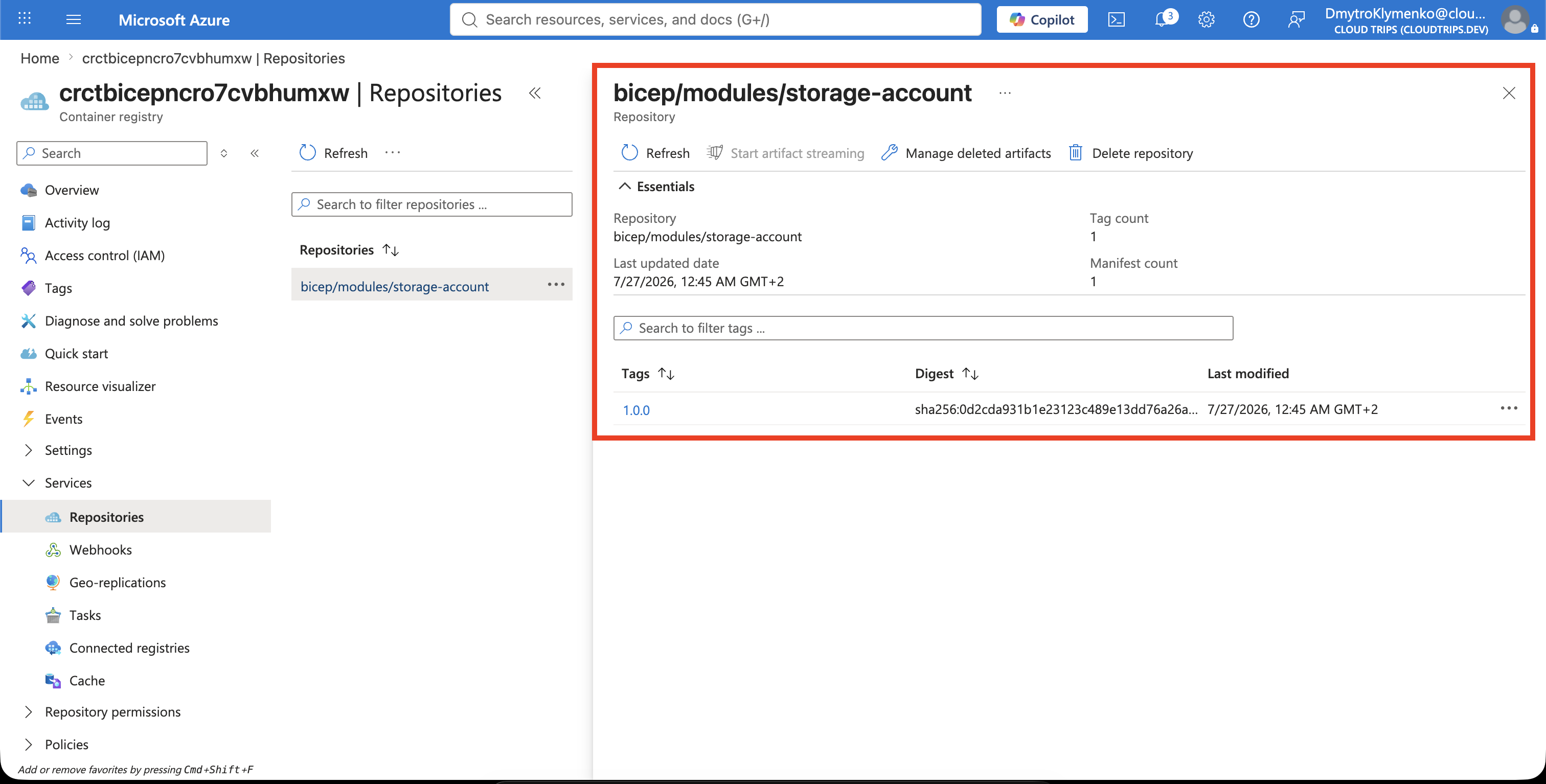
Treat a published version as immutable. Do not use --force to replace
1.0.0 after consumers depend on it. Publish a fix as 1.0.1, a compatible
feature as 1.1.0, and a breaking parameter or output change as 2.0.0.
Restore the Module from Another Repository
For this lab, use the included cloudtrips-bicep/registry-consumer folder as a
separate consumer project.
In a consuming repository, create or update bicepconfig.json. Replace the
registry value with the copied login server, without https://:
{
  "moduleAliases": {
    "br": {
      "cloudtrips": {
        "registry": "<registry-name>.azurecr.io",
        "modulePath": "bicep/modules"
      }
    }
  }
}
The alias shortens the complete registry path. Create a consumer main.bicep:
param location string = resourceGroup().location

module storage 'br/cloudtrips:storage-account:1.0.0' = {
  name: '${deployment().name}-storage'
  params: {
    applicationName: 'CloudTrips'
    containerNames: [
      'reports'
    ]
    costCenter: 'CC-DATA-200'
    deployAuditContainer: false
    environment: 'dev'
    location: location
    owner: 'CloudTrips Data Team'
    storageSku: 'Standard_LRS'
  }
}

output storageAccountName string = storage.outputs.storageAccountName
output blobEndpoint string = storage.outputs.blobEndpoint
Sign in with an identity that has Container Registry Repository Reader, then restore and lint:
az bicep restore \
  --file main.bicep \
  --force

az bicep lint \
  --file main.bicep
restore downloads version 1.0.0 to the local Bicep cache. Use Go to
Definition on the module reference to see the source published with the
artifact.
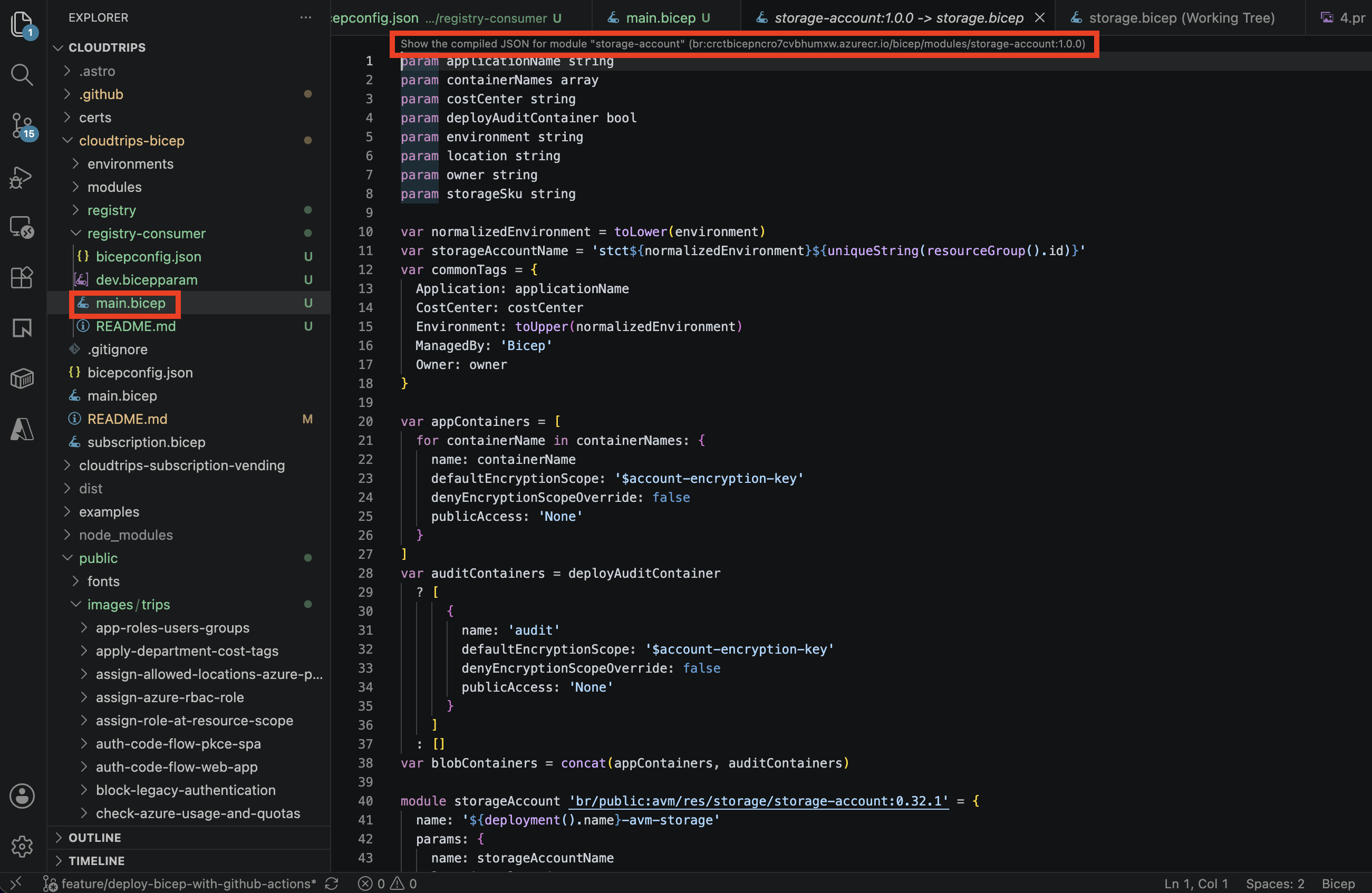
The consumer repository now contains only the module reference and its own
parameter values. It receives no unexpected changes when a new module is
published, because it remains pinned to 1.0.0 until its owner reviews and
updates the reference.
Pipeline identities also need Container Registry Repository Reader and
must authenticate to Azure before restore, lint, build, or deployment can
download a private module. Public AVM references do not require this additional
private-registry authentication.