Users Need Password Reset Without Admin? Configure Self-Service Password Reset
Self-Service Password Reset allows users to reset their own password without contacting Helpdesk.
Instead of an administrator manually resetting a password, users can recover access themselves through the Microsoft password reset flow.
Open Password Reset Settings
Go to:
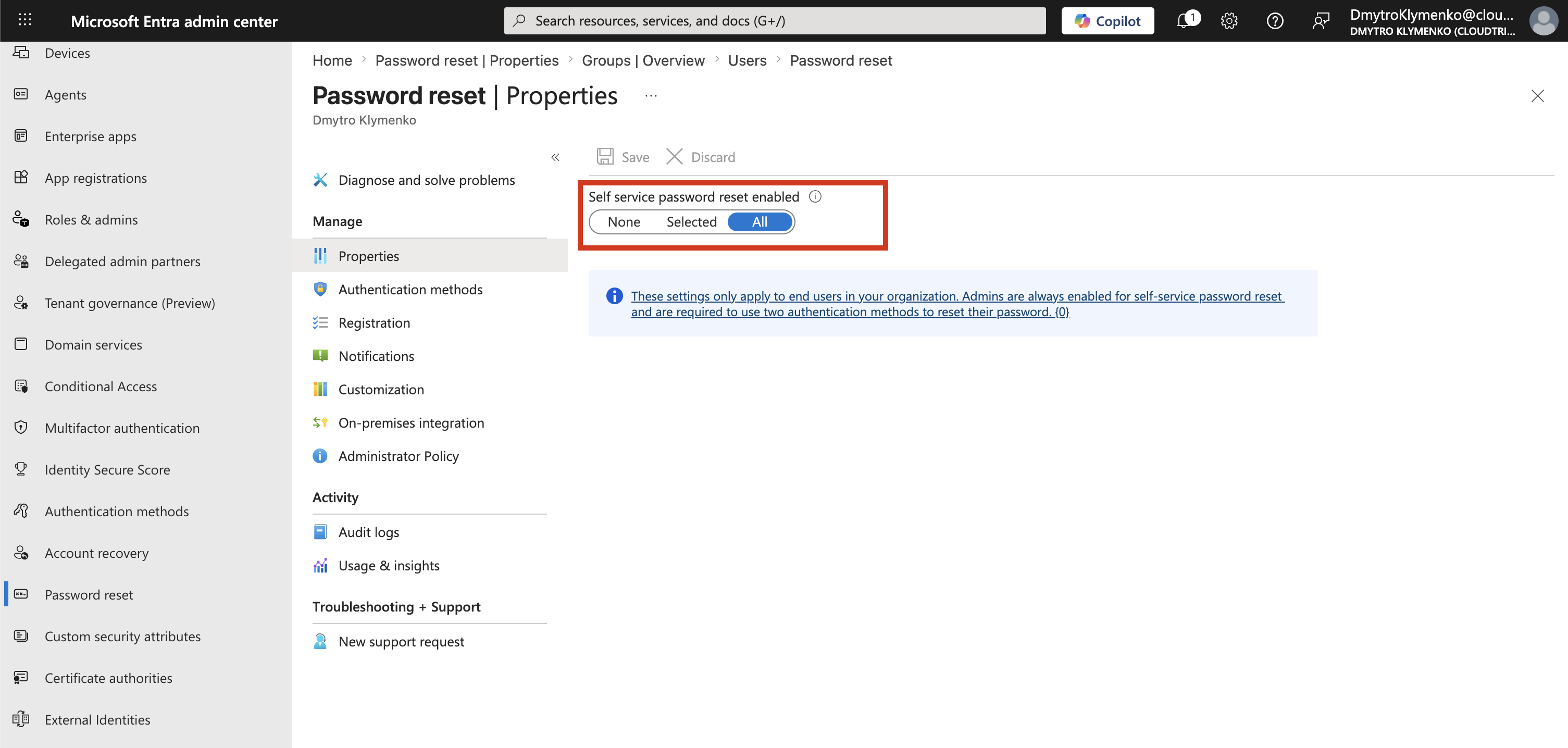
Microsoft Entra ID > Protection > Password reset > PropertiesThis page controls whether users are allowed to reset their own password.
Choose Who Can Use SSPR
In the Properties page, configure:
Self service password reset enabledAvailable options:
None     = users cannot use self-service password reset
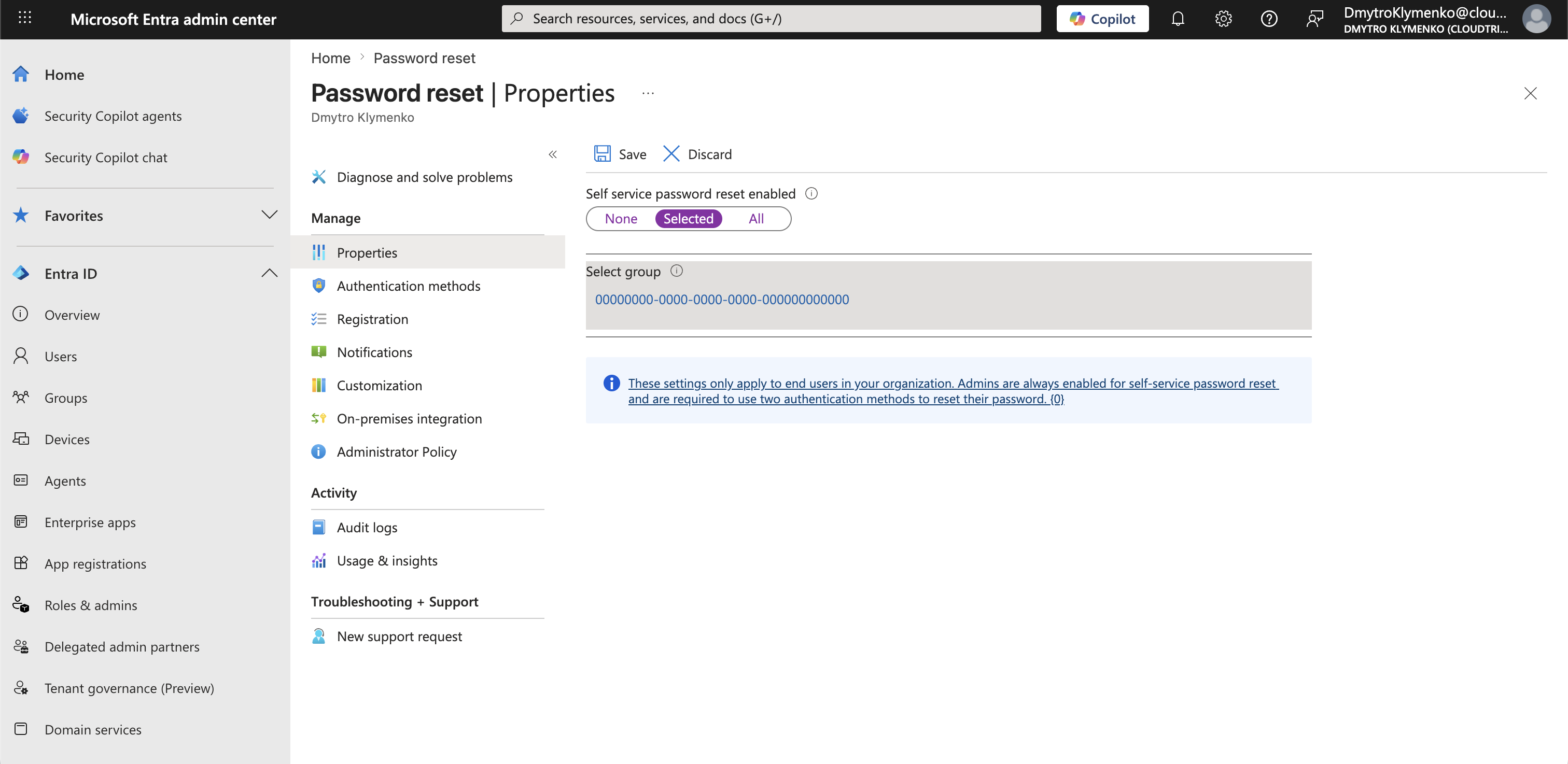
Selected = only users in a selected group can use it
All      = all users in the tenant can use it
For a lab tenant, All is simple.
In a real enterprise environment, Selected is usually safer because SSPR can first be enabled for a pilot group.
Save the Configuration
After selecting the option, save the configuration.
After refreshing the page, the selected value should still be visible.
If the selected option disappears after refresh, the setting was not saved or the portal did not load the policy state correctly.
Important Note About Administrators
The SSPR setting applies to end users.
Administrator accounts are always enabled for self-service password reset and must use two authentication methods when resetting their own password.
This means that administrator accounts are handled separately from the normal end-user SSPR scope.
Licensing Requirement
Self-Service Password Reset for end users requires a suitable license, such as Microsoft Entra ID P1/P2 or a supported Microsoft 365 plan.
If the option cannot be saved or disappears after refreshing the page, licensing or tenant feature availability should be checked first.
Result
After SSPR is enabled, included users can reset their own password without Helpdesk.
They verify their identity using the configured authentication methods and then set a new password.
This reduces Helpdesk workload and gives users a self-service recovery option.