Need Cost and Security Recommendations? Review Azure Advisor
CloudTrips needs a regular way to identify avoidable spending and security weaknesses. Review Azure Advisor recommendations for Azure subscription 1 and record the next action without making an unapproved production change.
Use:
Subscription: Azure subscription 1
Recommendation status: Active
Categories: Cost, Security, Reliability
Review owner: DmytroKlymenko@cloudtrips.onmicrosoft.com
Understand Azure Advisor
Azure Advisor analyzes resource configuration and usage telemetry and presents personalized recommendations in five categories:
- Reliability
- Security
- Performance
- Cost
- Operational excellence
Cost recommendations can identify idle or underused resources and possible right-sizing opportunities. Security recommendations shown in Advisor come from Microsoft Defender for Cloud and can identify configuration weaknesses and risks.
Recommendations are guidance, not automatic changes. Validate workload requirements, dependencies, pricing, risk, and rollback options before implementing one. Advisor can take up to a day to recognize a completed change.
A Reader can view recommendations. Contributor or Owner permission is required for actions such as postponing or dismissing them.
Open and Filter Advisor
In the Azure portal, search for and open:
AdvisorOn Overview, configure the filters:
Subscription: Azure subscription 1
Recommendation status: Active
Resource group: All
Type: All
Confirm that the category tiles now represent only the selected subscription.
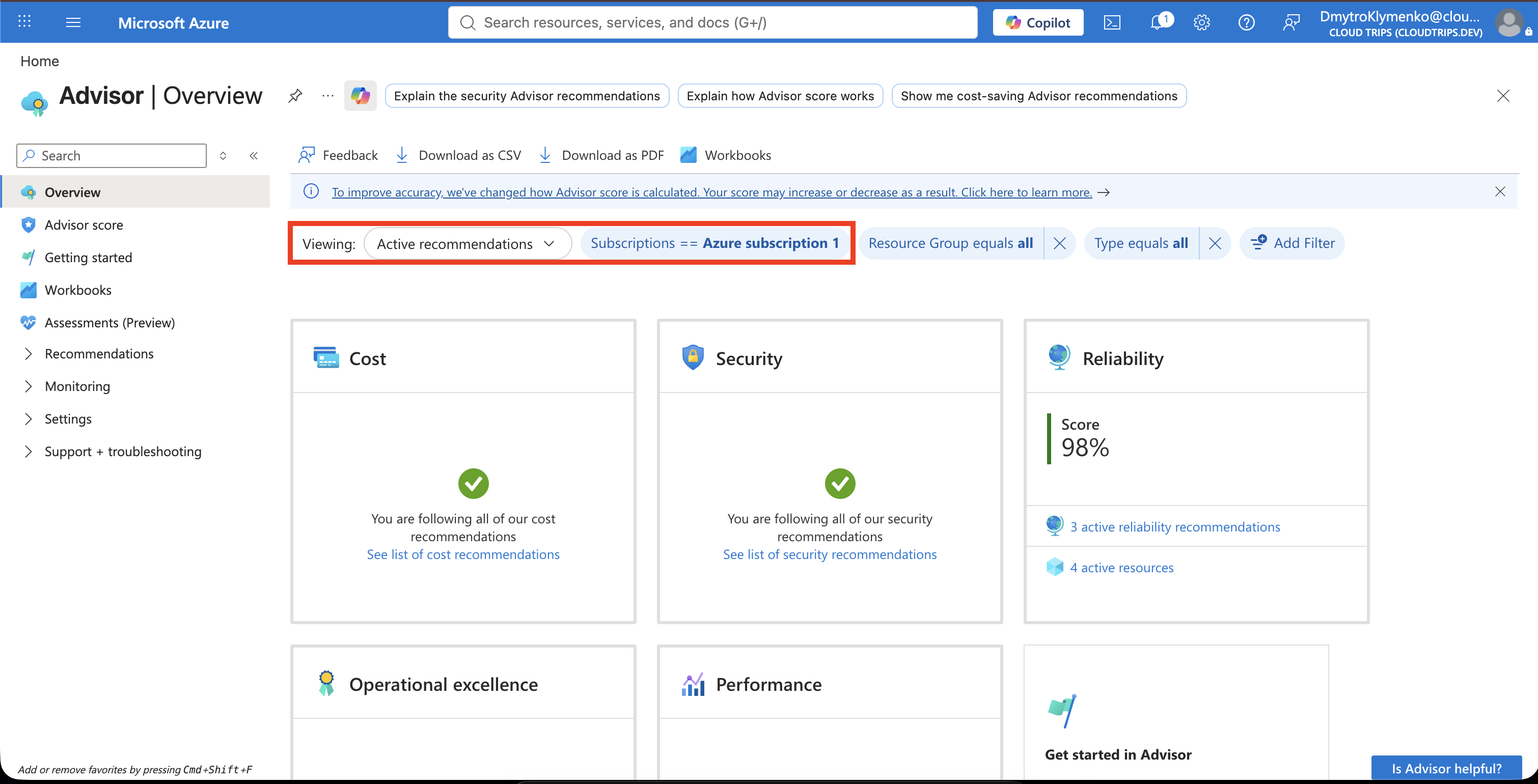
The number of recommendations depends on the resources, their history, enabled services, and current configuration. An empty category is a valid result; record that no active recommendation was available at the time of review.
Review Cost Recommendations
Select Cost. Review each active recommendation’s:
- recommendation title
- affected resources
- impact
- potential savings, when available
- lookback period and utilization evidence
- proposed action
For the current CloudTrips lab, Advisor shows:
You’re following all of our cost recommendations.
This means there are currently no active cost recommendations for the selected subscription. It does not guarantee that the subscription has no avoidable cost; Advisor recommendations depend on supported resource types and sufficient usage data.
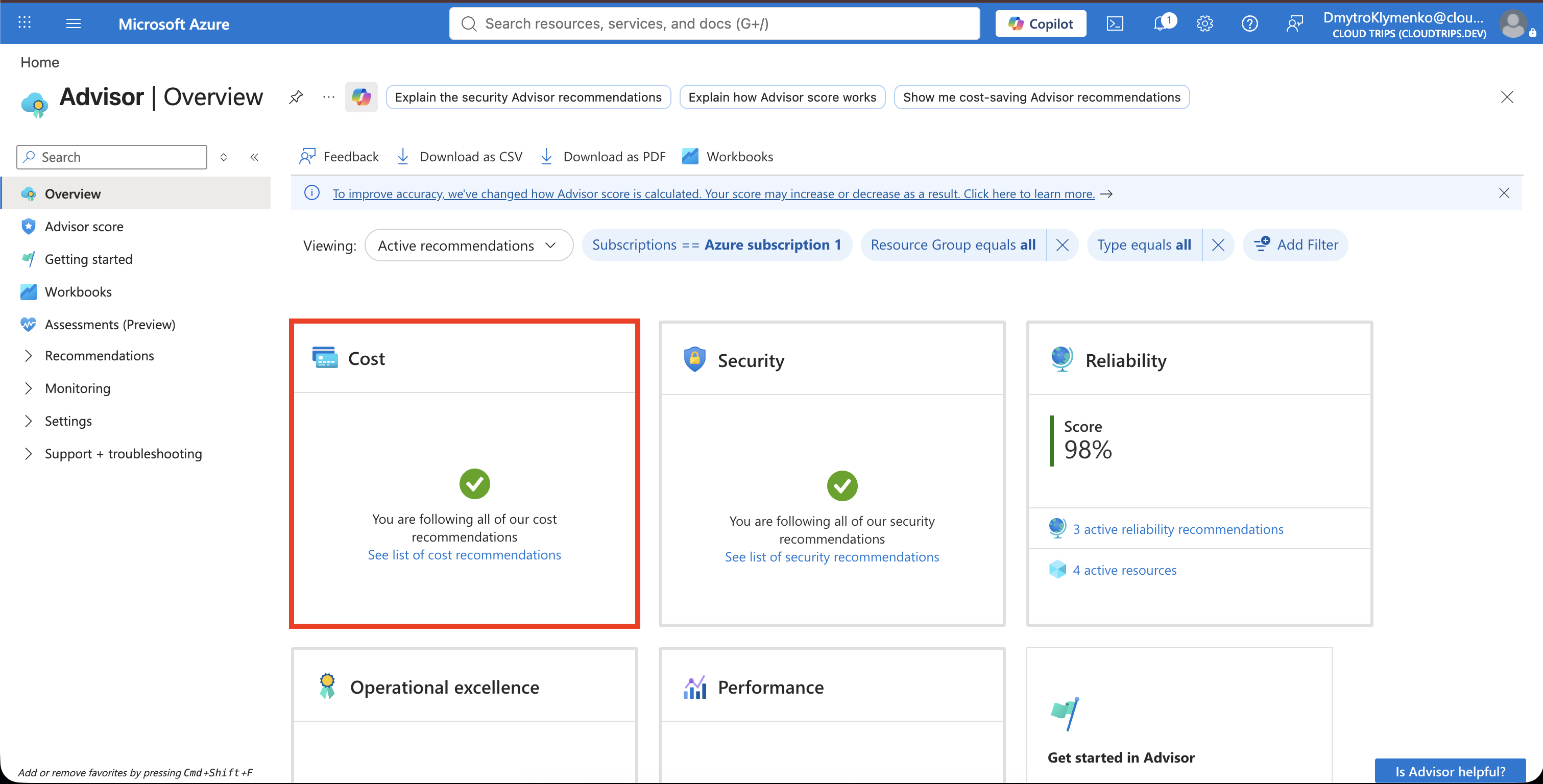
Confirm that the Cost page displays You’re following all of our cost recommendations.
If recommendations appear during a later review, open each one and inspect its affected resources and supporting data. Do not resize, shut down, or delete a resource solely because Advisor suggests it. First confirm whether low utilization is intentional, seasonal, required for resilience, or caused by incomplete telemetry.
Confirm the Security Result
Return to Overview and select Security. Advisor includes recommendations from Microsoft Defender for Cloud, where security findings are prioritized using risk and environmental context.
For the current CloudTrips lab, Security has no active recommendations. Confirm the empty result and continue to Reliability, which contains the active findings.
An empty Advisor Security category reflects the current Advisor result only. Continue using Microsoft Defender for Cloud and the organization’s security-review processes; it is not proof that the environment has no security risk.
Review Reliability Recommendations
Select Reliability to review the active recommendations for the current CloudTrips lab.
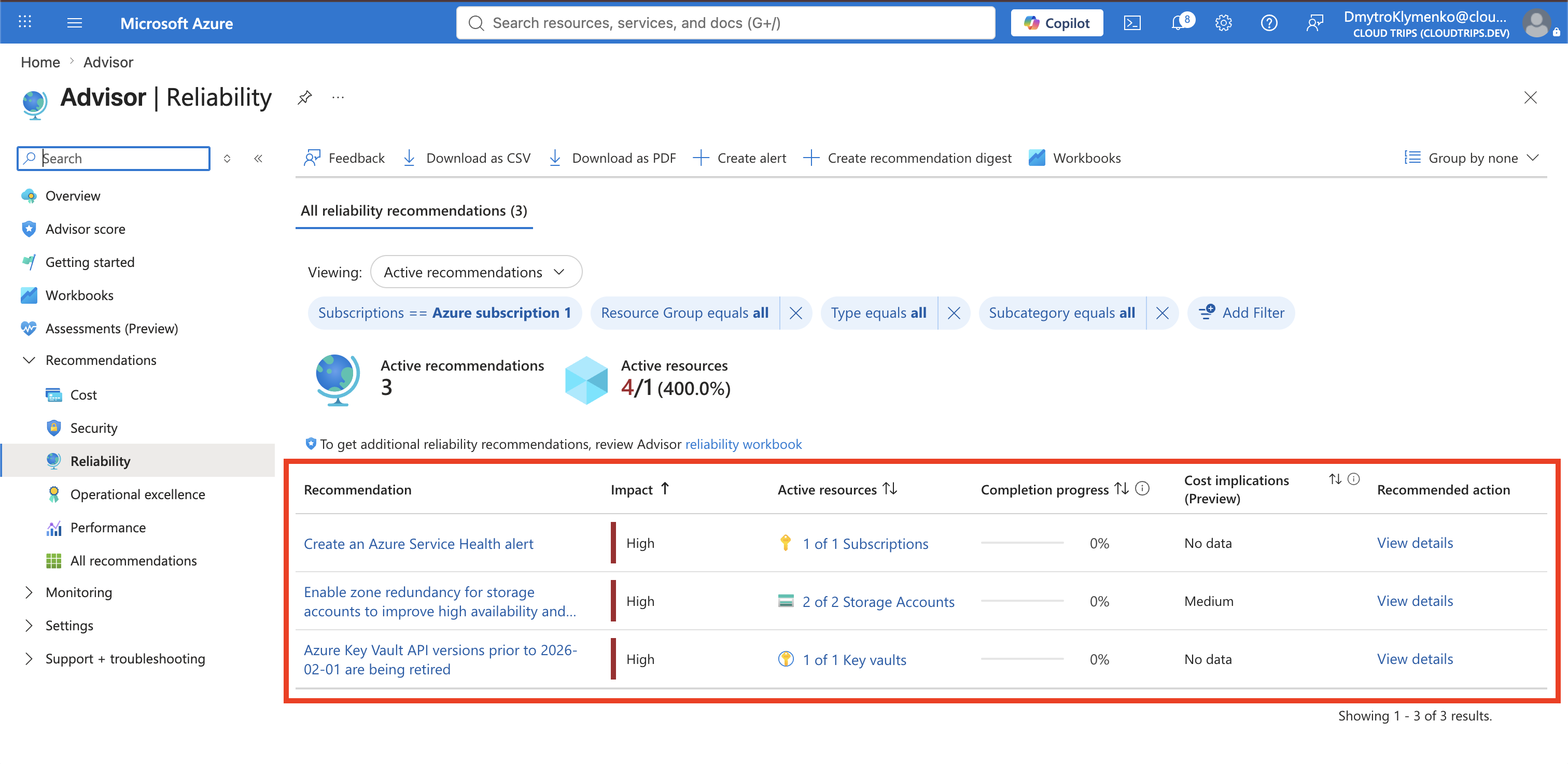
Open View details for each recommendation and review:
- affected resource
- impact and completion progress
- cost implications, when available
- remediation steps
- prerequisites, dependencies, and possible service impact
Do not apply the recommendations directly from Advisor until their effects are understood. Zone redundancy can change storage cost and availability architecture. Changing a Key Vault API version requires checking every client and deployment that calls it. A Service Health alert requires selecting the correct services, regions, event types, and notification action group.
Prioritize the Next Action
Review the Key Vault recommendation first because it identifies API versions that are being retired. Confirm which application, script, template, SDK, or pipeline uses the affected key vault and whether it sends an older API version. Do not change the vault or client until compatibility and rollback are understood.
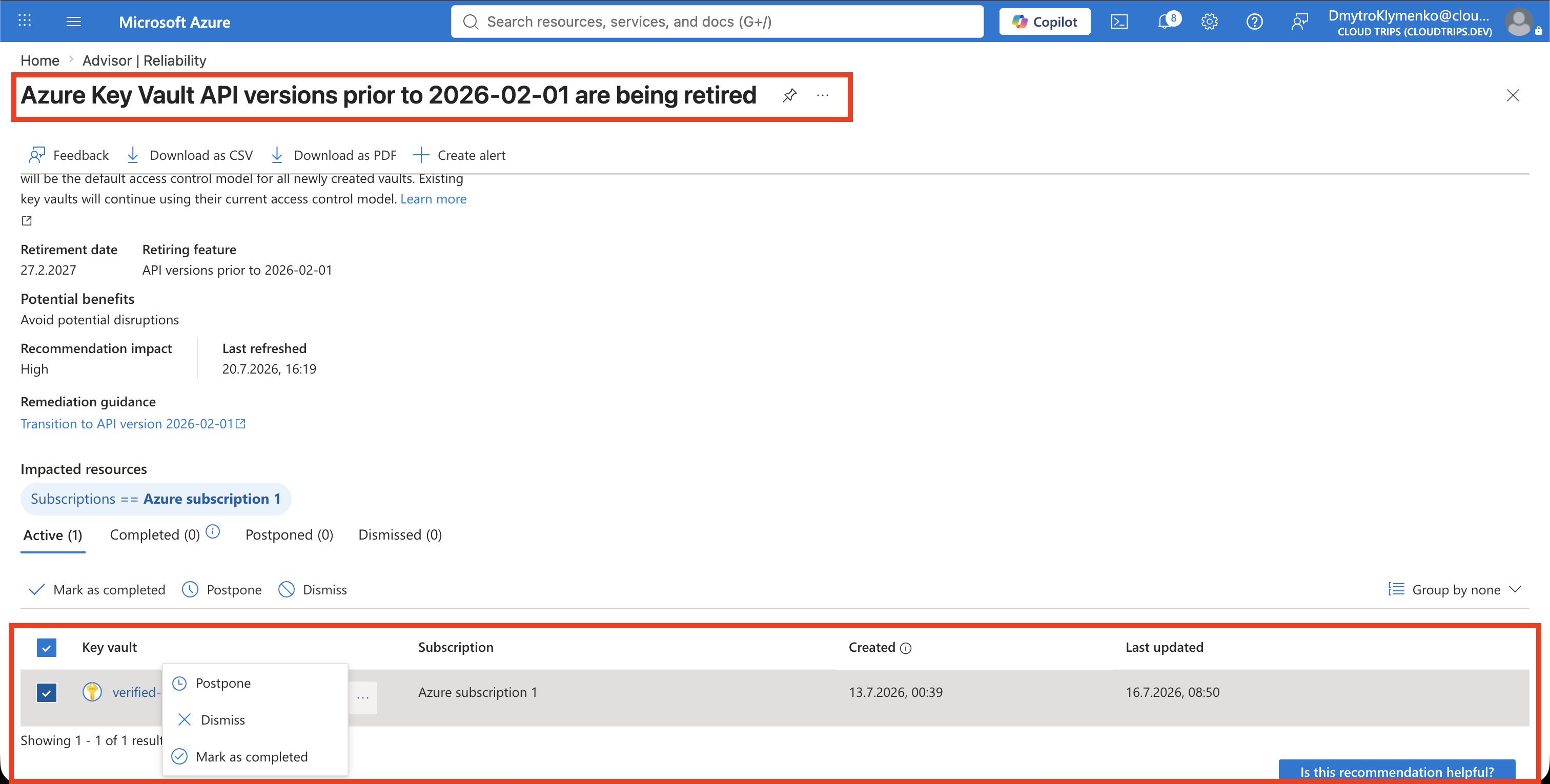
Use Postpone only when the recommendation should return after 1, 7, 30, or 90 days. Use Dismiss only when the recommendation is not applicable and the reason is documented. A dismissed recommendation stays hidden until it is reactivated.
Do not postpone or dismiss a finding merely to improve the Advisor score. The goal is to manage real risk and cost, not only the dashboard number.
CloudTrips now has a documented Advisor review: no active Cost or Security items were shown, and the three active Reliability recommendations were identified and prioritized for follow-up.