Need a Standard Enterprise Structure? Create a Landing Zone Structure
CloudTrips has separate DEV, TEST, and PROD subscriptions. Each subscription is an environment and contains its own resources, such as its virtual network. Without a shared parent, common Azure Policy and RBAC assignments must be repeated and can become inconsistent.
A management group organizes subscriptions and lets them inherit policy and RBAC assignments. It does not contain or configure the workload resources.
An Azure landing zone is a subscription prepared for workloads with the required governance, access, security, monitoring, cost controls, and networking standards. The actual DEV, TEST, and PROD networks remain inside their respective subscriptions.
This trip creates only the management-group foundation: DEV, TEST, and PROD are placed under Online to inherit common controls. Online is a management group, not a landing zone. Each DEV, TEST, or PROD subscription becomes an application landing zone when it is prepared with the required governance and platform configuration. This trip does not perform that complete preparation or deploy billable resources.
The target structure is:
Tenant root group
└── CloudTrips
    ├── Platform
    ├── Landing Zones
    │   └── Online
    │       ├── CloudTrips DEV subscription
    │       ├── CloudTrips TEST subscription
    │       └── CloudTrips PROD subscription
    ├── Sandboxes
    └── Decommissioned
Online is the management-group archetype for these similar workloads. The three subscriptions below it are the future DEV, TEST, and PROD application landing zones. Assign shared controls to Online and stricter production-only controls directly to the CloudTrips PROD subscription.
Check Permissions and Existing Groups
In the Azure portal, open:
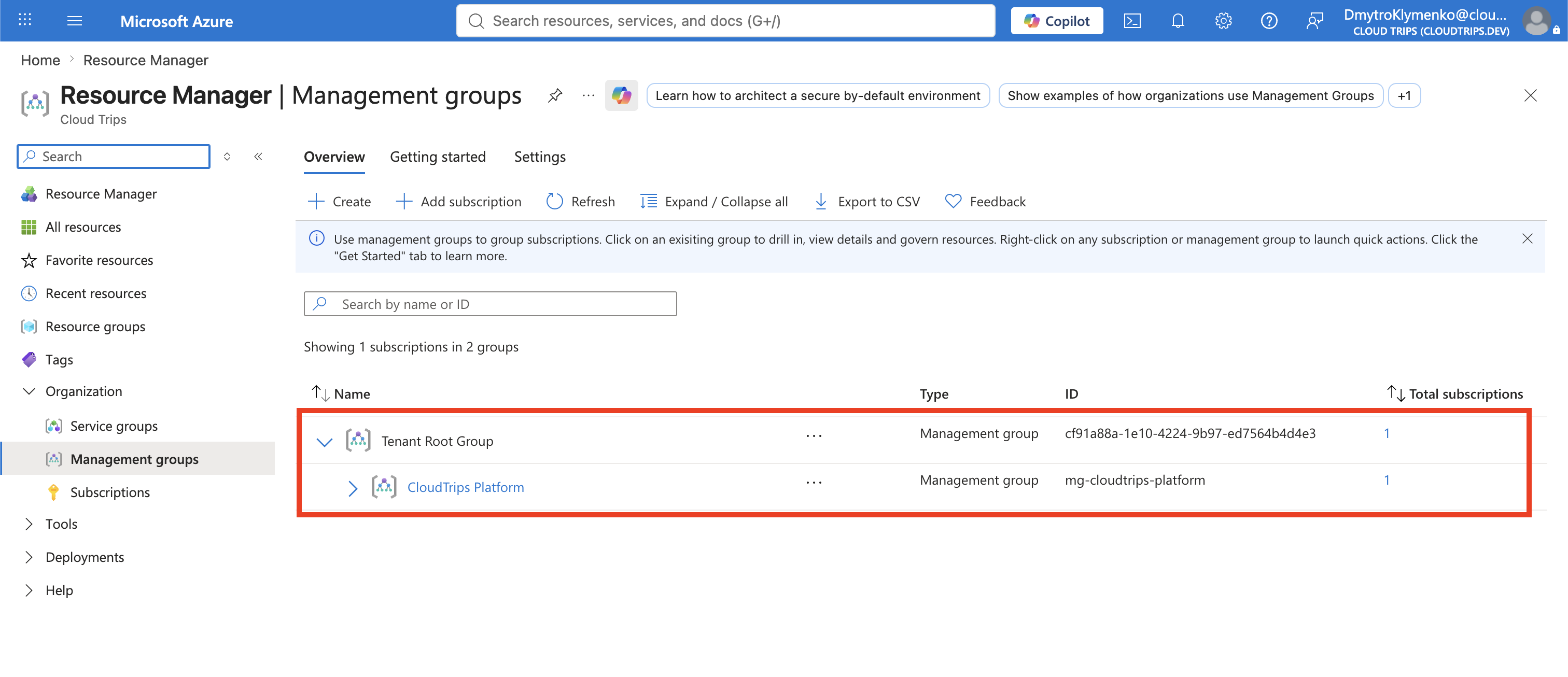
Management groupsConfirm that you can create management groups below the Tenant root group. Also review existing groups before creating anything. Management-group IDs are unique and cannot be renamed later.
If mg-cloudtrips-platform already exists from the earlier trip, keep it. You will move it beneath the new CloudTrips root instead of creating a duplicate.
Create the Intermediate Root
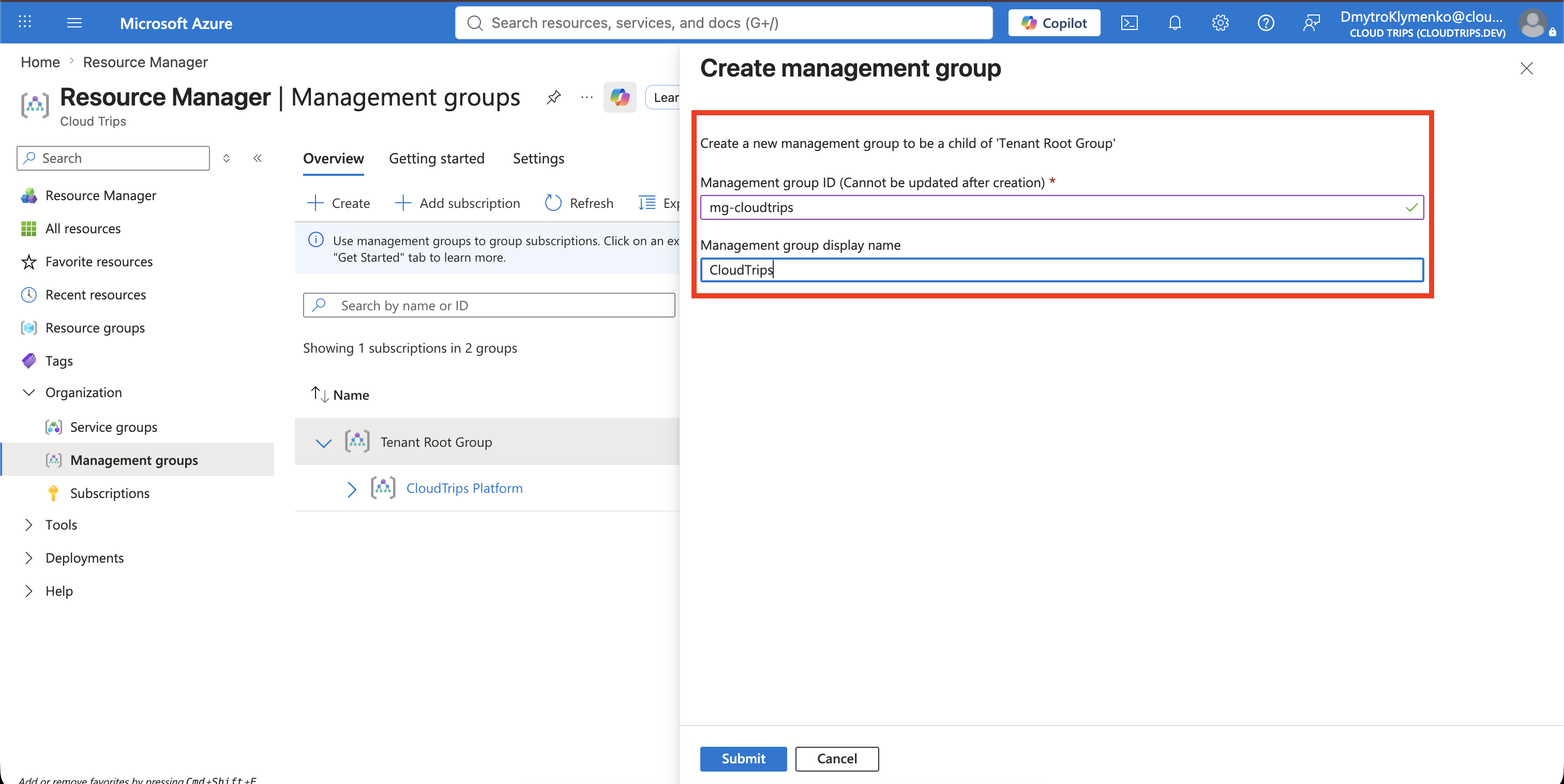
At Tenant root group, select Create child group and enter:
Management group ID: mg-cloudtrips
Management group display name: CloudTrips
Select Save. This intermediate root keeps day-to-day governance assignments away from the tenant root scope.
Create the Top-Level Groups
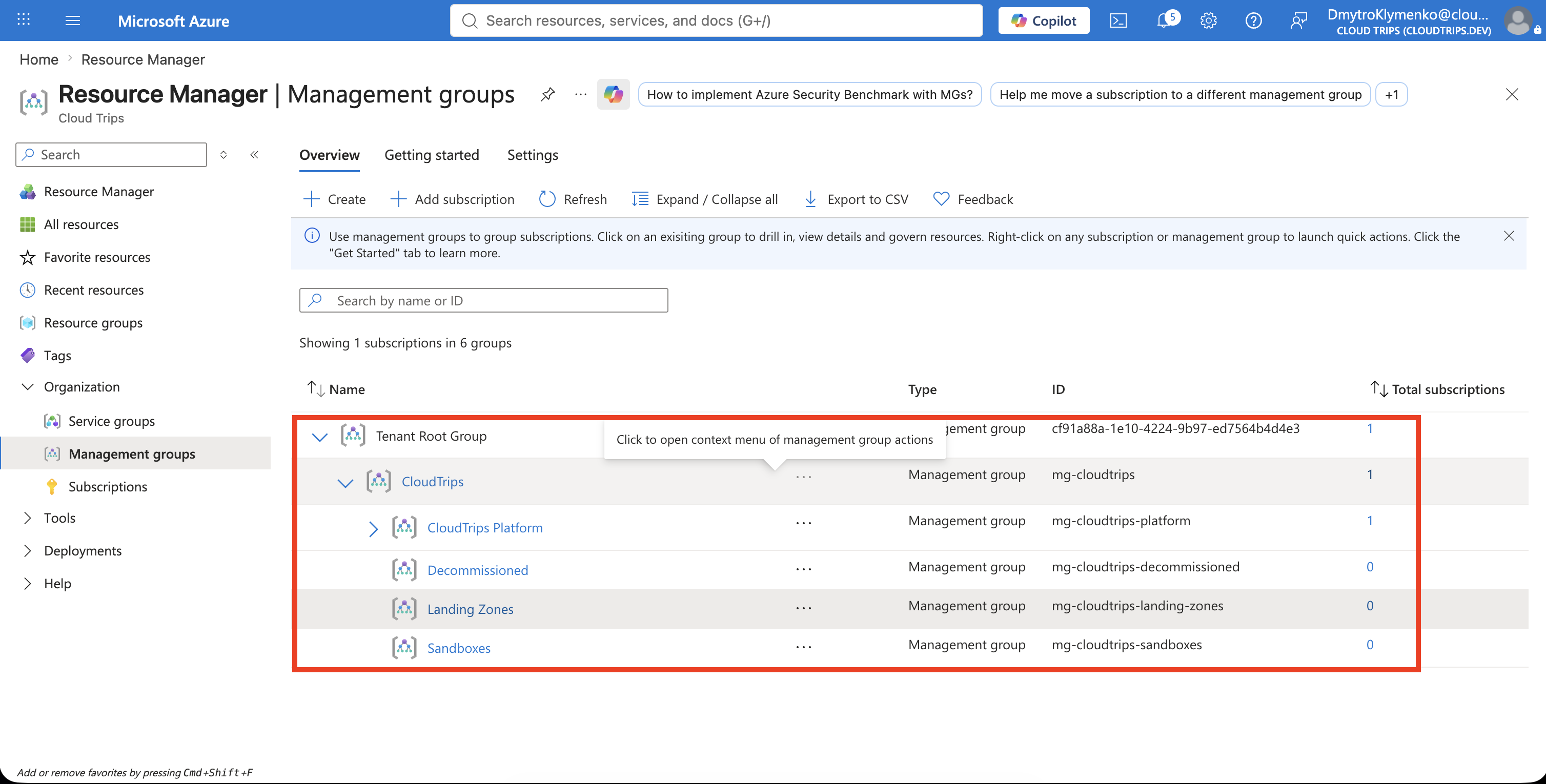
Open CloudTrips, select Create child group, and create each of these child management groups:
| Management group ID | Display name |
|---|---|
mg-cloudtrips-platform |
Platform |
mg-cloudtrips-landing-zones |
Landing Zones |
mg-cloudtrips-sandboxes |
Sandboxes |
mg-cloudtrips-decommissioned |
Decommissioned |
If CloudTrips Platform already exists, use its action menu to select Move, choose CloudTrips as the new parent, and then change only its display name to Platform if needed. Do not try to create the same ID again.
Create the Online Workload Group
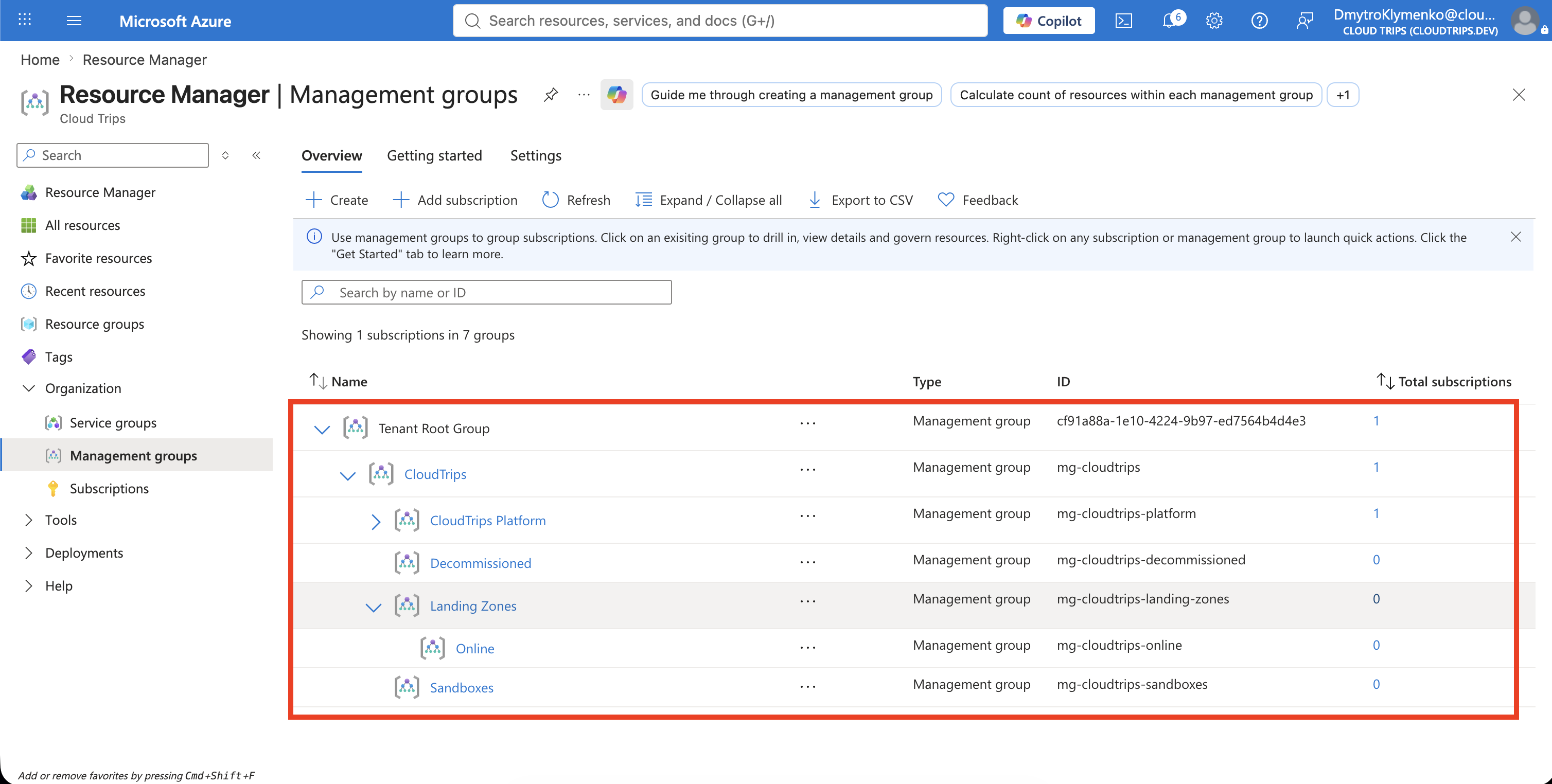
Open Landing Zones, select Create child group, and create one child:
| Management group ID | Display name |
|---|---|
mg-cloudtrips-online |
Online |
More workload groups can be added later when they are actually needed.
Rename and Move the Subscription
This lab currently uses Azure subscription 1 as the development environment. Open the subscription, rename it to:
CloudTrips DEVReturn to Management groups. Open the subscription’s action menu, select Move, choose Online, and save. Future CloudTrips TEST and CloudTrips PROD subscriptions should also be placed under Online.
Renaming changes only the subscription display name; it does not change its subscription ID or resources.
Moving a subscription changes its governance parent; it does not redeploy its resources. Review inherited Azure Policy and RBAC assignments before each move.
Verify the Structure
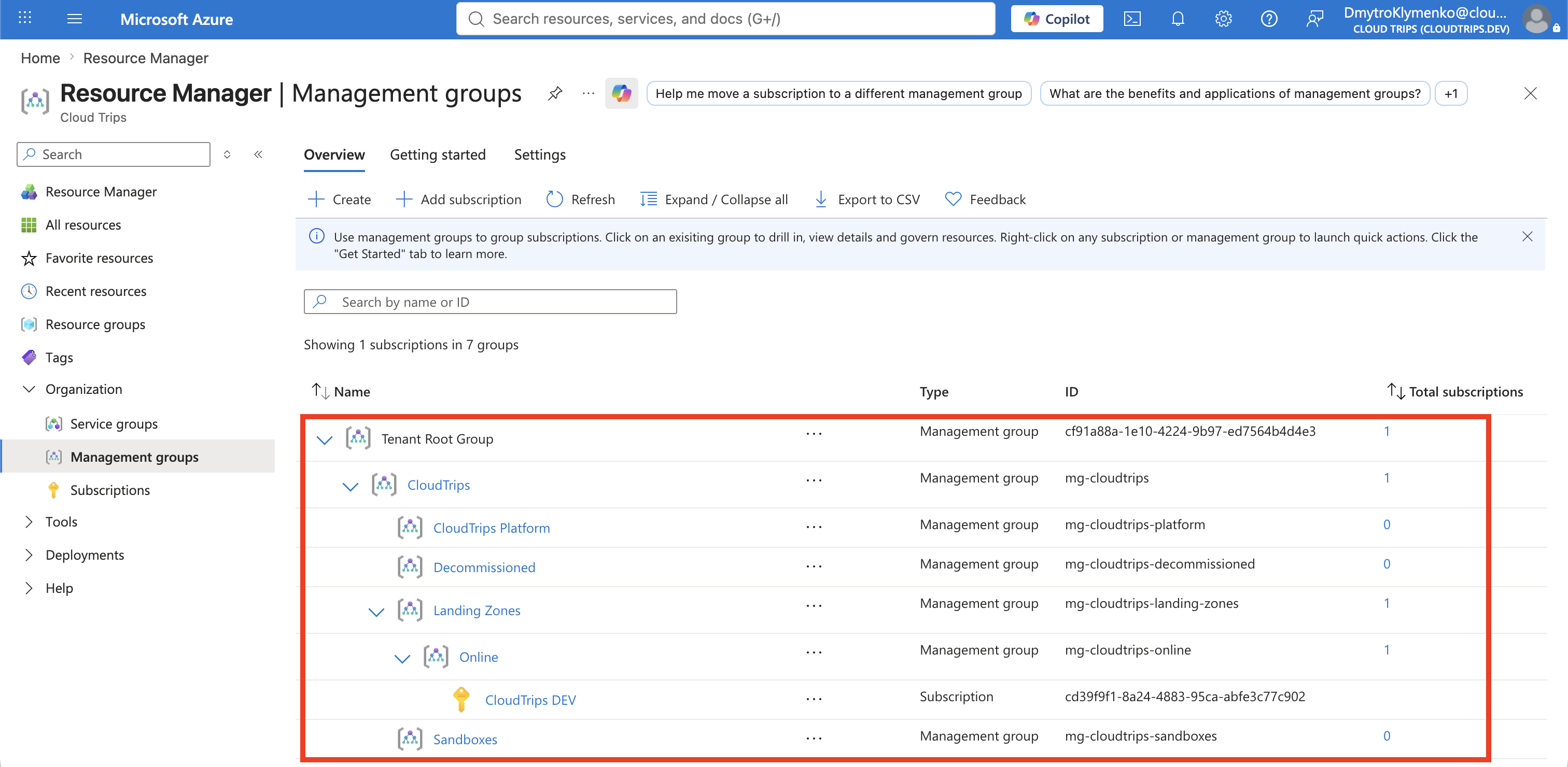
Expand CloudTrips and confirm every group has the intended parent. Then verify that CloudTrips DEV appears under Online.
The structure alone applies no new controls. Add policy and role assignments deliberately at the highest appropriate scope so child subscriptions inherit consistent governance.
CloudTrips now has a standard landing-zone hierarchy that can grow from one subscription to separate platform and application subscriptions without redesigning the tenant structure.