Resource Must Not Be Deleted? Create a Delete Lock
The CloudTrips storage account must remain configurable, but it must not be accidentally deleted.
Create a delete management lock on:
Subscription: Azure subscription 1
Resource group: rg-customer-portal-dev-weu
Resource: stcloudtripsdev01
Lock name: lock-delete-cloudtrips-storage
Lock type: Delete
Why Use a Delete Lock?
A Delete lock blocks deletion but still permits authorized updates. A Read-only lock blocks both updates and deletion.
This scenario therefore requires Delete. Azure RBAC still determines who can manage the resource, while the lock adds deletion protection even for users with broad resource permissions.
The lock applies to Azure Resource Manager control-plane operations. It does not prevent blobs or other stored data from being deleted through storage data-plane operations.
If you created lock-readonly-cloudtrips-storage in the previous trip, remove it before this exercise. Otherwise its stricter read-only behavior will also block configuration changes and hide the difference between the two lock types.
Open Resource Locks
In the Azure portal, open:
Storage accounts
> stcloudtripsdev01
> Settings
> Locks
Select Add.
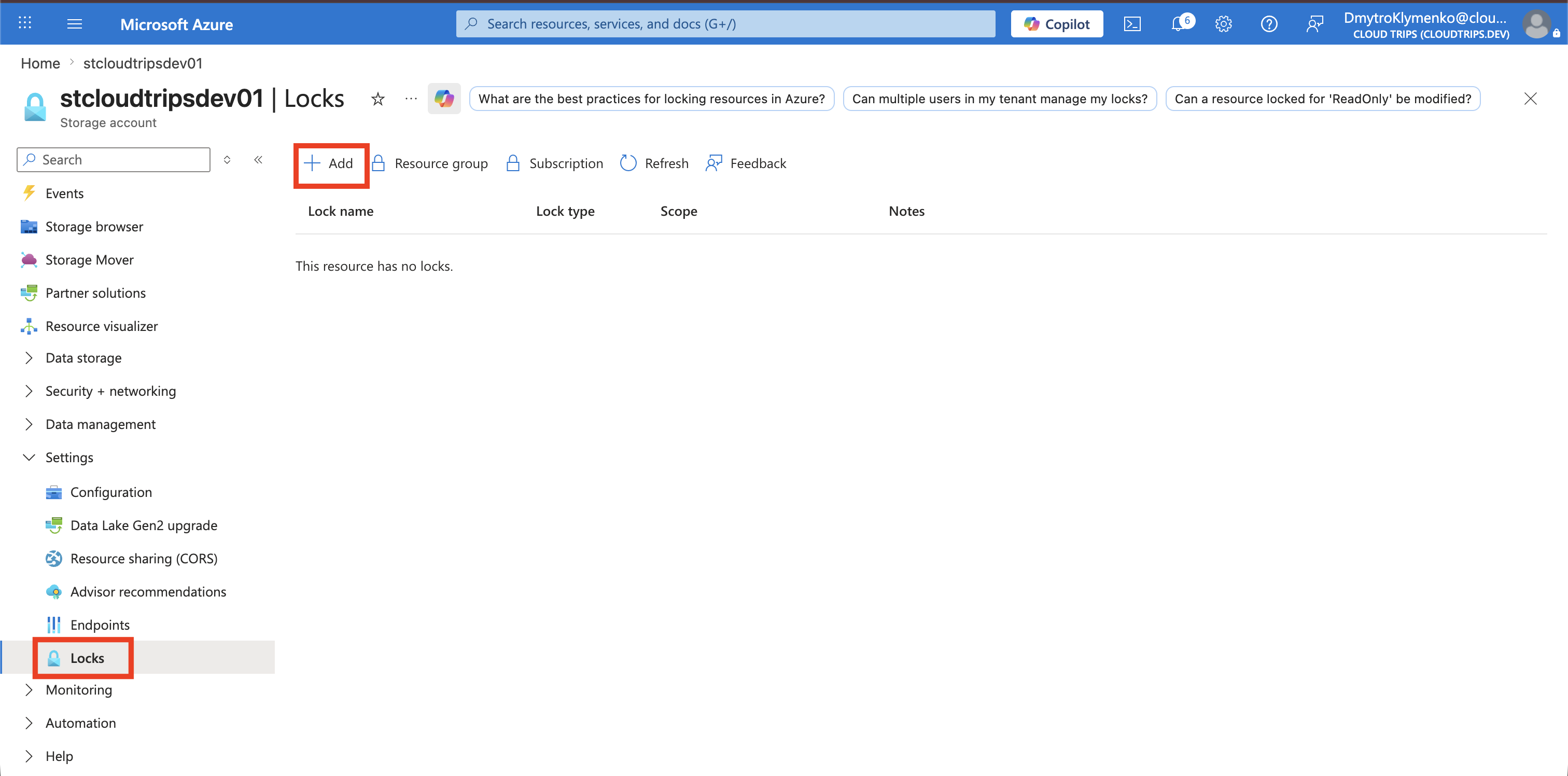
Create the Delete Lock
Configure:
Lock name: lock-delete-cloudtrips-storage
Lock type: Delete
Notes: Prevent accidental deletion of the CloudTrips storage account
Select OK or Save.
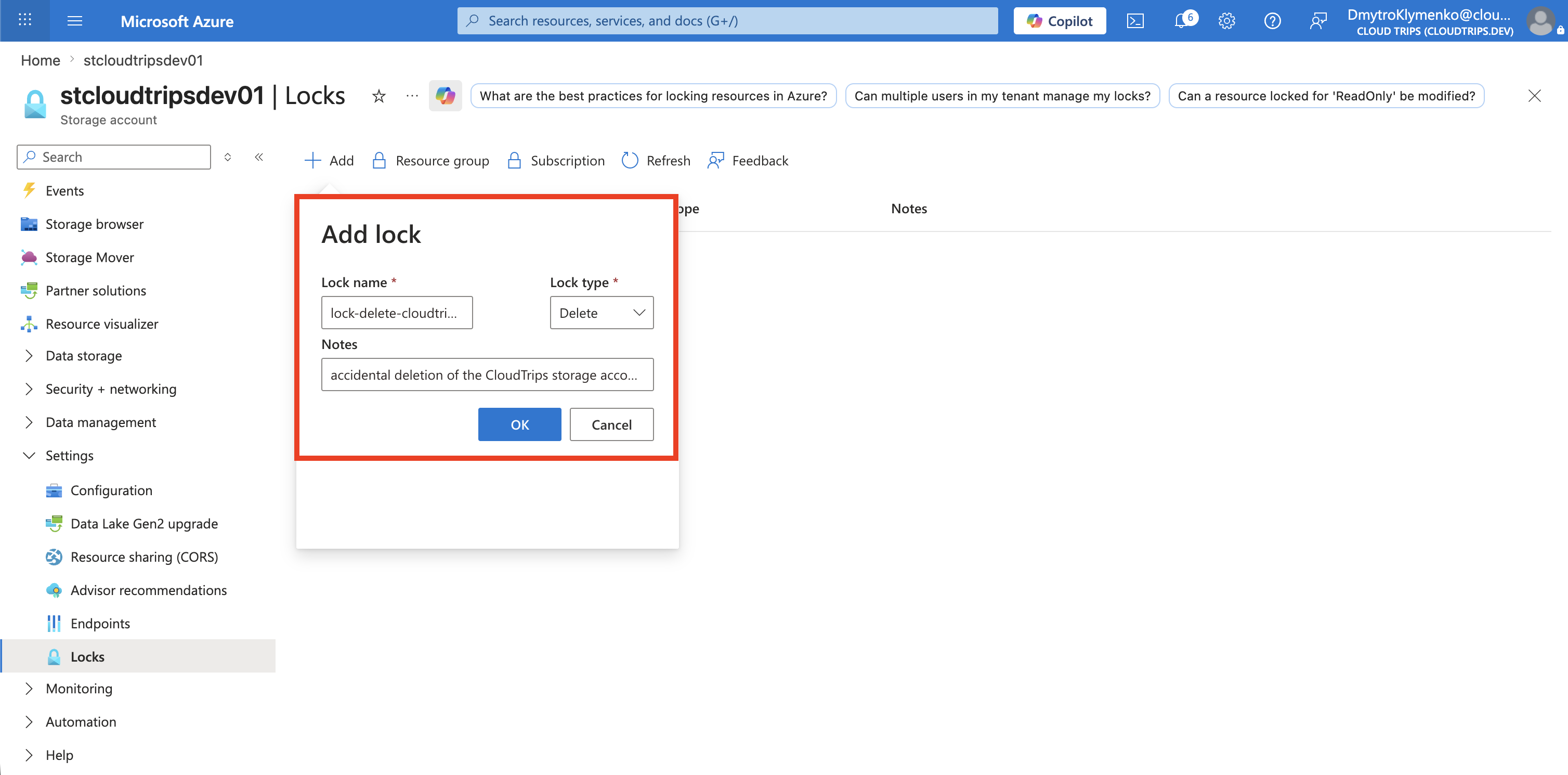
Verify the Lock
Confirm that the Locks page shows:
Name: lock-delete-cloudtrips-storage
Lock type: Delete
Scope: stcloudtripsdev01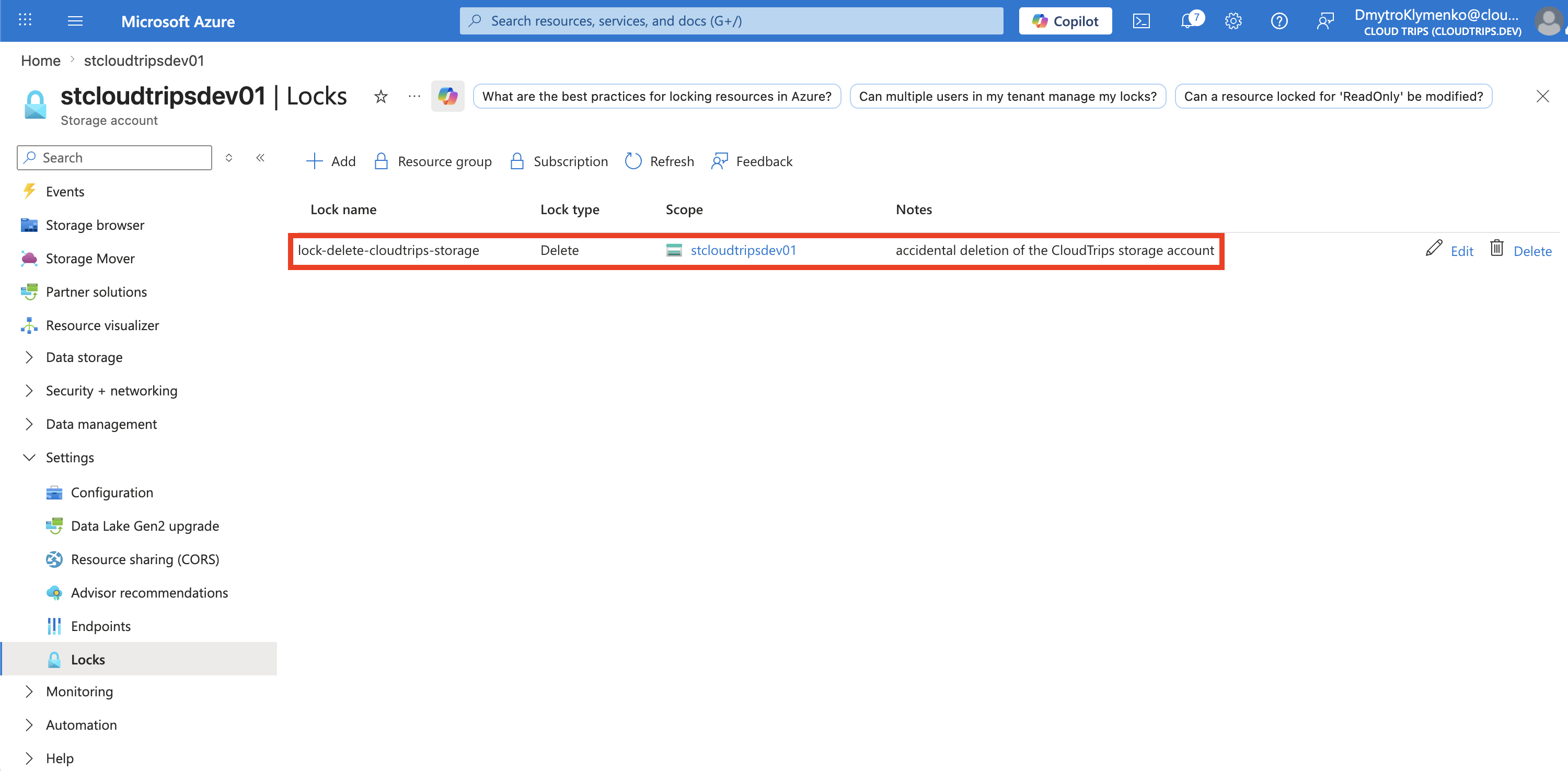
Confirm the Expected Behavior
Make a safe, reversible configuration change, such as adding and then removing this tag:
LockTest: AllowedThe update should succeed because a delete lock does not make the resource read-only.
Next, open the storage account Overview page and select Delete. Azure should report that the resource cannot be deleted because it is locked. Stop when the lock error appears; do not remove the lock or complete the deletion.
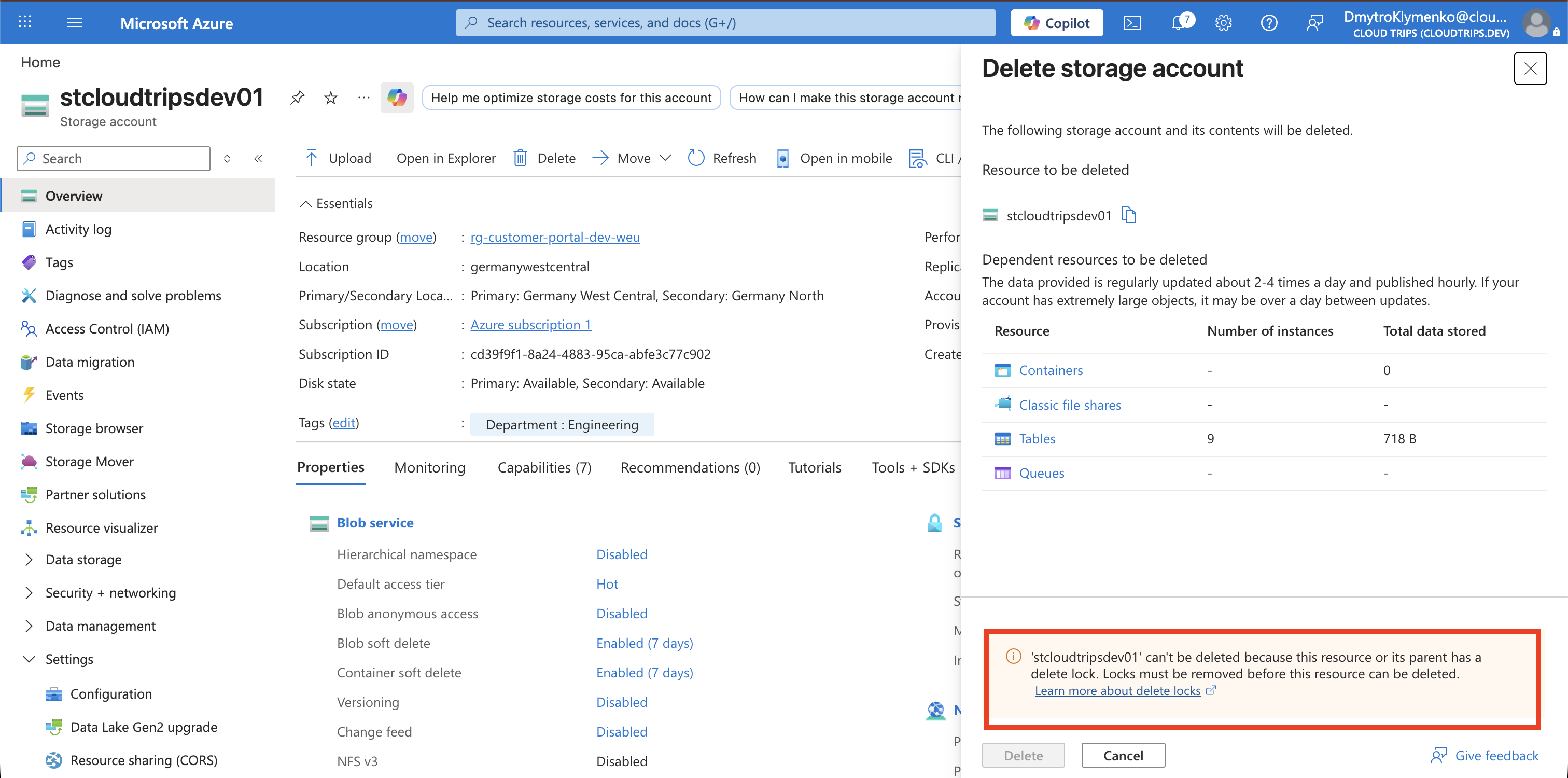
The storage account can now be updated by authorized users, but it cannot be deleted until an authorized user removes the lock.