Temporary Exception Needed? Configure a Policy Exemption
The CloudTrips storage account temporarily cannot meet the required-tag policy while a legacy deployment process is being updated. Create a time-limited exemption for that resource only.
Use:
Policy assignment: CloudTrips - Resource governance
Exemption scope: stcloudtripsdev01
Exempt initiative policy: Require a tag on resources
Exemption name: CloudTrips storage tag migration
Category: Waiver
Expiration: 30 days from today
Understand the Exception
A policy exemption records that a resource or resource hierarchy is temporarily or permanently not evaluated by a policy assignment. It is different from an assignment exclusion: an exemption is a separate, reviewable Azure resource with a category, description, and optional expiration.
Use Waiver when non-compliance is temporarily accepted. Use Mitigated only when another control already satisfies the policy’s intent.
Keep the scope as narrow as possible. An exemption created at resource-group scope also applies to applicable resources below that scope. This trip exempts only stcloudtripsdev01.
Because the assignment targets an initiative, exempt only Require a tag on resources. The Allowed locations policy must remain active for the storage account.
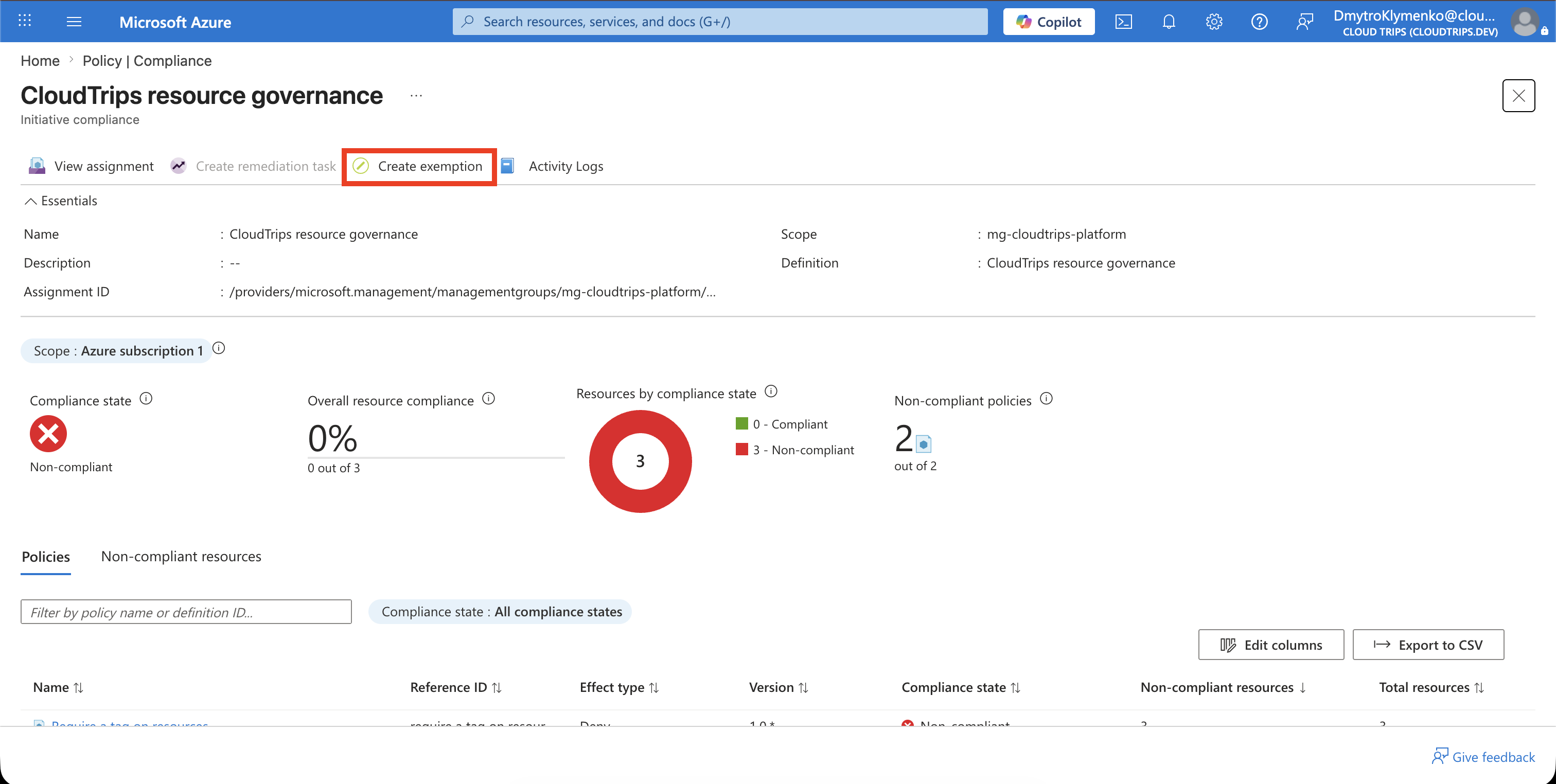
Open the Policy Assignment
In the Azure portal, open:
Policy
> Compliance
> CloudTrips - Resource governance
Select Create exemption.
Configure the Exemption
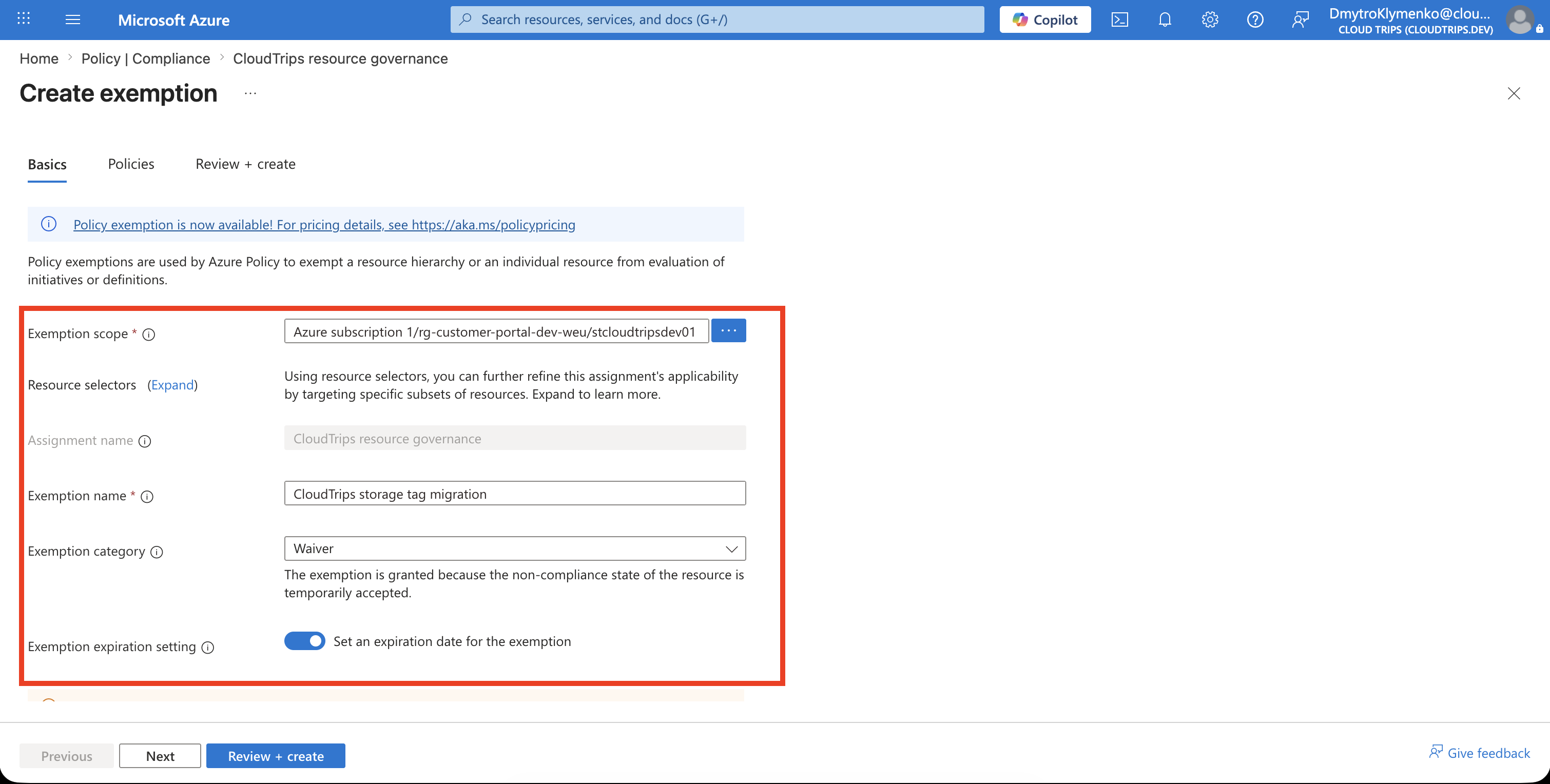
On Basics, configure:
Exemption scope: stcloudtripsdev01
Policy assignment: CloudTrips - Resource governance
Exemption name: CloudTrips storage tag migration
Description: Temporary waiver while the legacy deployment process is updated to add the Department tag
Exemption category: Waiver
Expiration: 30 days from today
The exemption scope must be within the policy assignment’s scope. Set an expiration for a temporary exception so Azure stops honoring it automatically. The exemption object remains after expiration for record-keeping until it is deleted.
Limit the Exemption to the Tag Policy
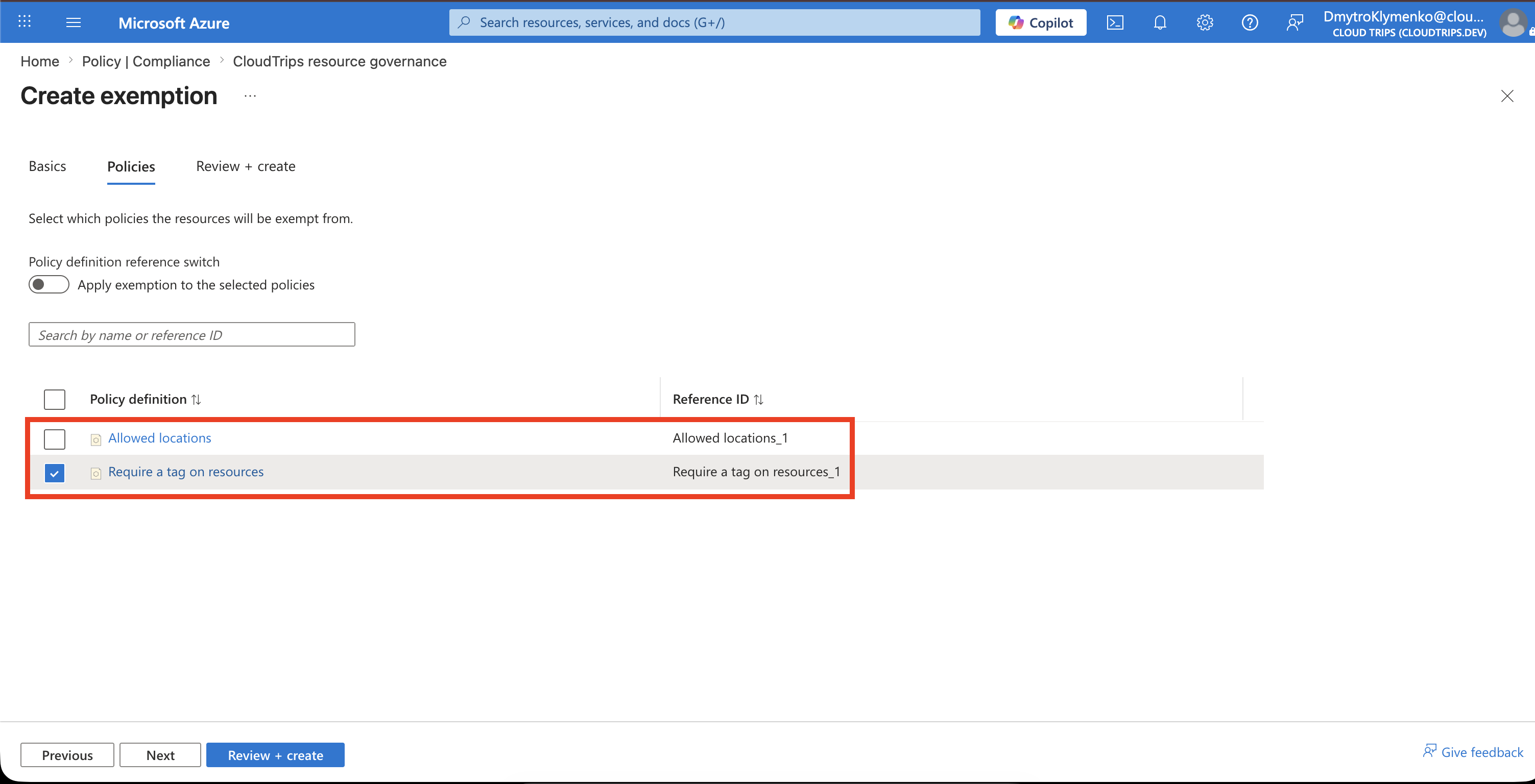
Open Policies. Select only:
Require a tag on resourcesDo not select Allowed locations. Selecting every definition would exempt the resource from the entire initiative and weaken the location restriction unnecessarily.
Select Review + create, verify the scope, category, expiration, and selected definition, and then select Create.
Verify the Exemption
Open:
Policy
> Compliance
> CloudTrips - Resource governance
After Azure Policy reevaluates the resource, confirm that stcloudtripsdev01 is Exempt for Require a tag on resources and remains evaluated by Allowed locations.
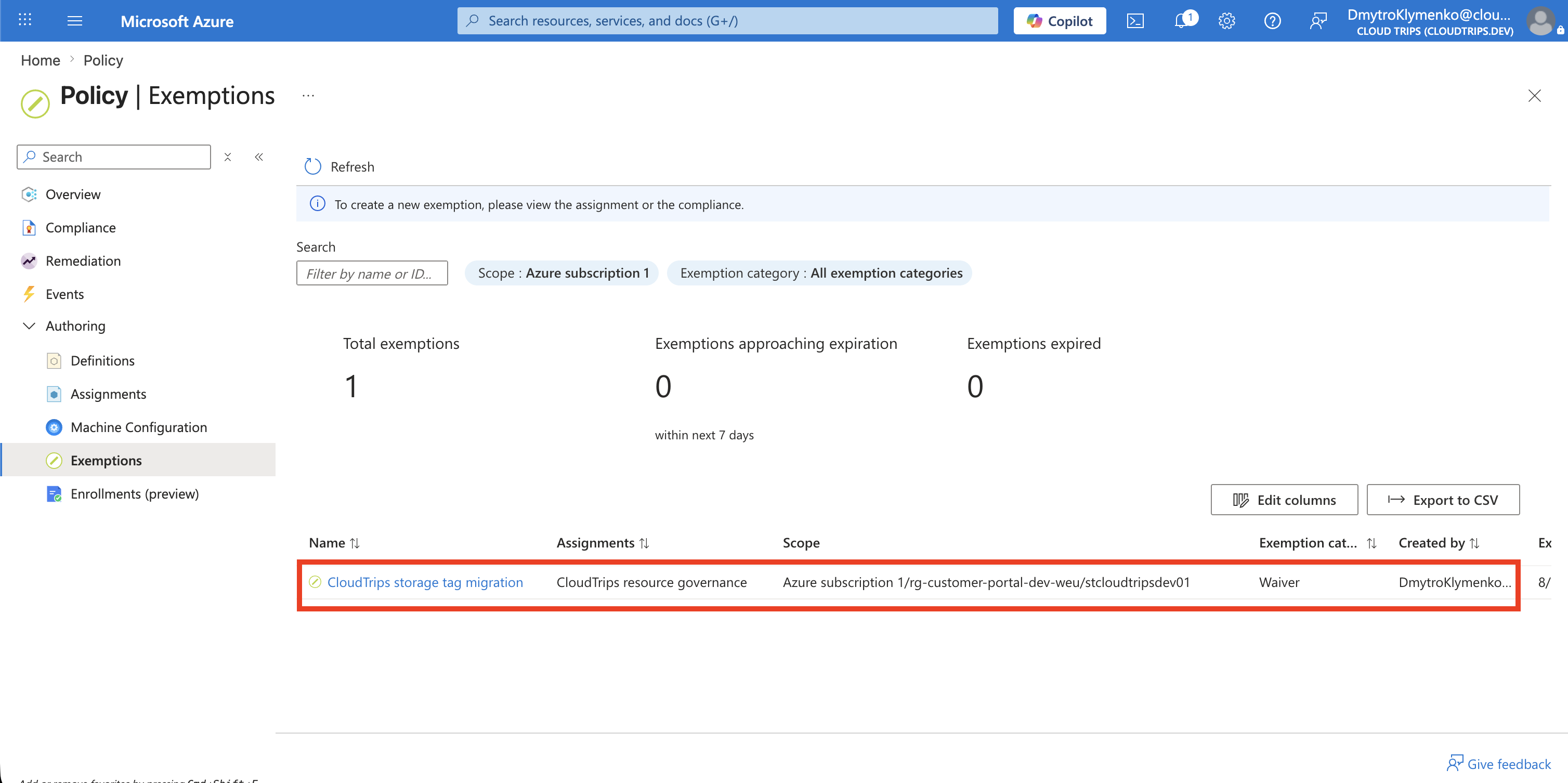
You can also review the exemption under Policy > Exemptions. Confirm:
Name: CloudTrips storage tag migration
Scope: stcloudtripsdev01
Category: Waiver
Expires: 30 days from creation
Test the Department Tag Exemption with the Storage Account
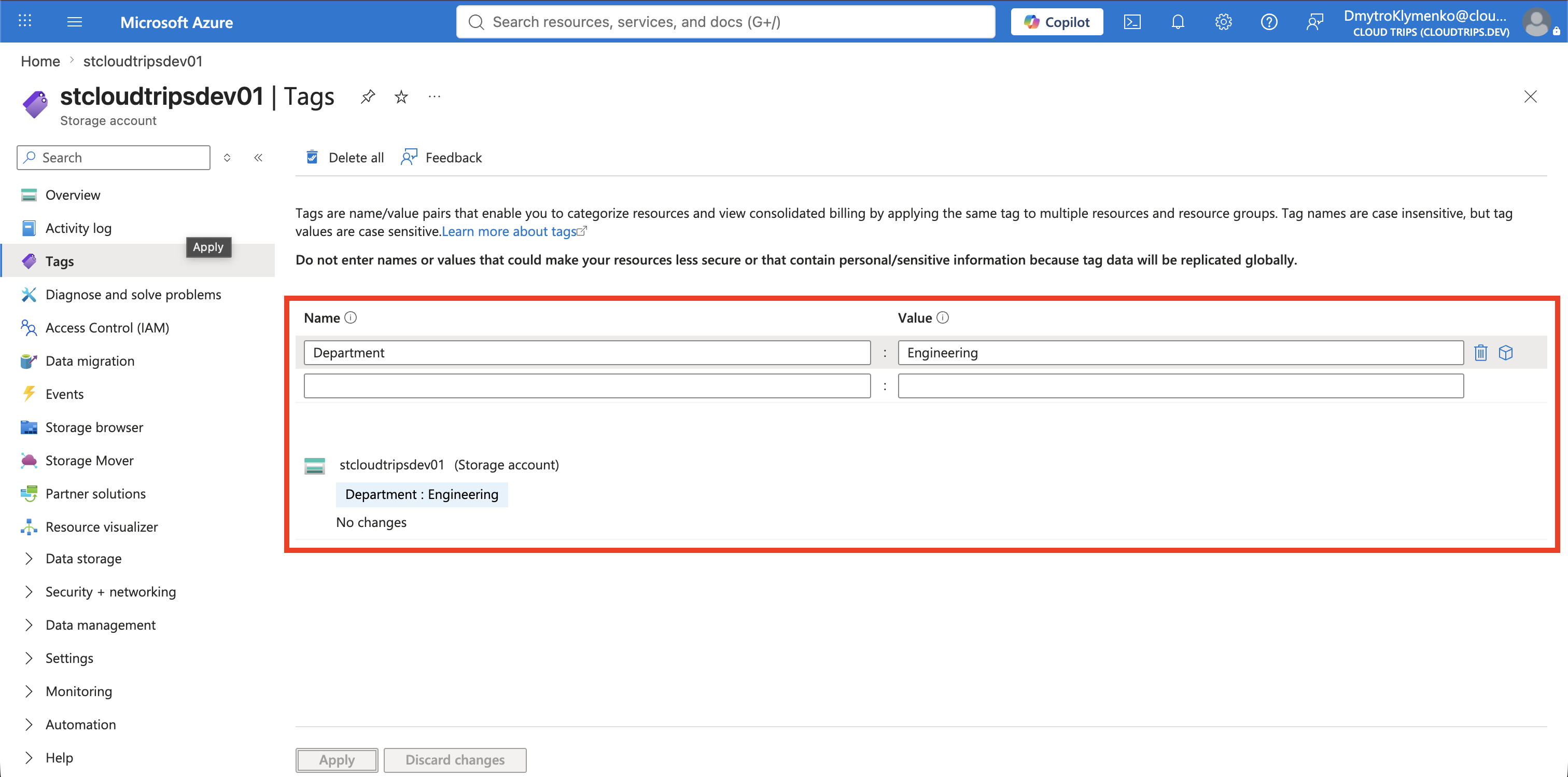
The initiative requires the storage account to contain a tag named Department. The tag’s value is unrestricted.
Open:
Storage accounts
> stcloudtripsdev01
> Tags
While the exemption is active, remove the Department tag from the storage account and select Apply.
Removing the tag should succeed because stcloudtripsdev01 is exempt from Require a tag on resources. Confirm that the storage account is saved without a Department tag.
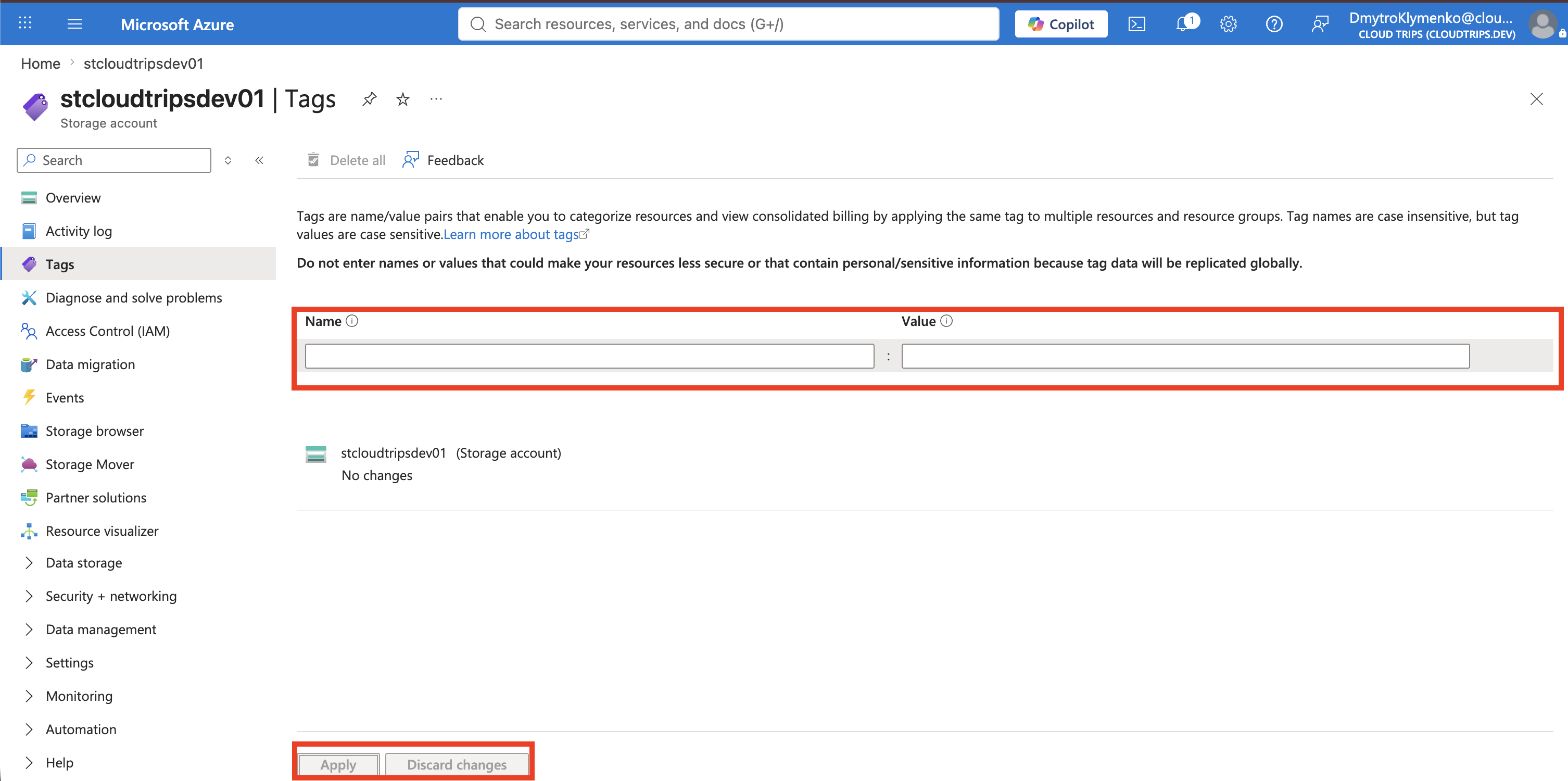
Next, delete the exemption under Policy > Exemptions. Deleting it restores normal policy enforcement; it does not delete or modify the storage account.
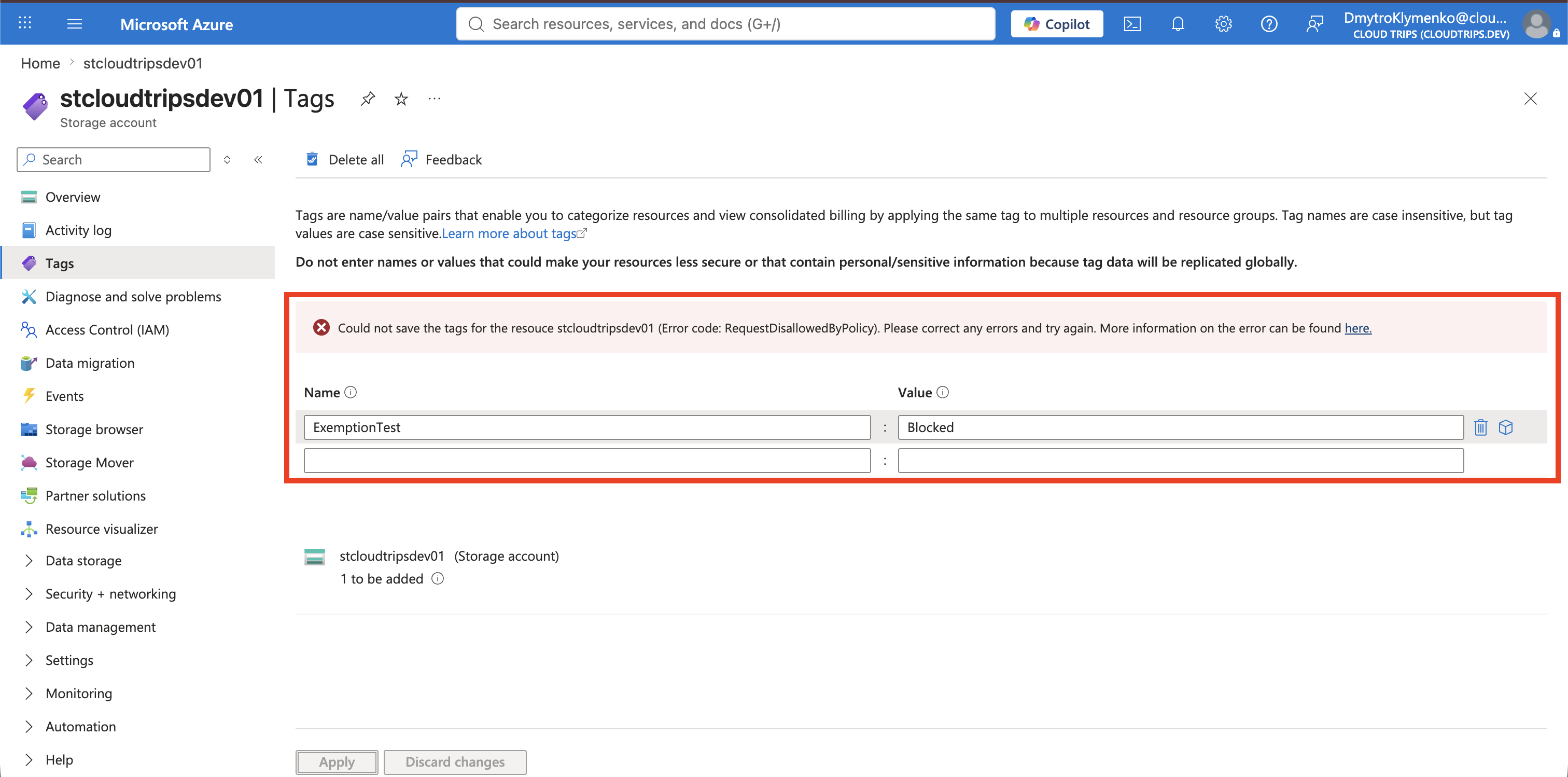
Return to the storage account’s Tags page. Add this temporary tag, but leave Department absent, and select Apply:
ExemptionTest: BlockedThe update should now be denied because the proposed storage-account state does not contain the required Department tag. Stop after the policy error appears; the failed update does not add ExemptionTest.
Finally, add the required tag and select Apply:
Department: EngineeringThe update should succeed because the proposed resource now contains the required tag name. Engineering is only an example value. The storage account now complies without an exemption, while Allowed locations remained enforced throughout the test.