SQL Needs Very Large Scale? Configure SQL Hyperscale
As an application accumulates years of orders or transactions, its database can outgrow its storage limit. Moving a large database to increase capacity can also take time, while more stored data does not always require more CPU. Azure SQL Hyperscale addresses this by separating query processing from distributed storage: storage grows with the data, and you can adjust compute capacity independently.
Prepare One Database
Use sqldb-cloudtrips on sql-ctappweu in rg-cloudtrips-sql-test-weu from Create Azure SQL Database. Recreate it if deleted; use your own server name if different.
If it belongs to pool-ctshared, open the database’s Compute + storage and move it to a standalone Standard S0 (10 DTUs) database. If it is Basic, change it to Standard S0 first: direct Basic-to-Hyperscale conversion is unsupported. Wait for this change to complete.
Configure Hyperscale
Open Compute + storage and select:
Service tier: Hyperscale
Compute tier: Provisioned
Hardware: Standard-series (Gen5)
vCores: 2
High-availability secondary replicas: 0
Zone redundancy: Disabled
Cutover mode: Automatic
Review the displayed cost and select Apply. A vCore is a virtual CPU core. This small lab uses two cores to explore configuration; production sizing depends on workload.
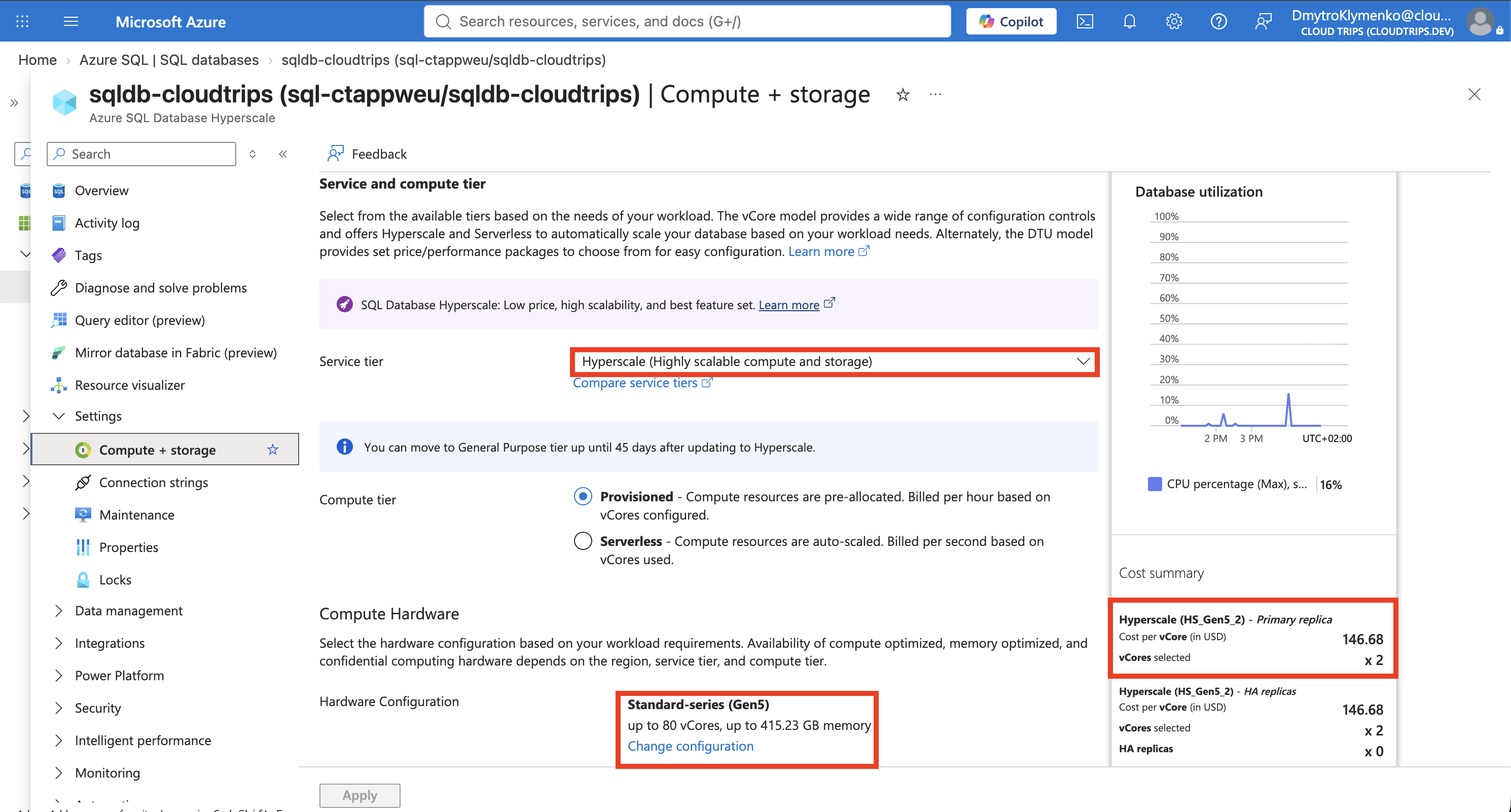
Check the tier, core count, and replica count. Zero high-availability replicas reduces lab cost; adding replicas provides ready compute capacity for faster failover. Provisioned compute remains billable while idle.
Follow progress under Overview → Notifications. Azure copies the data and switches the database to Hyperscale. Automatic cutover briefly interrupts connections; reconnect afterward. The database name and server address remain the same.
Verify the Tier
Connect to sqldb-cloudtrips through Query editor (preview) or your VS Code SQL connection and run:
SELECT DB_NAME() AS DatabaseName,
       DATABASEPROPERTYEX(DB_NAME(), 'Edition') AS Edition,
       DATABASEPROPERTYEX(DB_NAME(), 'ServiceObjective') AS ServiceObjective;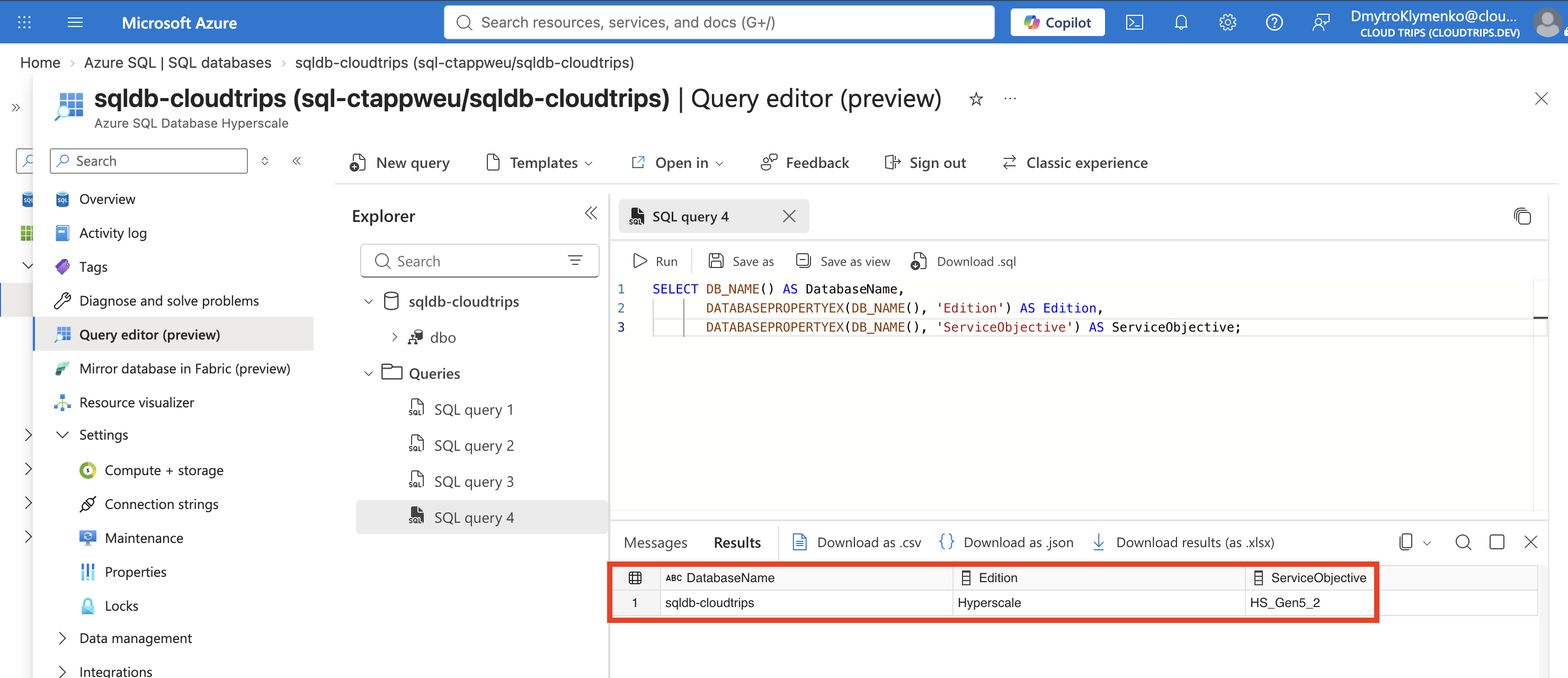
Expect sqldb-cloudtrips, Hyperscale, and HS_Gen5_2 for the selected configuration. This verifies the tier; testing large-scale performance requires representative data and queries.
Clean Up
Delete the lab database when finished. Delete pool-ctshared separately once empty if it remains from the previous trip; an empty pool still incurs charges. If all resources in rg-cloudtrips-sql-test-weu are disposable, delete that resource group instead.