PostgreSQL Needs Backup Restore? Configure PostgreSQL PITR
An accidental deletion removes an important record. The database stays online, and its high-availability standby receives the same deletion. You need a copy of the data from before the mistake. Point-in-time restore (PITR) restores a backup and replays transaction logs to a selected time, creating a new PostgreSQL server containing the databases as they were then.
Prepare a Recovery Point
Use pg-ctappweu, database appdb, from Create PostgreSQL Server. HA can stay enabled if you completed the previous trip. Wait for any ongoing failover or scaling operation to finish.
In Compute + storage, confirm backup retention is 7 days or longer. The retention period determines how far back you can restore; a new server first needs its initial backup to complete.
Connect to appdb through VS Code as ctadmin. Run once with the client’s default autocommit enabled:
CREATE TABLE restore_check (id integer PRIMARY KEY, note text NOT NULL);
INSERT INTO restore_check VALUES (1, 'Keep this record');
After execution completes, wait one minute and run:
SELECT clock_timestamp() AT TIME ZONE 'UTC' AS restore_time_utc;
SELECT * FROM restore_check;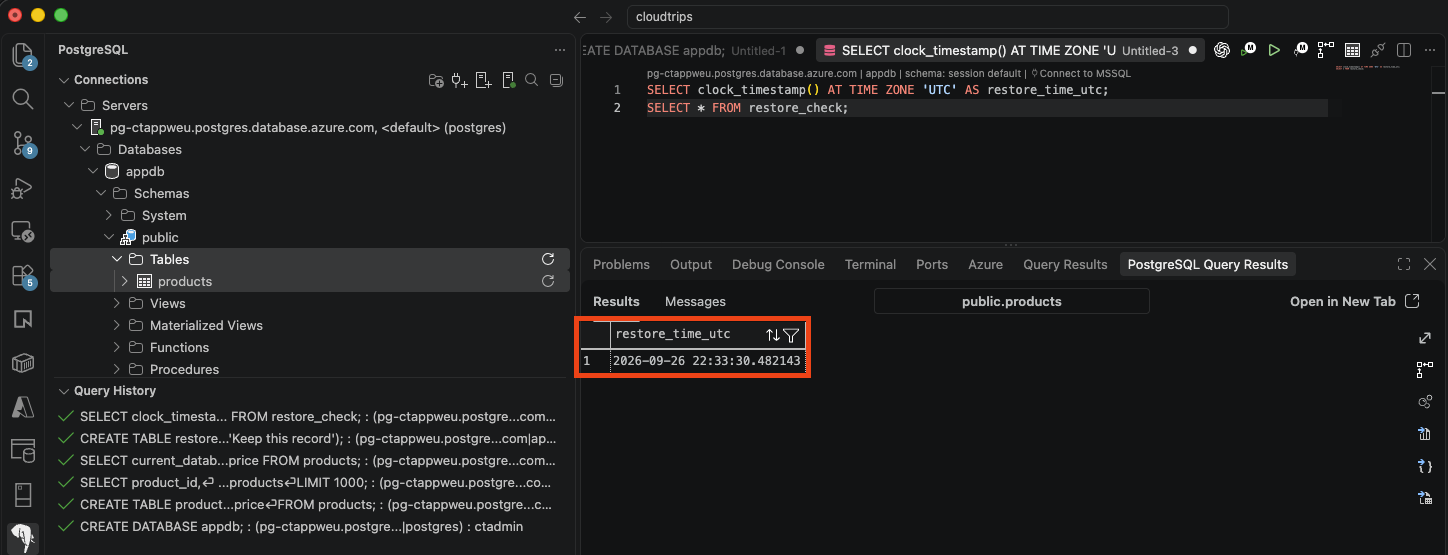
Save restore_time_utc. Confirm row 1 contains Keep this record. The timestamp is after the insert committed; your actual value will differ.
Delete the Test Record
Wait another minute, then run on the original server:
DELETE FROM restore_check WHERE id = 1;
SELECT count(*) AS remaining_rows FROM restore_check;
Expect remaining_rows = 0. The table remains, and its test row has been deleted.
Restore to a New Server
Open pg-ctappweu → Overview → Restore. Configure:
Resource group: rg-cloudtrips-pg-test-weu
New server name: pg-ctrestoreweu (globally unique)
Region: West Europe
Point-in-time restore: Select a custom restore point
Custom restore point (UTC): your saved restore_time_utc
Choose the saved time inside the available restore window. If that time is too recent, wait for backup logs to become available and refresh. Review the target compute, storage, networking, and cost, then select Review + create → Create.
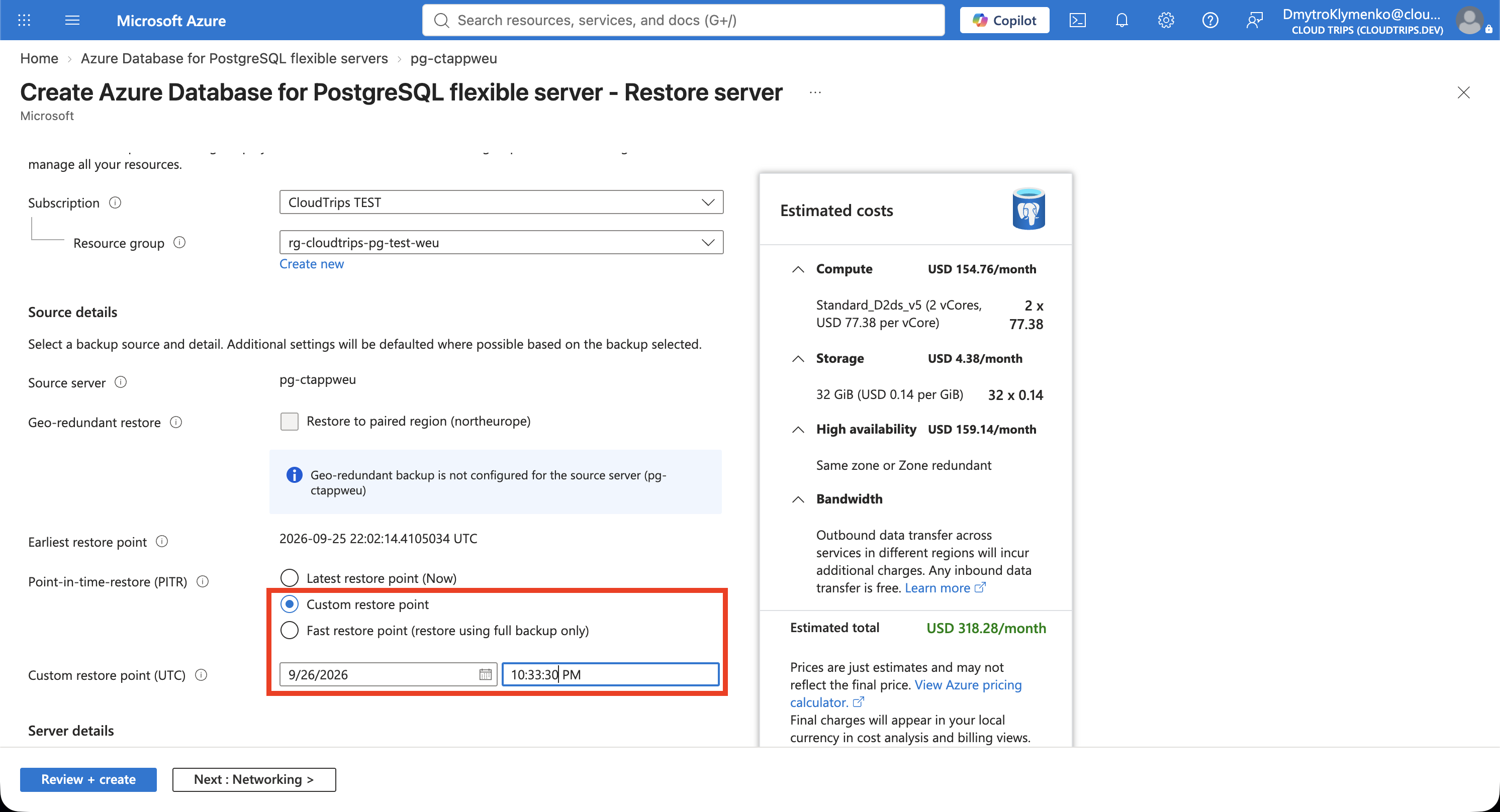
Compare the timestamp with your saved value. PITR restores the whole server’s databases into a separately billed server in the same region. The original remains available. A source with HA restores to a server where HA can be enabled separately.
Check the Recovered Row
Wait for pg-ctrestoreweu to become Ready. Open its Networking, enable public access for this lab, and add your current client IP. Firewall rules are configured separately on the restored server.
Copy your existing VS Code PostgreSQL connection and change the host to pg-ctrestoreweu.postgres.database.azure.com. Use database appdb, user ctadmin, the password valid at the recovery point, and the same Verify-Full / System TLS settings. Use your actual restored server name if different.
Run on the restored server:
SELECT current_database() AS database_name;
SELECT * FROM restore_check;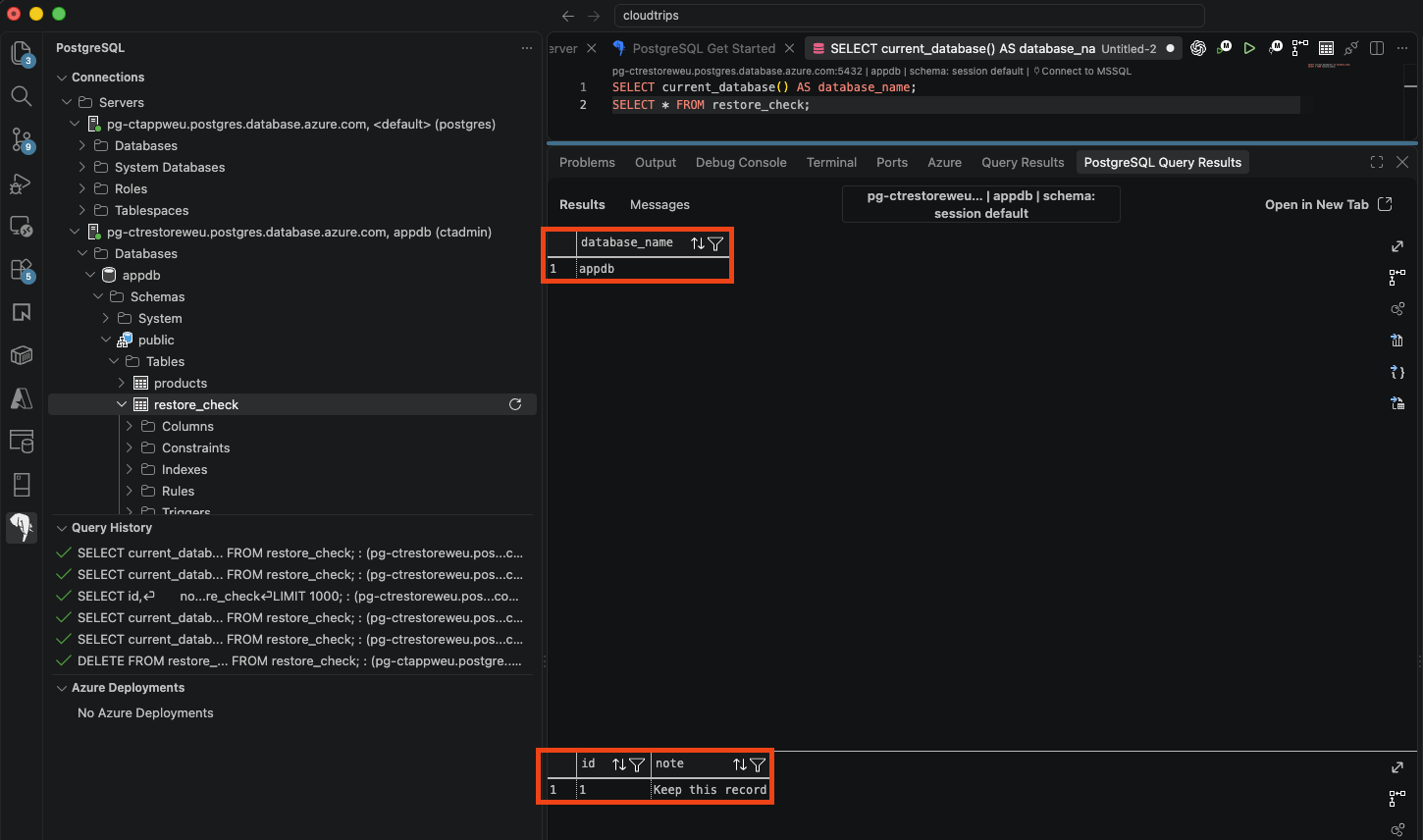
Check the connection host, appdb, and row 1 / Keep this record. On the original server, remaining_rows still returns 0. This shows the earlier data was recovered into an independent server.
For a real recovery, validate the restored data, then copy needed records back or update the application’s connection to the restored server. Switching the whole application requires reconciling valid changes made after the recovery point and reviewing server settings, permissions, and HA.
Clean Up
Delete only pg-ctrestoreweu after verification. Keep pg-ctappweu for the read-replica trip. Deleting the shared resource group would remove both servers.