Cosmos Needs Multi-Region Writes? Configure Multi-Region Writes
An app runs in the US and Europe, but its database accepts writes only in West US 2. Every European update crosses the Atlantic, adding delay. Multi-region writes lets regional app instances write to a nearby Cosmos DB region, while Cosmos DB replicates the changes between regions.
Use cosmos-ctappeus in rg-cloudtrips-cosmos-test-eus from the account creation trip. Keep Provisioned throughput and Session consistency from the consistency trip. This exercise configures the account entirely through the portal.
Add West Europe
First open Overview → Total throughput limit or Settings → Account Throughput. Choose a custom limit of 2000 RU/s, review the estimate, and save. The existing container’s autoscale maximum is 1000 RU/s per region, so two regions count as 2000 RU/s against this limit. If region creation already failed with the 1000-RU/s limit, retry after saving. Additional containers increase the required limit. Capacity beyond the free-tier allowance can incur charges.
Open cosmos-ctappeus → Replicate data globally → Manage regions or Add region. Keep West US 2, add West Europe, leave availability zones disabled for this lab, and select Save. Review the extra regional throughput and storage costs, then wait for deployment to finish.
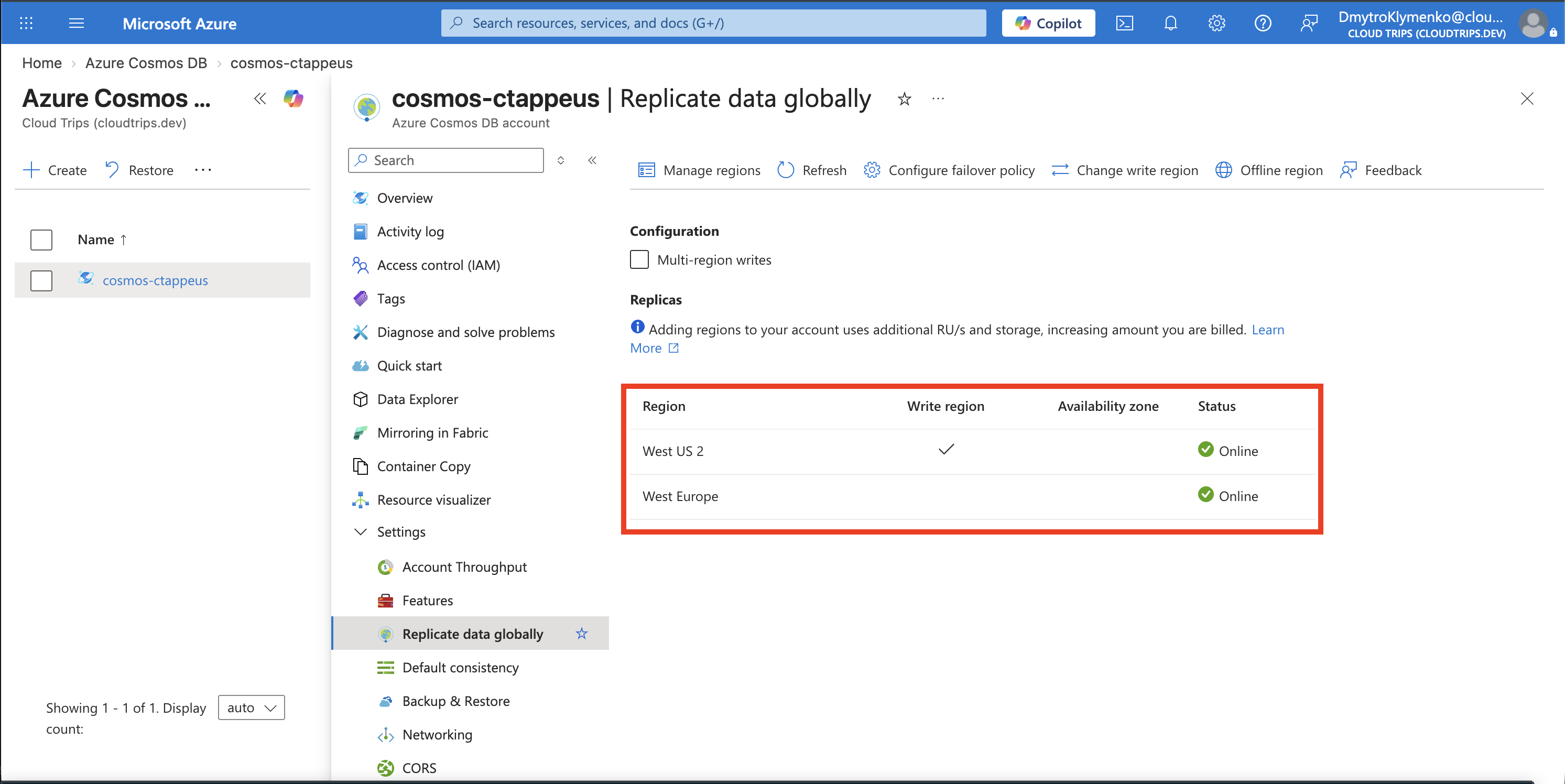
Check West Europe is available as a read region and West US 2 remains the write region. Cosmos DB copies the existing databases and containers automatically; appdb/products belongs to the same account in both regions.
Enable Writes in Both Regions
On Replicate data globally, enable Multi-region writes under Configuration. Review and confirm the pricing change, save if prompted, and wait for the update to complete. Reopen the page.
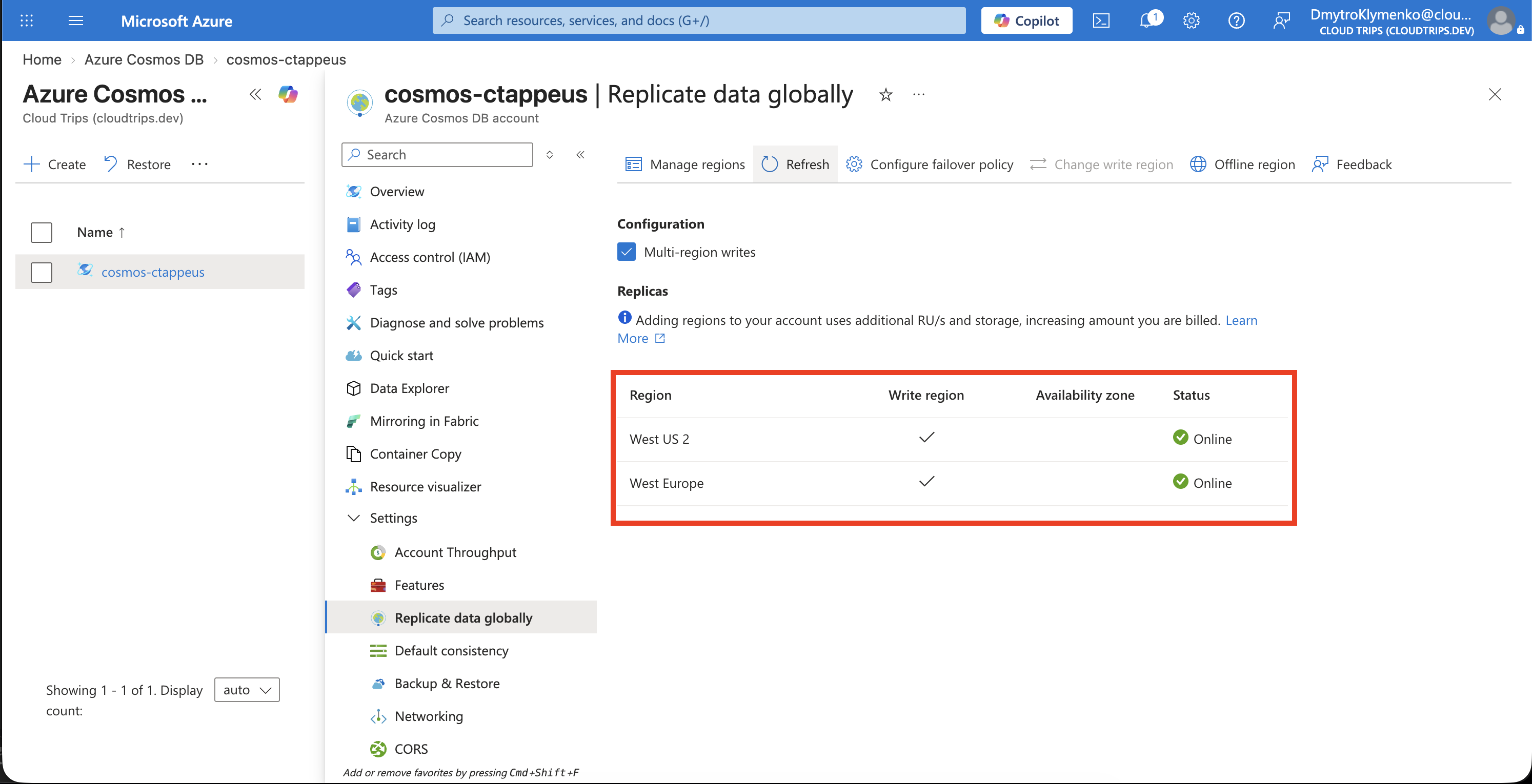
Check Multi-region writes is enabled and both regions support reads and writes. This verifies the account configuration. Testing writes from each region requires clients targeting those regions.
How an App Uses It
An app uses the account endpoint and configures its Cosmos SDK’s preferred region. For example, a .NET app hosted in Europe sets ApplicationRegion to West Europe, while its US instance uses West US 2. The SDK discovers regional endpoints and routes requests accordingly.
If both regions update the same item concurrently, Cosmos DB applies the container’s conflict policy. The default Last Writer Wins selects the version with the highest system timestamp (_ts). Choose a conflict strategy that fits the business meaning of competing edits.
Clean Up
To return to the smaller lab setup, remove West Europe under Manage regions, save, and wait for completion. Then disable Multi-region writes and confirm West US 2 remains the sole write region. Keep the account for the next trip. Removing the additional region reduces regional capacity and storage charges.