App Reacts to Cosmos Changes? Configure Change Feed
A product price changes, and another component needs the new value. Scanning every product repeatedly wastes database capacity. The Cosmos DB change feed exposes created and updated documents. A Logic Apps Standard workflow can consume those changes through a visual trigger and run an action for each changed item.
Use cosmos-ctappeus → appdb → products and product-1 from the account creation trip. This exercise uses Azure Portal throughout.
Create the Logic App
Open Logic Apps → Add and choose Standard, which provides the built-in Cosmos DB change-feed trigger. Configure:
Resource group: rg-cloudtrips-feed-test-wus2 (new)
Logic app name: logic-ctfeedwus2 (globally unique)
Region: West US 2
Hosting: Workflow Service Plan
Plan: plan-ctfeedwus2 (new)
Pricing tier: WS1
Storage account: stctfeedwus2 (new, globally unique)
Use public access for this lab and keep the default storage-based workflow history. Review the hosting and storage costs, then create. The Standard plan has ongoing capacity charges even when the workflow is idle.
After deployment, open Workflows → Add, name the workflow product-changes, choose Stateful, and create it. Stateful workflows retain run inputs and outputs for inspection.
Connect the Change-Feed Trigger
Open product-changes → Designer → Add a trigger. Search for Azure Cosmos DB and choose the Built-in trigger When an item is created or modified.
Create a connection named cosmos-products using Connection string authentication. Copy PRIMARY CONNECTION STRING from cosmos-ctappeus → Keys into its credential field, then configure:
Database Id: appdb
Monitored Container Id: products
Lease Container Id: leases
Create Lease Container: Yes
Lease Container Throughput: 400
Find Lease Container Throughput under advanced parameters if needed. If leases already exists with partition key /id, choose Create Lease Container: No. Leases store processing progress so the trigger can resume.
Before saving, check Cosmos Overview → Total throughput limit. For one region with the existing 1000-RU/s autoscale maximum plus 400 RU/s for leases, allow 1400 RU/s; for two regions, allow 2800 RU/s. Review the cost estimate when raising the limit.
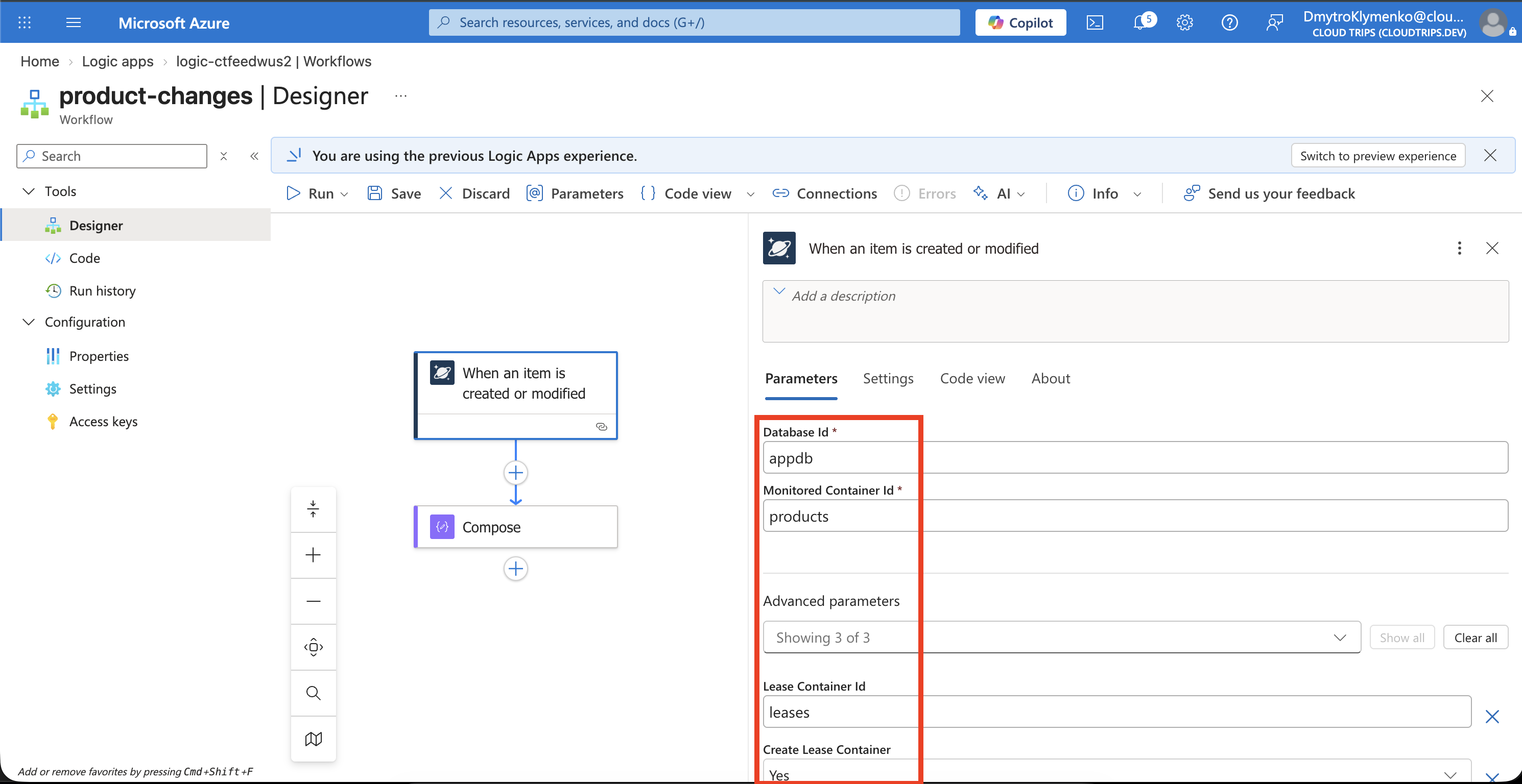
Check the monitored container is products and the checkpoint container is leases. Keep the connection string outside the screenshot.
Add the Reaction
Below the trigger, select Add an action → Data Operations → Compose. In Inputs, open dynamic content and select the trigger’s Body. Save the workflow and confirm it is enabled.
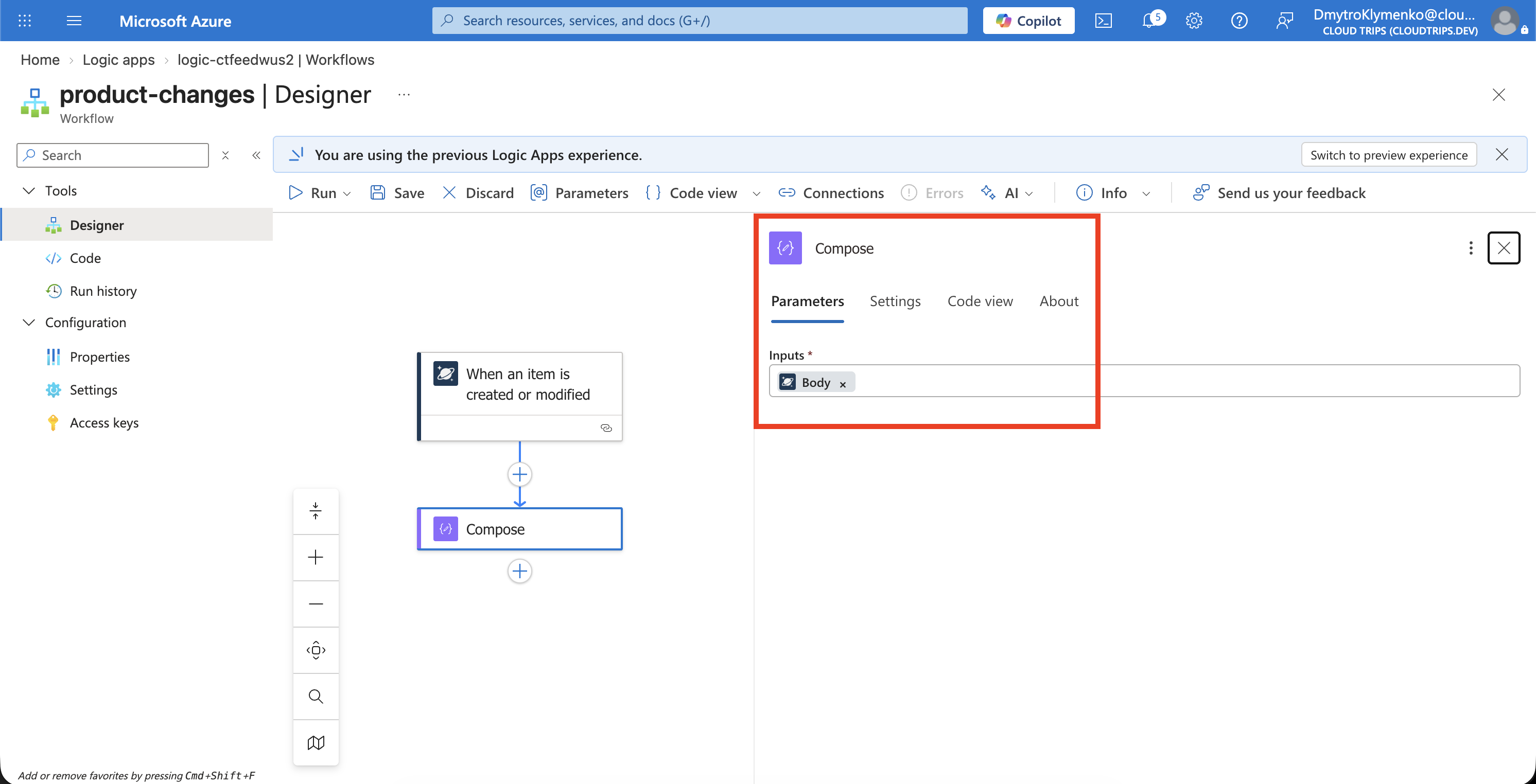
Check the flow is Cosmos DB trigger → Compose. Compose records the received document in the run output, making the reaction visible. A production workflow could pass that document to another service.
Test a Product Change
In Cosmos Data Explorer → appdb → products → Items, open product-1. Change price to 15, or another value if it is already 15, and Save.
Return to product-changes → Overview → Run history. Refresh until a new run appears, open it, and expand Compose → Outputs.
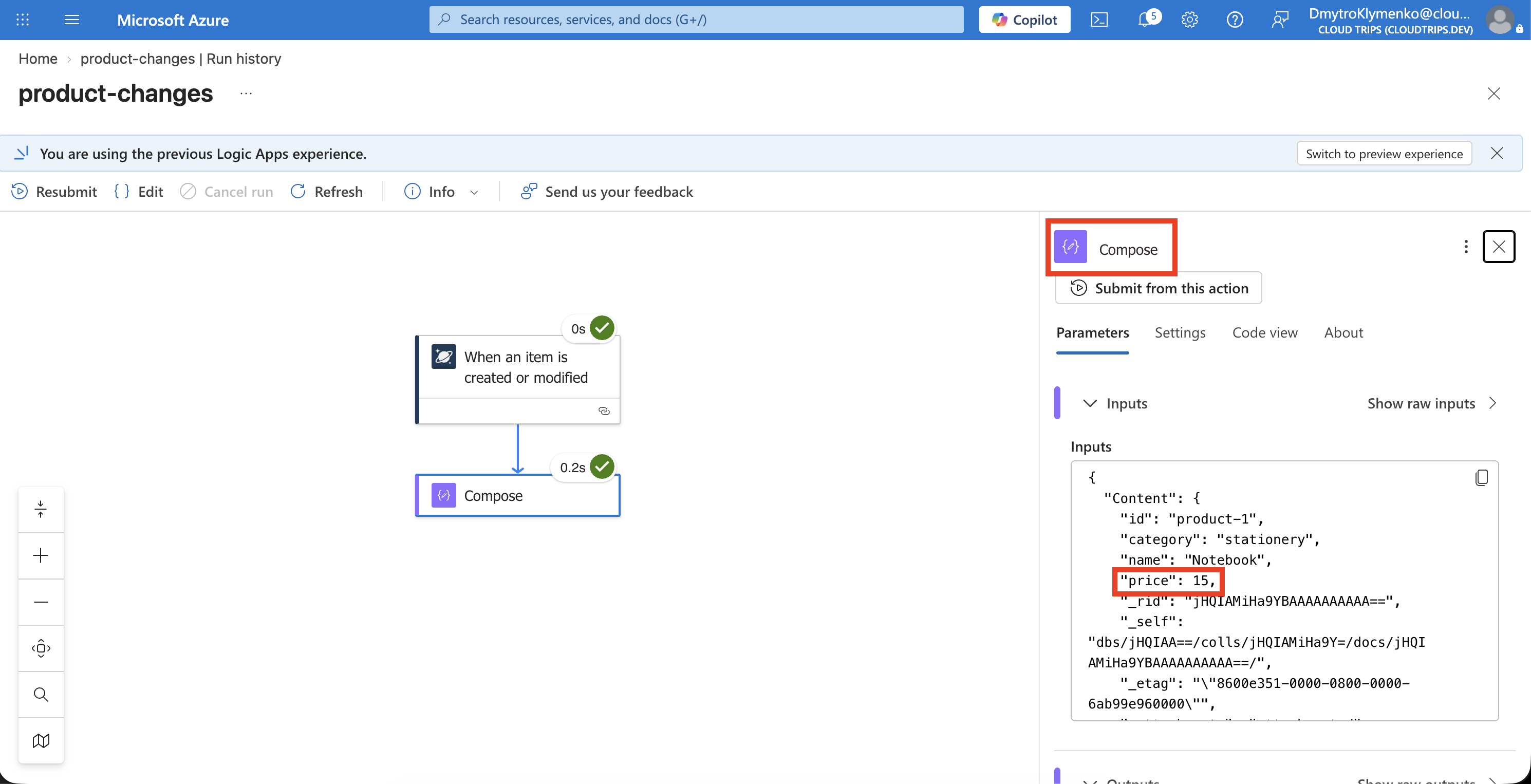
Check the run is Succeeded and its output includes product-1 with your new price. This demonstrates that a document change started the workflow automatically.
The trigger uses latest-version change feed: it processes creates and updates and can combine intermediate versions. Delivery is at least once, so production actions should safely handle repeated processing. A field such as isDeleted: true can represent a deletion as an update.
Clean Up
Delete rg-cloudtrips-feed-test-wus2 to remove the dedicated Logic App, plan, and storage. In Cosmos DB, delete leases if it is used only for this lab, then restore the previous throughput limit. Keep products and the Cosmos account. Disabling the workflow alone leaves the hosting plan billable.