VMs Need Datacenter Fault Protection? Create an Availability Set
CloudTrips needs two VMs that should not fail or restart together because of a single rack-level hardware problem or planned Azure maintenance. An Azure availability set tells the platform to distribute related VMs across fault and update domains within one datacenter.
This trip creates an availability set and two new Ubuntu VMs. Existing VMs cannot be added to an availability set after creation.
Understand the Protection
| Domain | Separates VMs by |
|---|---|
| Fault domain | Power source, network switch, and physical hardware |
| Update domain | Groups that Azure can restart together during planned platform maintenance |
Azure restarts only one update domain at a time during planned maintenance. A hardware failure affecting one fault domain should not affect a VM in another fault domain.
An availability set does not protect against application errors, operating system failures, or a complete datacenter, zone, or regional outage. Use availability zones for datacenter-level isolation when the region and workload support them. For centrally managed, scalable fleets, Microsoft recommends a VM Scale Set with Flexible orchestration.
The availability set itself has no additional charge, but every VM, disk, and network resource is billed normally.
Create the Resource Group and Network
Create:
Subscription: CloudTrips TEST
Resource group: rg-cloudtrips-avset-test-weu
Region: West Europe
Open Virtual networks > Create:
Name: vnet-cloudtrips-avset-test-weu
IPv4 address space: 10.83.0.0/16
Subnet: snet-servers
Subnet range: 10.83.1.0/24
Select Review + create > Create.
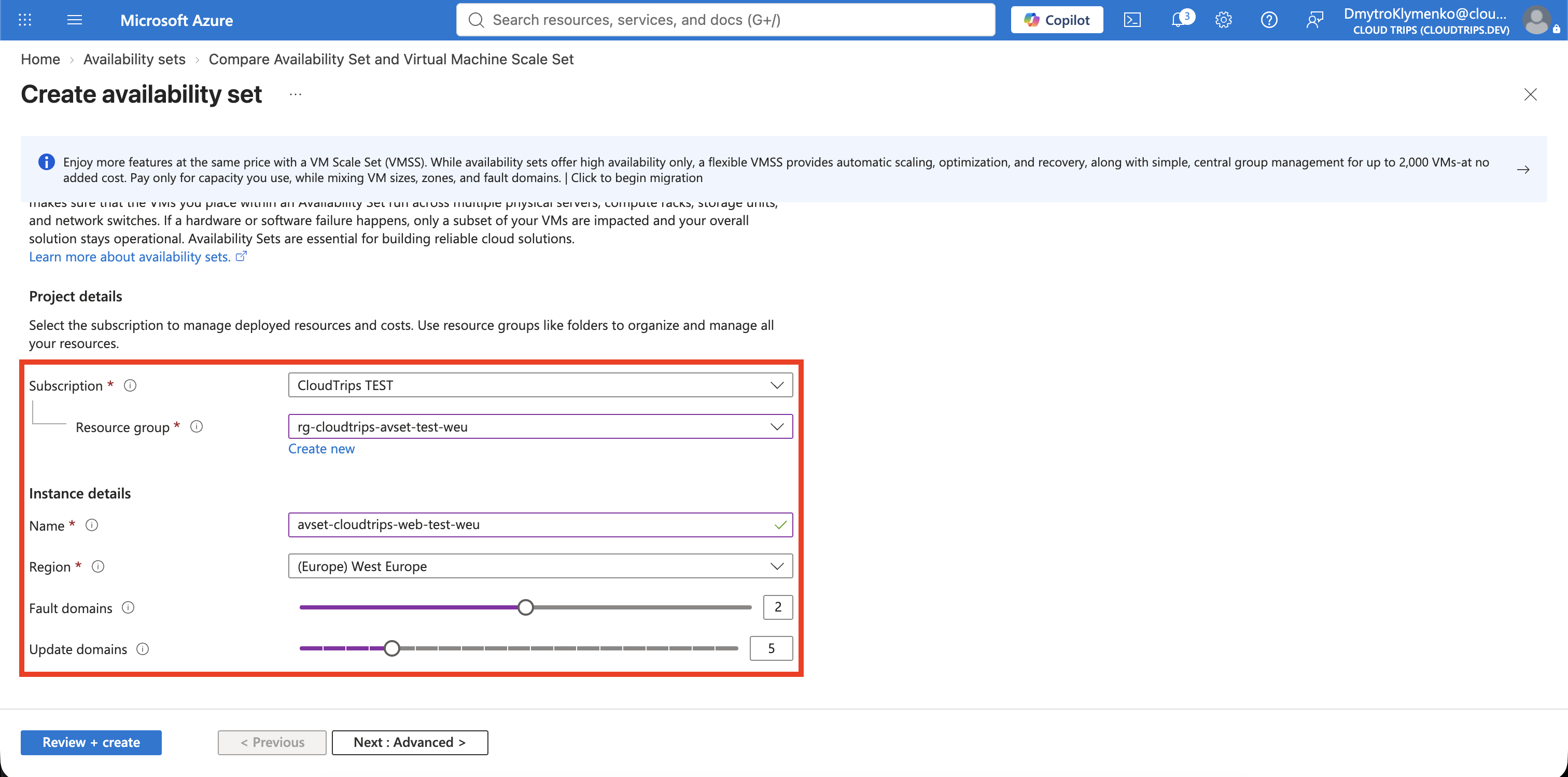
Create the Availability Set
Search for Availability sets and select Create:
Resource group: rg-cloudtrips-avset-test-weu
Name: avset-cloudtrips-web-test-weu
Region: West Europe
Fault domains: 2
Update domains: 5
Use managed disks: Yes
Two fault domains are sufficient to place the two lab VMs on separate hardware groups. Five update domains leave room for additional VMs to be distributed across planned-maintenance groups. These counts cannot be changed later.
Select Review + create > Create.
Create the First VM
The Azure portal might not display Availability set in the VM creation options. Use Azure Cloud Shell to assign the VM explicitly:
az vm create \
  --resource-group rg-cloudtrips-avset-test-weu \
  --name vm-cloudtrips-avset01-test-weu \
  --availability-set avset-cloudtrips-web-test-weu \
  --image Canonical:ubuntu-24_04-lts:server:latest \
  --size Standard_D2s_v3 \
  --security-type TrustedLaunch \
  --admin-username azureuser \
  --generate-ssh-keys \
  --vnet-name vnet-cloudtrips-avset-test-weu \
  --subnet snet-servers \
  --public-ip-address "" \
  --nsg "" \
  --storage-sku StandardSSD_LRS \
  --tags Application=CloudTrips Environment=TEST ManagedBy=CLI
--generate-ssh-keys creates a key pair in Cloud Shell if one does not already
exist there. The empty public-IP and NSG values keep the VM private.
Verify the assignment:
az vm show \
  --resource-group rg-cloudtrips-avset-test-weu \
  --name vm-cloudtrips-avset01-test-weu \
  --query availabilitySet.id \
  --output tsv
The result must end with
/availabilitySets/avset-cloudtrips-web-test-weu.
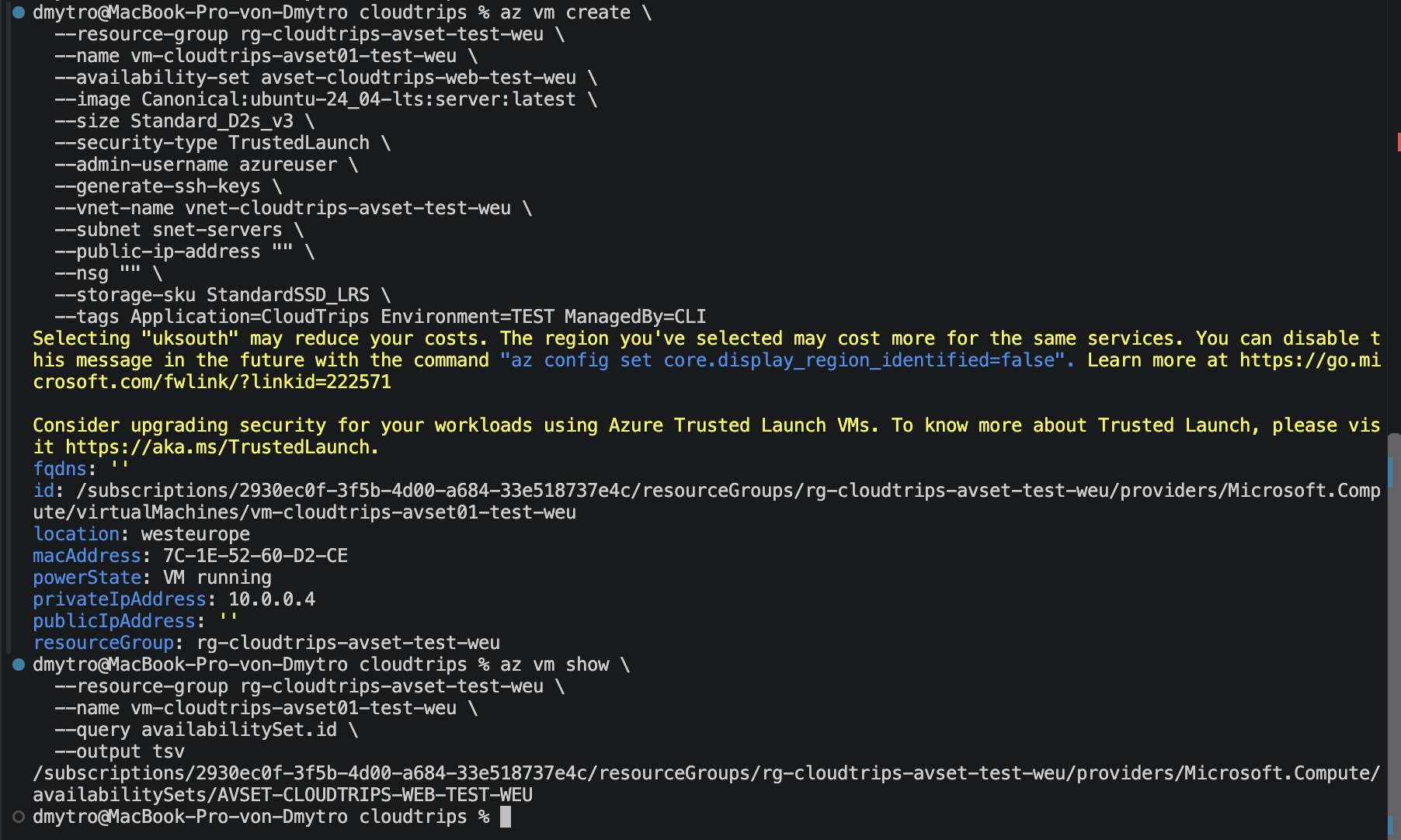
Keep the first VM running while creating the second. Deallocating it between deployments can cause both managed disks to be placed in the same fault domain.
Create the Second VM
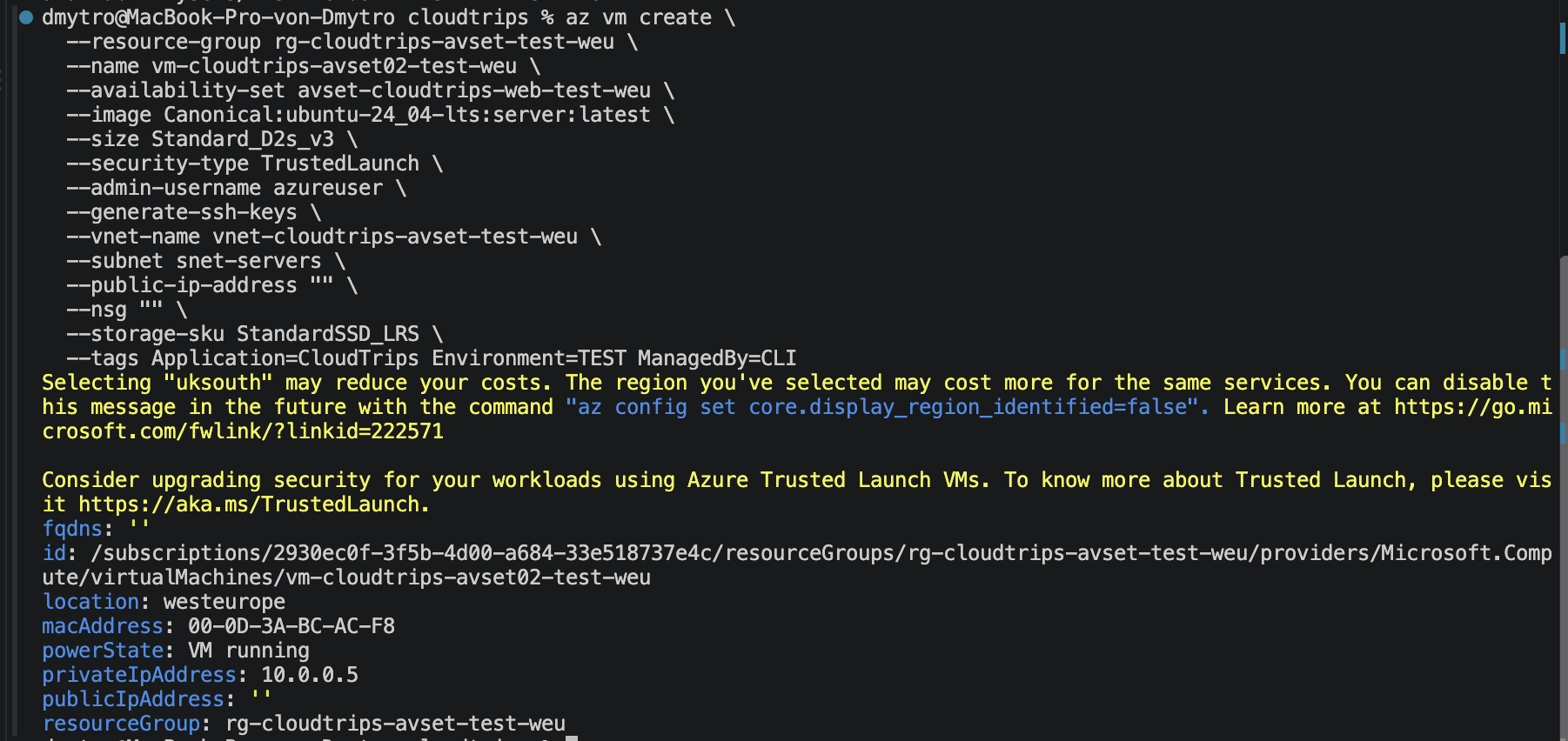
Create the second VM with the same configuration and availability set:
az vm create \
  --resource-group rg-cloudtrips-avset-test-weu \
  --name vm-cloudtrips-avset02-test-weu \
  --availability-set avset-cloudtrips-web-test-weu \
  --image Canonical:ubuntu-24_04-lts:server:latest \
  --size Standard_D2s_v3 \
  --security-type TrustedLaunch \
  --admin-username azureuser \
  --generate-ssh-keys \
  --vnet-name vnet-cloudtrips-avset-test-weu \
  --subnet snet-servers \
  --public-ip-address "" \
  --nsg "" \
  --storage-sku StandardSSD_LRS \
  --tags Application=CloudTrips Environment=TEST ManagedBy=CLI
Cloud Shell reuses the SSH key created by the first command. Keep the first VM running throughout the second deployment.
The availability set must be selected during VM creation. Azure cannot attach an existing VM to it later without deleting and recreating that VM.
Verify Fault and Update Domains
Open Availability sets > avset-cloudtrips-web-test-weu. Under Virtual
machines, confirm both VMs appear and are assigned different fault domains.
With two VMs and five update domains, they should also have different update
domains.
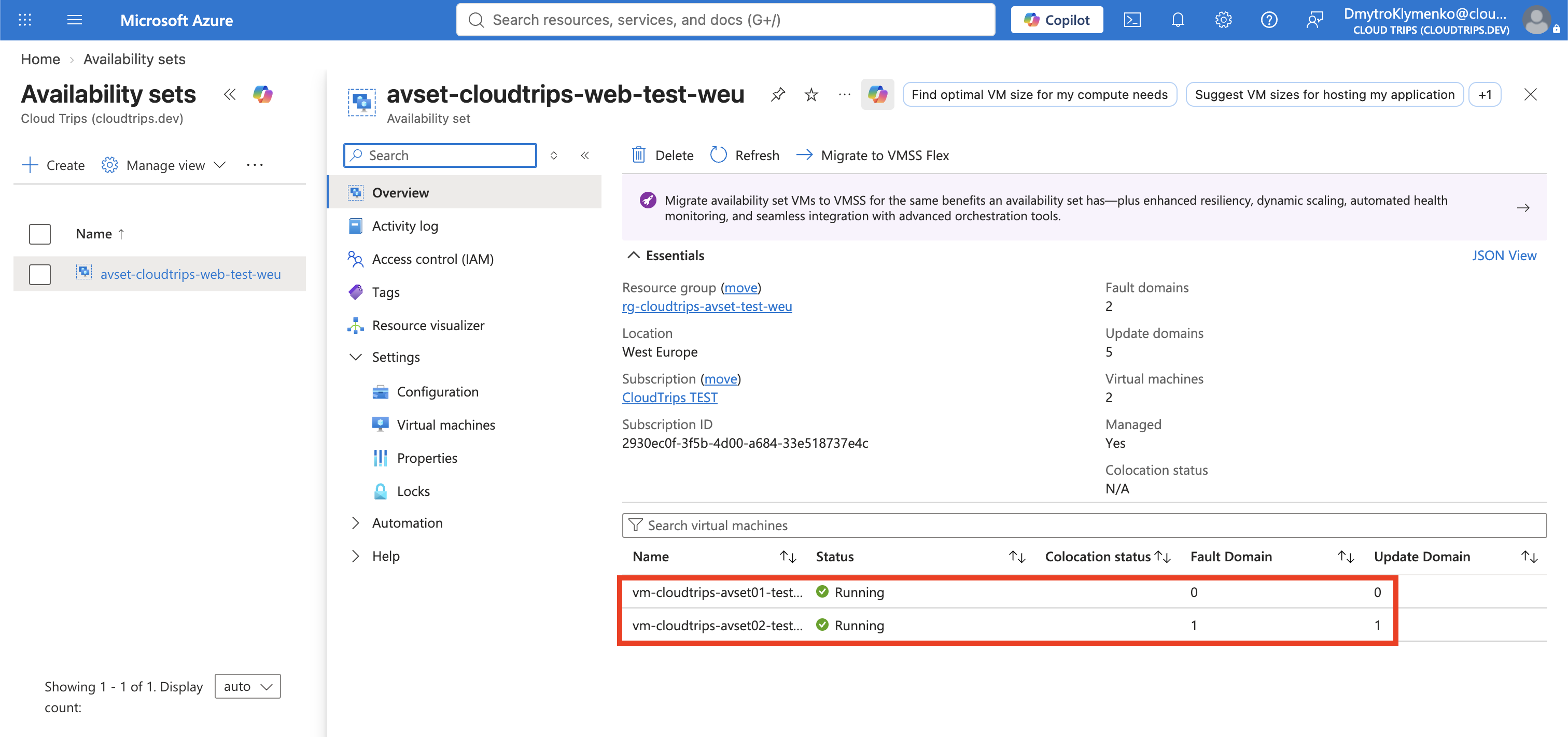
Expected placement resembles:
| VM | Fault domain | Update domain |
|---|---|---|
vm-cloudtrips-avset01-test-weu |
0 | 0 |
vm-cloudtrips-avset02-test-weu |
1 | 1 |
Exact numbers can differ; separation is what matters. Azure chooses the domains and does not let you assign one directly.
Both VMs must also run redundant application components, and clients need a load balancer or another failover mechanism. An availability set changes VM placement; it does not copy application data or redirect traffic by itself.
Clean Up
Delete the dedicated resource group:
az group delete \
  --name rg-cloudtrips-avset-test-weu \
  --yes
Verify that az group exists --name rg-cloudtrips-avset-test-weu returns
false.