Storage Needs Zone or Regional Resilience? Compare and Configure ZRS and GRS
A zone outage should keep your application running; a regional outage requires a copy elsewhere. Azure Storage offers different replication options for these needs.
| Option | Where copies live | What happens during an outage |
|---|---|---|
| ZRS — Zone-redundant storage | Synchronous copies across availability zones in one region | Storage remains available through a zone outage. |
| GRS — Geo-redundant storage | Local copies in the primary region, asynchronously copied to a secondary region | Regional recovery uses account failover; recent writes may be lost. |
GZRS combines zone redundancy with a regional copy. RA-GRS adds read access to the secondary endpoint before failover; its data can lag behind.
Create Two Storage Accounts
In the Azure portal, open Storage accounts → Create. Use these settings for both accounts:
Resource group: rg-cloudtrips-redundancy-test-weu
Region: West Europe
Performance: Standard
ZRS account name: stctzrsdmytrotestweu
GRS account name: stctgrsdmytrotestweu
Choose globally unique names using lowercase letters and numbers. Create the first account with Redundancy: ZRS, then the second with Redundancy: GRS. For GRS, leave secondary read access disabled. Keep hierarchical namespace disabled for this lab.
Inspect Zone Redundancy
Open the ZRS account and select Data management → Redundancy.
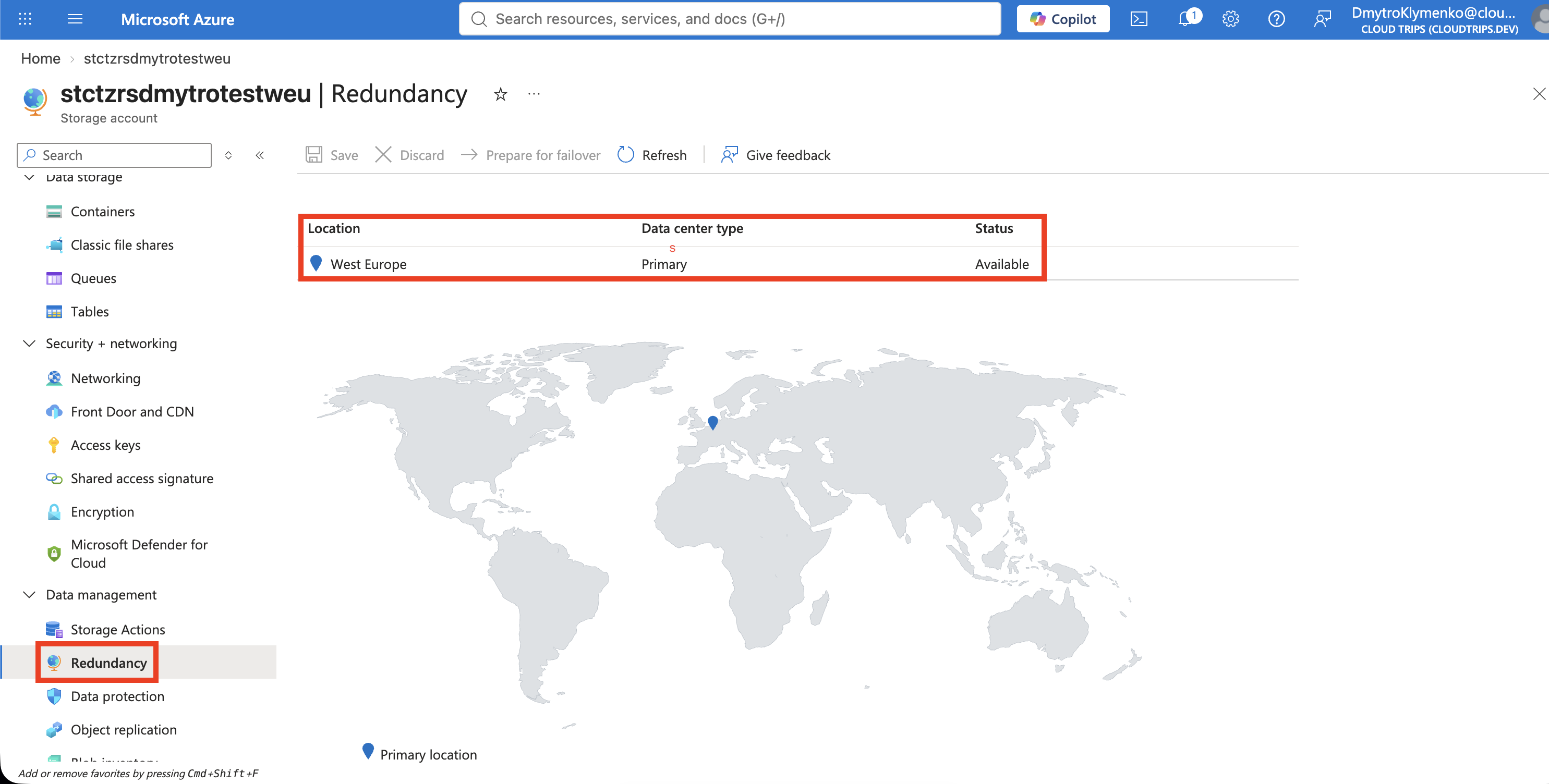
Check that the replication setting is ZRS. Azure manages the copies across zones; your application continues using the same account endpoint during a zone outage.
Inspect Geo-Redundancy
Open the GRS account’s Redundancy page and locate the primary and secondary regions.
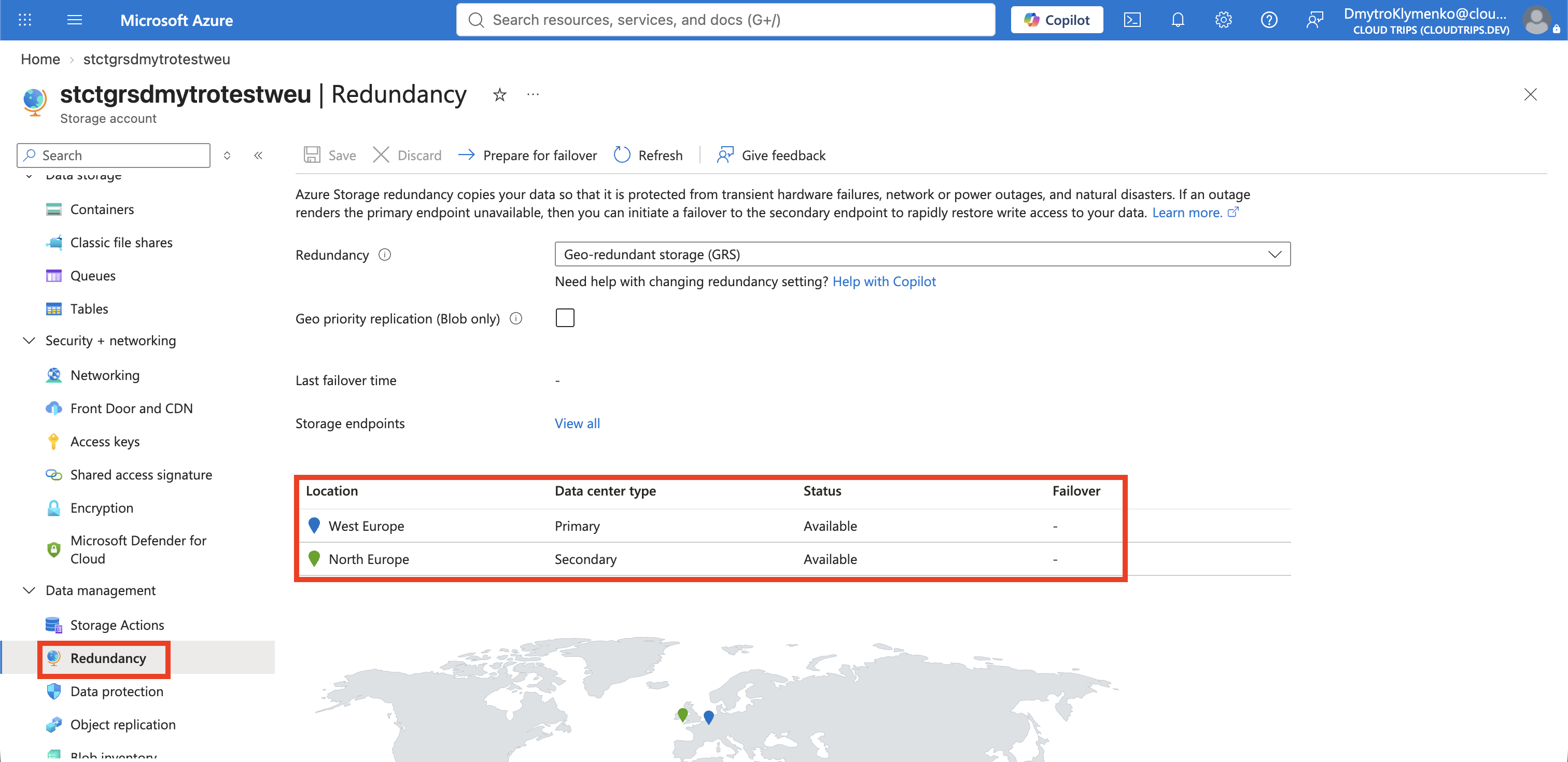
Check that the setting is GRS and note Azure’s assigned secondary region. Geo-replication is asynchronous: a successful write can still be waiting to reach that region. Unplanned failover promotes the secondary copy, so those recent writes may be lost. Regular GRS makes that copy available to applications after failover. RA-GRS (Read-Access GRS) also lets your application read the secondary copy before failover through a separate endpoint. Writes still go to the primary region, and secondary reads may return older data. This lets an app configured to use the secondary endpoint keep displaying data, such as a product catalogue, during a primary-region outage while awaiting failover.
These pages verify configuration; an outage test would be a separate exercise.
Clean Up
Open Resource groups → rg-cloudtrips-redundancy-test-weu → Delete resource group, confirm its name, and delete it. Confirm that the group disappears from the list.