App Needs a Relational Database? Create Azure SQL Database
Your app needs to store products, query prices, and enforce rules such as unique IDs. Azure SQL Database provides relational tables and transactions while Azure manages the underlying infrastructure, patching, and automated backups.
Create the Database and Server
In the Azure portal, open SQL databases → Create:
Resource group: rg-cloudtrips-sql-test-weu
Database name: sqldb-cloudtrips
Workload environment: Development
Elastic pool: No
Under Server → Create new, enter:
Server name: sql-ctappweu
Location: West Europe
Authentication: Use SQL authentication
Server admin login: ctadmin
Password: choose and securely save your own strong password
Adjust the globally unique server name if taken. This logical server groups databases and their connection, authentication, and firewall settings; Azure runs the database infrastructure.
Under Compute + storage → Configure database, select the Basic service tier in the DTU-based options and apply. This small lab uses a bundled compute allocation; review the displayed cost before creation. Choose Locally-redundant backup storage for the lab.
Allow Your Computer
On Networking, choose Public endpoint, set Add current client IP address: Yes, and leave Allow Azure services and resources to access this server: No. Under Additional settings, choose Use existing data: None. Select Review + create → Create.
After deployment, open the logical server’s Networking page.
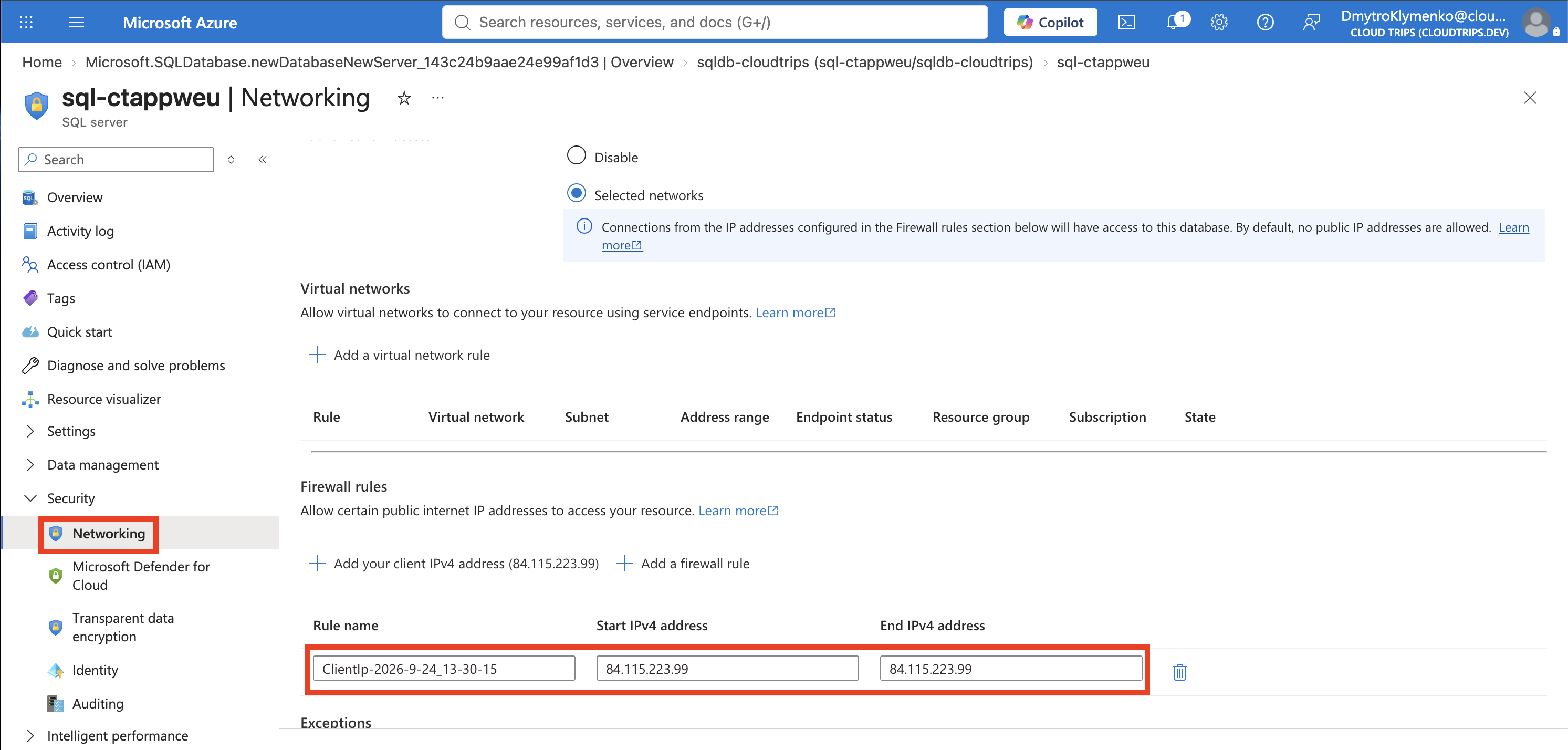
Check that public access is restricted to selected networks and the firewall rule matches your public IP. The rule permits network access; the SQL login grants database access. Update it if your internet-facing IP changes.
Create and Query a Table
Open sqldb-cloudtrips → Query editor (preview) and sign in with ctadmin and your password. If prompted, allowlist your current IP and retry. Run this once:
CREATE TABLE dbo.Products (
    ProductId int PRIMARY KEY,
    Name nvarchar(100) NOT NULL,
    Price decimal(10,2) NOT NULL CHECK (Price >= 0)
);

INSERT INTO dbo.Products (ProductId, Name, Price)
VALUES (1, N'Notebook', 12.50);

SELECT ProductId, Name, Price FROM dbo.Products;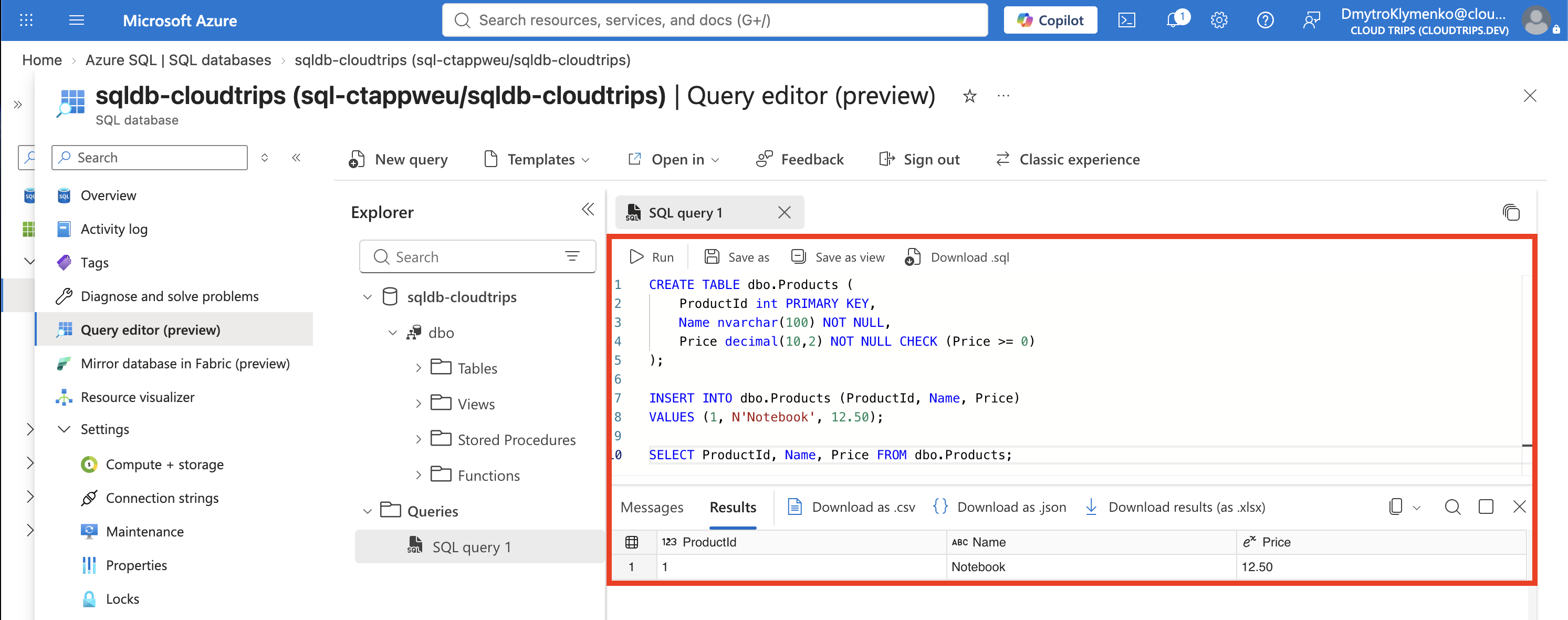
Expect one row: 1, Notebook, 12.50. The primary key keeps IDs unique, NOT NULL requires values, and CHECK rejects negative prices. Refresh the table list to see dbo.Products.
An application connects to sql-ctappweu.database.windows.net, database sqldb-cloudtrips, using a SQL driver and encrypted connection. For an Azure-hosted app, a managed identity and a database user with limited permissions provide access suited to the app’s tasks.
Clean Up
Delete rg-cloudtrips-sql-test-weu in the portal and confirm it disappears. This removes the test database and logical server and stops their ongoing resource charges.