Developer Needs a SQL Connection? Connect to Azure SQL
A developer needs to run database queries from their computer. Visual Studio Code with Microsoft’s MSSQL extension connects to Azure SQL on macOS, Windows, and Linux, combining a query editor with database browsing.
Prepare the Database
Use sqldb-cloudtrips on sql-ctappweu. If you deleted the resource group, follow Create Azure SQL Database again; the Products table is optional for this trip.
In the SQL server’s Networking, select Selected networks, add your current public IP, and save. Keep Allow Azure services and resources to access this server disabled. Your computer needs outbound TCP access to port 1433 for this public connection.
Have the ctadmin password ready. If forgotten, use Reset password on the logical server. This is the SQL login created in the first trip, separate from your Azure portal login.
Connect from VS Code
Install Visual Studio Code—choose Apple Silicon on an ARM Mac. Open Extensions, search for SQL Server (mssql) by Microsoft, and install it.
Open the MSSQL sidebar and choose Add Connection. Enter:
Profile name: CloudTrips SQL
Server: sql-ctappweu.database.windows.net
Database: sqldb-cloudtrips
Authentication: SQL Login
User name: ctadmin
Password: your SQL administrator password
Encrypt: Mandatory (or True)
Trust server certificate: False / unchecked
Use your actual server name. Encryption protects the connection; certificate validation verifies the server’s identity. Select Connect.
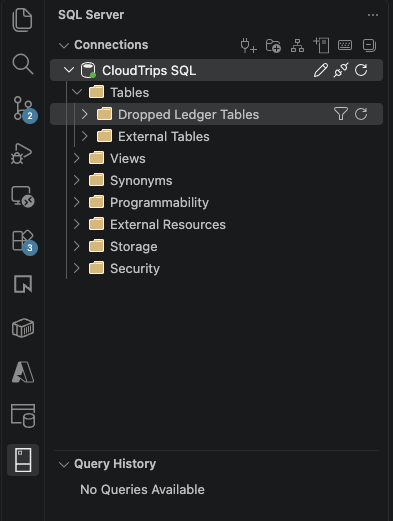
Expand the connection and confirm the target database is sqldb-cloudtrips. A successful connection confirms that the endpoint, firewall, and login work together.
Run a Query
Right-click the database and choose New Query. Run:
SELECT DB_NAME() AS DatabaseName,
       CURRENT_USER AS DatabaseUser,
       SYSUTCDATETIME() AS ServerUtcTime;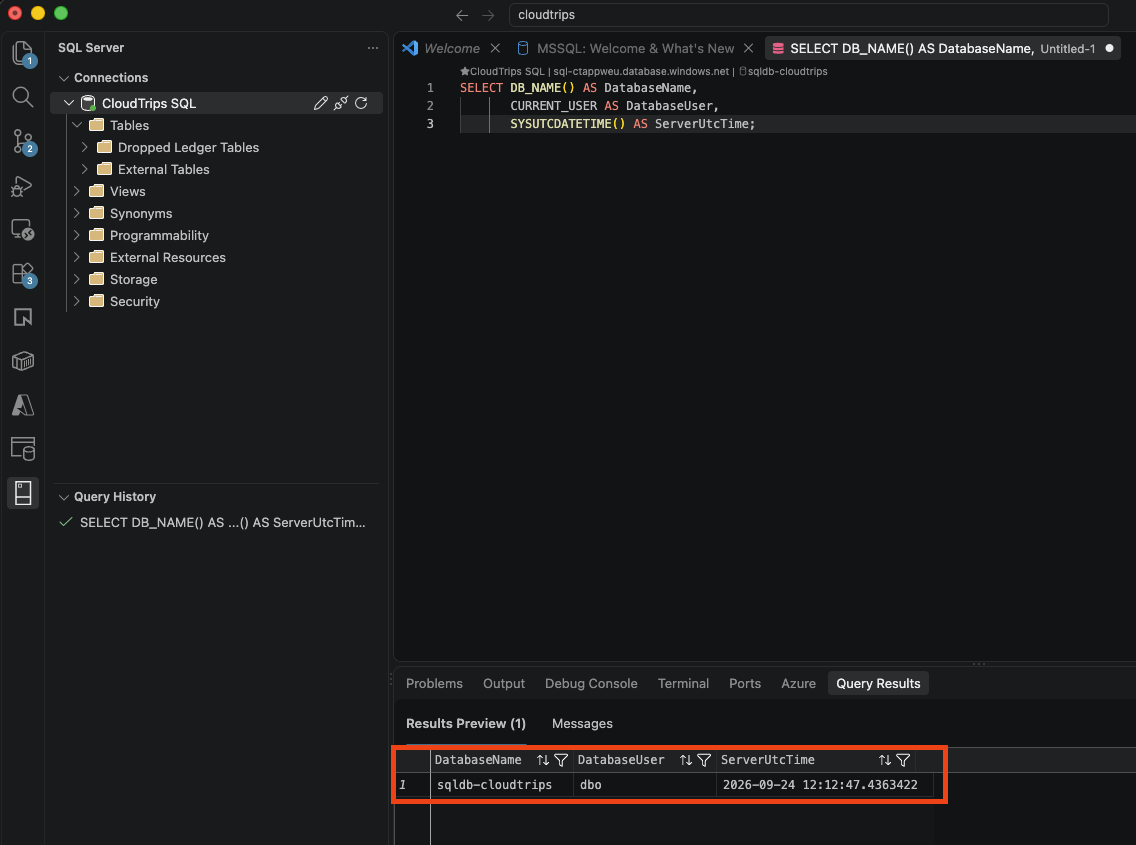
Expect sqldb-cloudtrips in DatabaseName. With the server administrator login, DatabaseUser is normally dbo. ServerUtcTime is the database server’s current UTC timestamp and changes on each execution.
For a blocked-IP error, update the server firewall. For a login failure, check SQL Login authentication, the username, password, and database name. An application should use its own database identity with permissions limited to its tasks.
Clean Up
Disconnect the profile in VS Code. Keep the test database if continuing the SQL trips; otherwise delete rg-cloudtrips-sql-test-weu in Azure. Disconnecting the client leaves the database running and billable.